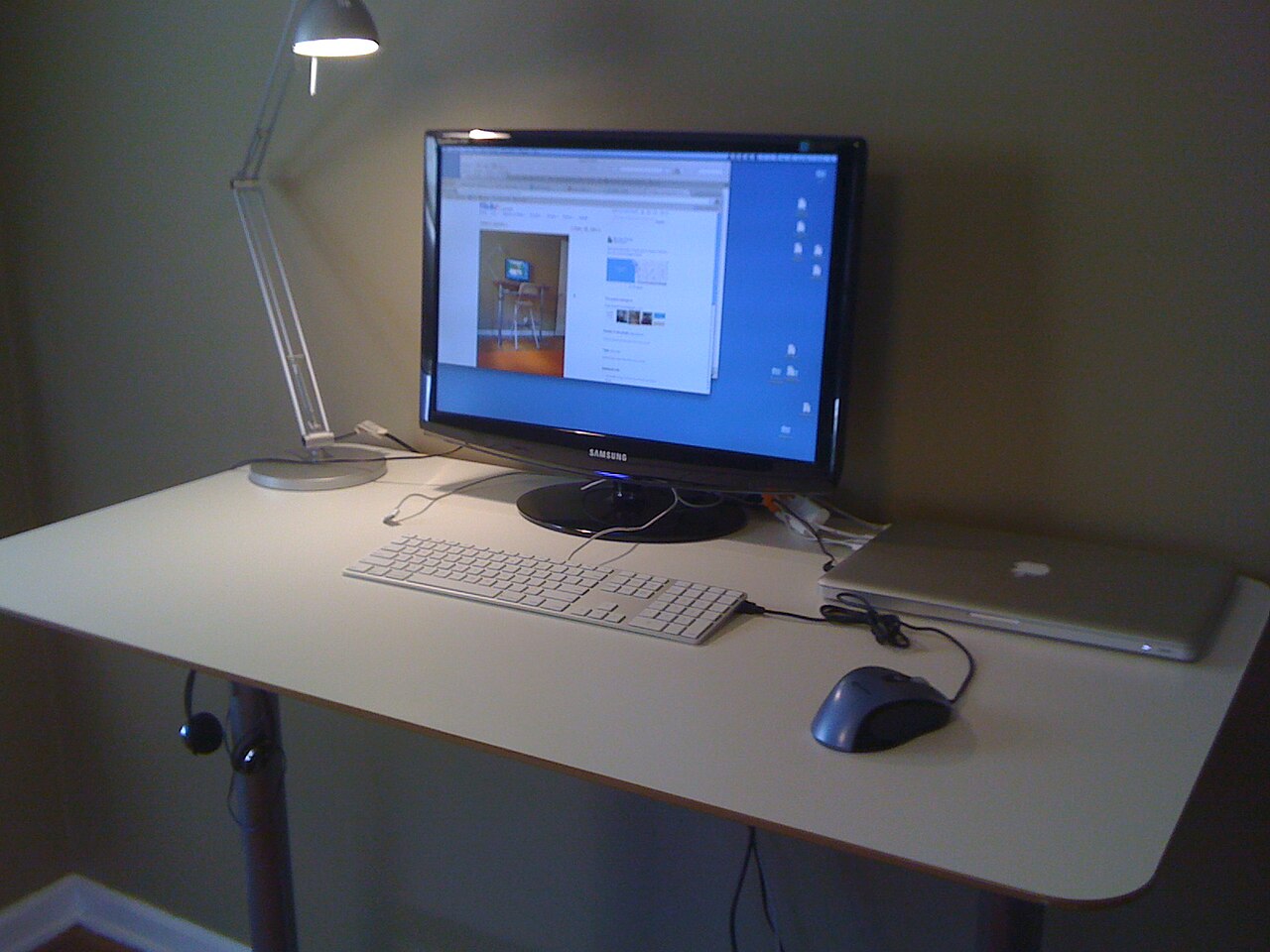
Can You Use a Standing Desk in a Small Apartment?
Can You Use a Standing Desk in a Small Apartment? The rest of the series — converters, mats and desk sizing — is collected in our standing desk guides.
If you live in a small apartment, studio, dorm room, or rented room, the idea of adding a standing desk may seem unrealistic. Many people imagine standing desks as large, heavy office furniture that needs a dedicated room and plenty of space. But for remote workers who live in compact homes, a standing desk can still be possible if you choose the right size, frame, and layout.
Quick Answer
Yes — a standing desk fits a small apartment if you stay around 100-120 cm wide. A compact electric desk (28.3-46.5 in height, 176 lb capacity, typically $220-$280) suits daily sit-stand switching. A manual crank desk (27.76-40 in, $70-$110) costs far less if you rarely change height, and a 32-inch desk converter (VIVO V000K, check the current price) works when the table has to stay.
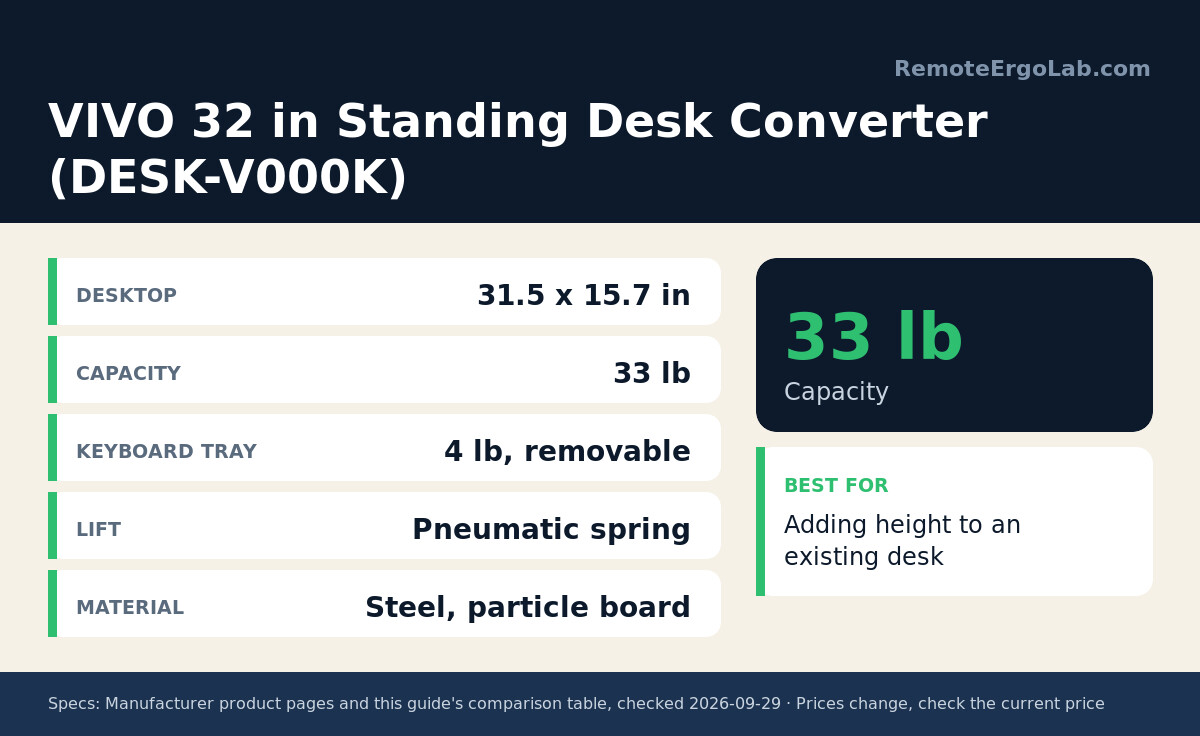
Top pick: HUANUO 32×19 small electric desk — typical ≈ $220-$280 · Check current price on Amazon
Comparison Table
| Type | Example Model | Height Range | Weight Capacity | Typical Price |
|---|---|---|---|---|
| Compact electric desk | HUANUO 32×19 Inch | 28.3–46.5 in | 176 lbs | $220-$280 |
| Manual crank desk | Hand Crank Small Standing Desk | 27.76–40 in | Check listing | $70-$110 |
| Desk converter | VIVO DESK-V000K 32 in | Raises ~15–20 in above desk | Check listing | Check current price |
All prices are typical ranges — always check the current price before buying.
Before comparing types, measure three things: the width of the wall or corner you can give up, the depth between the wall and where you sit (desktop depth plus room to push the chair back), and the height your elbows need while typing. Our guides to standing desk height and placing a desk in a small apartment work through those numbers.
1. Compact Electric Standing Desks
Compact electric standing desks are a strong option for remote workers who work from home full-time. These desks usually have a smaller desktop, often around 100 to 120 cm wide, while still offering electric height adjustment.
For a compact pick, the HUANUO 32×19 Inch Small Electric Standing Desk offers 176 lbs of capacity, a 28.3 to 46.5 inch height range, and rounded corners that fit tight corners — typically $220-$280 (check current price).
Typical ≈ $220-$280 · Check current price on Amazon
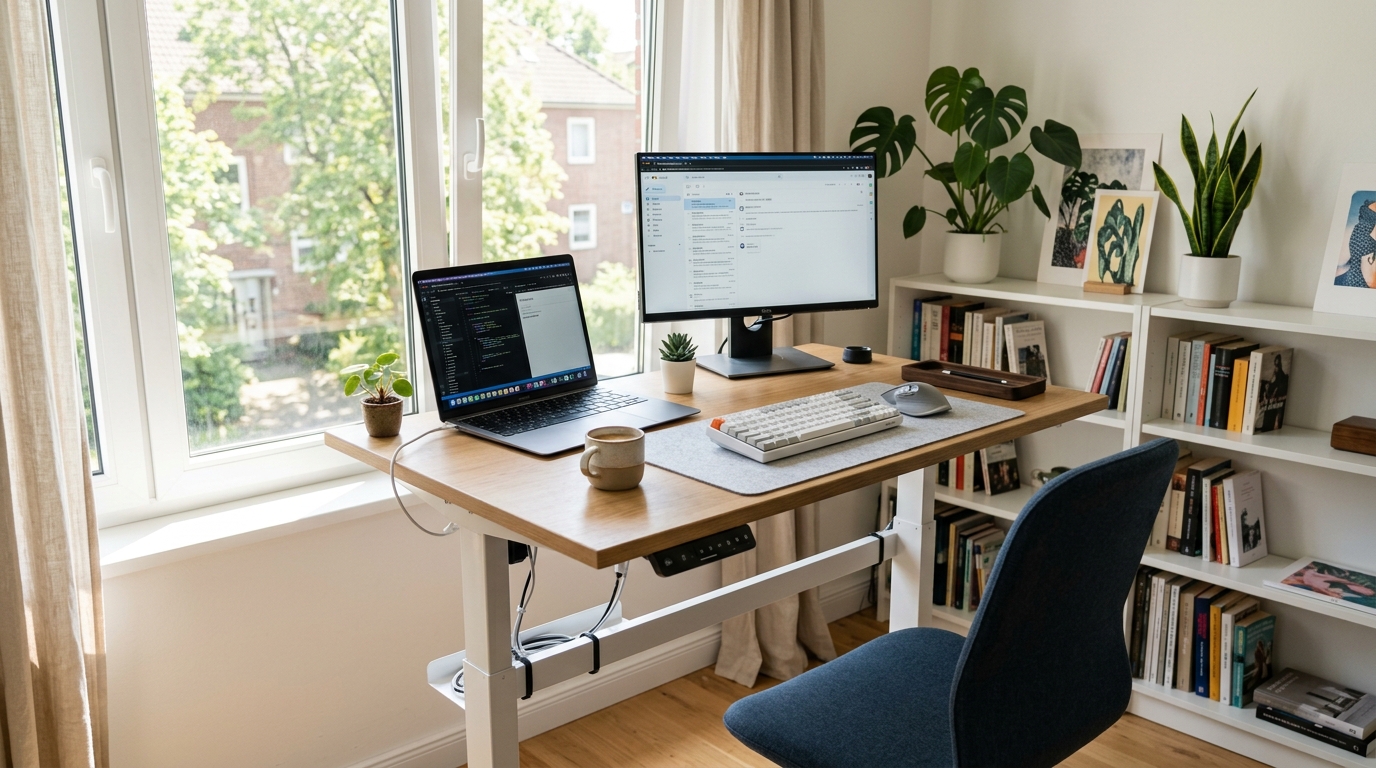
The biggest advantage is convenience. You can switch from sitting to standing with the press of a button. Many models include memory presets, so you can save your preferred sitting and standing heights. This makes it easier to build a sit-stand habit because adjusting the desk does not feel like extra work.
Compact electric desks are best for people who:
- work from home most days
- want to change posture frequently
- use an external monitor and keyboard
- need a professional ergonomic setup
- have enough room for a permanent desk
The downside is that electric desks usually cost more than manual options and require access to a power outlet. You will also need to manage cables carefully so they do not get pulled when the desk moves.
2. Manual Crank Standing Desks
Manual crank desks are a more budget-friendly option. Instead of using a motor, you adjust the desk height by turning a crank. This can be useful if you want a standing desk but do not need to change height many times per day.
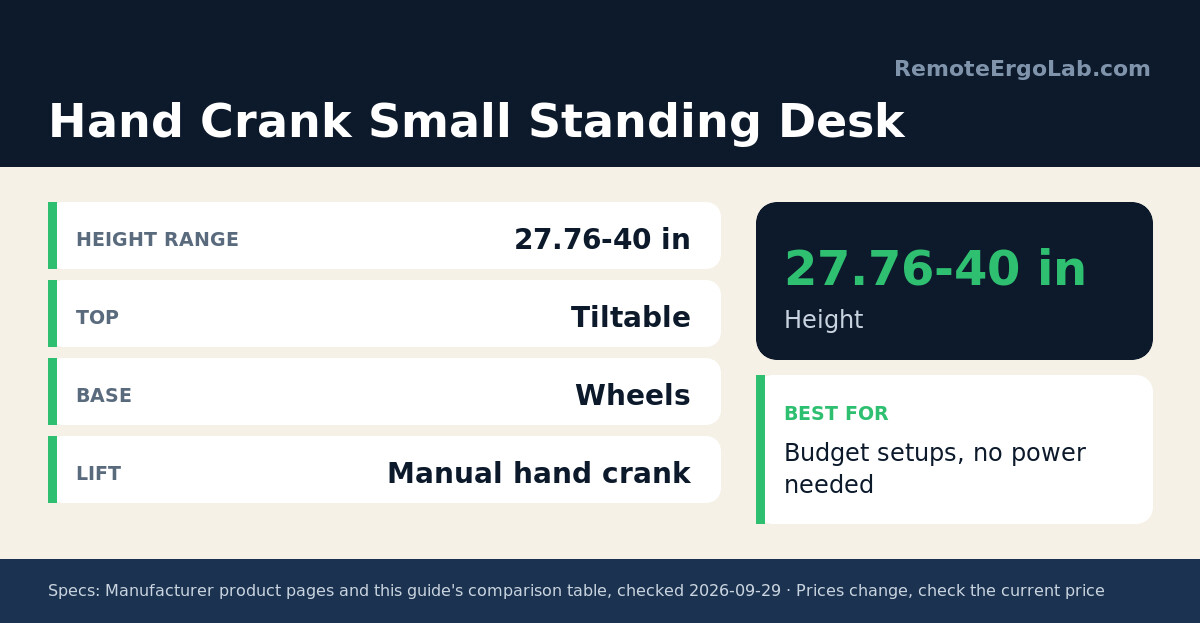
One example is the Hand Crank Small Standing Desk, which adjusts from 27.76 to 40 inches, includes a tiltable tabletop and wheels, and stays well under the price of an electric model — typically $70-$110 (check current price).
Typical ≈ $70-$110 · Check current price on Amazon
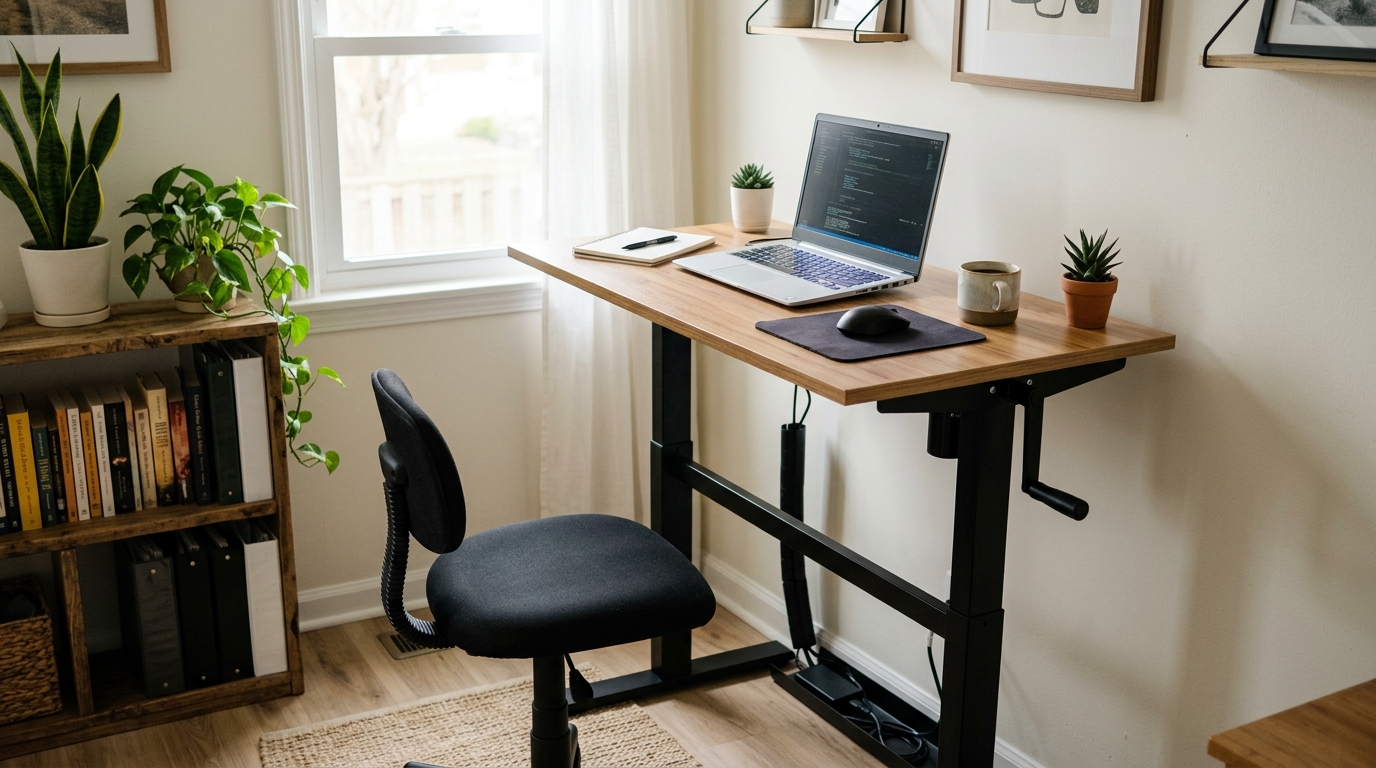
Manual desks also have fewer electrical components, which means fewer cables and less concern about motor noise. For small rooms, this can make the setup feel simpler and cleaner.
However, manual adjustment takes more effort. If changing height feels inconvenient, you may end up leaving the desk in one position most of the day. A manual crank desk works best if you plan to switch posture a few times, not constantly.
3. Desk Converters and Desk Risers
If you cannot replace your current desk, a desk converter or desk riser may be the most practical solution. This type of product sits on top of your existing table and raises your laptop, monitor, keyboard, or mouse to standing height.
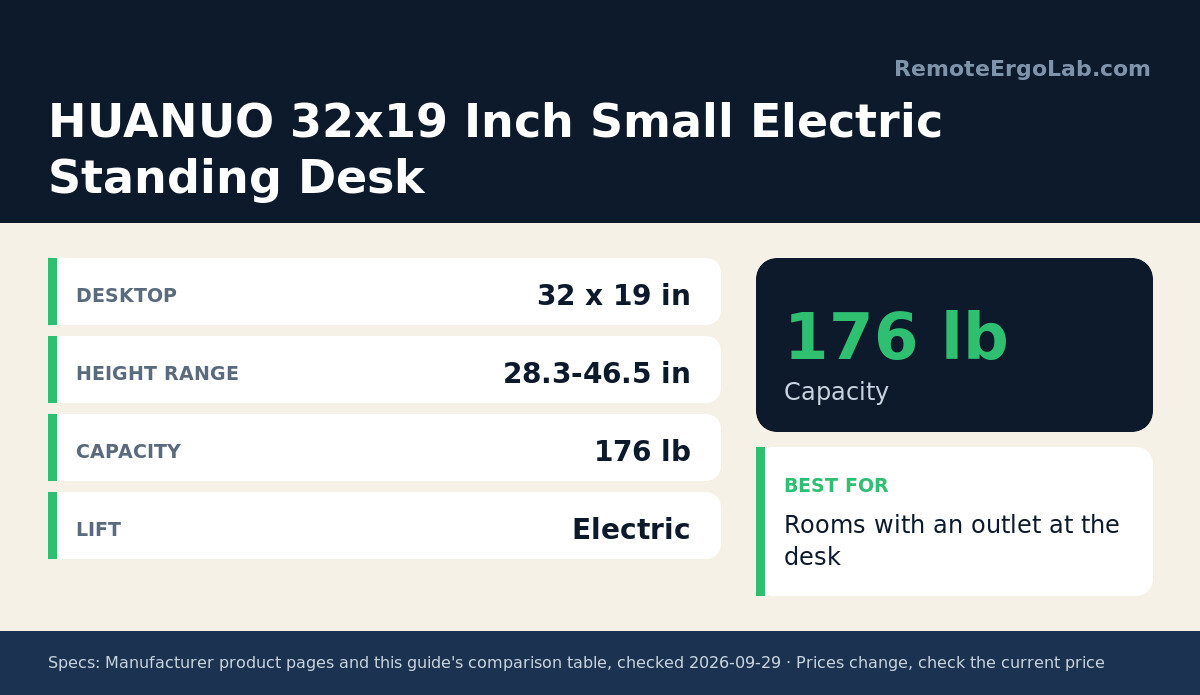
A solid example is the VIVO DESK-V000K 32 in Standing Desk Converter, a 32-inch tabletop riser that lifts a laptop or monitor setup about 15–20 inches above an existing desk — see the current price on Amazon.
32 in wide · lifts a laptop or monitor setup ~15–20 in · Check current price on Amazon
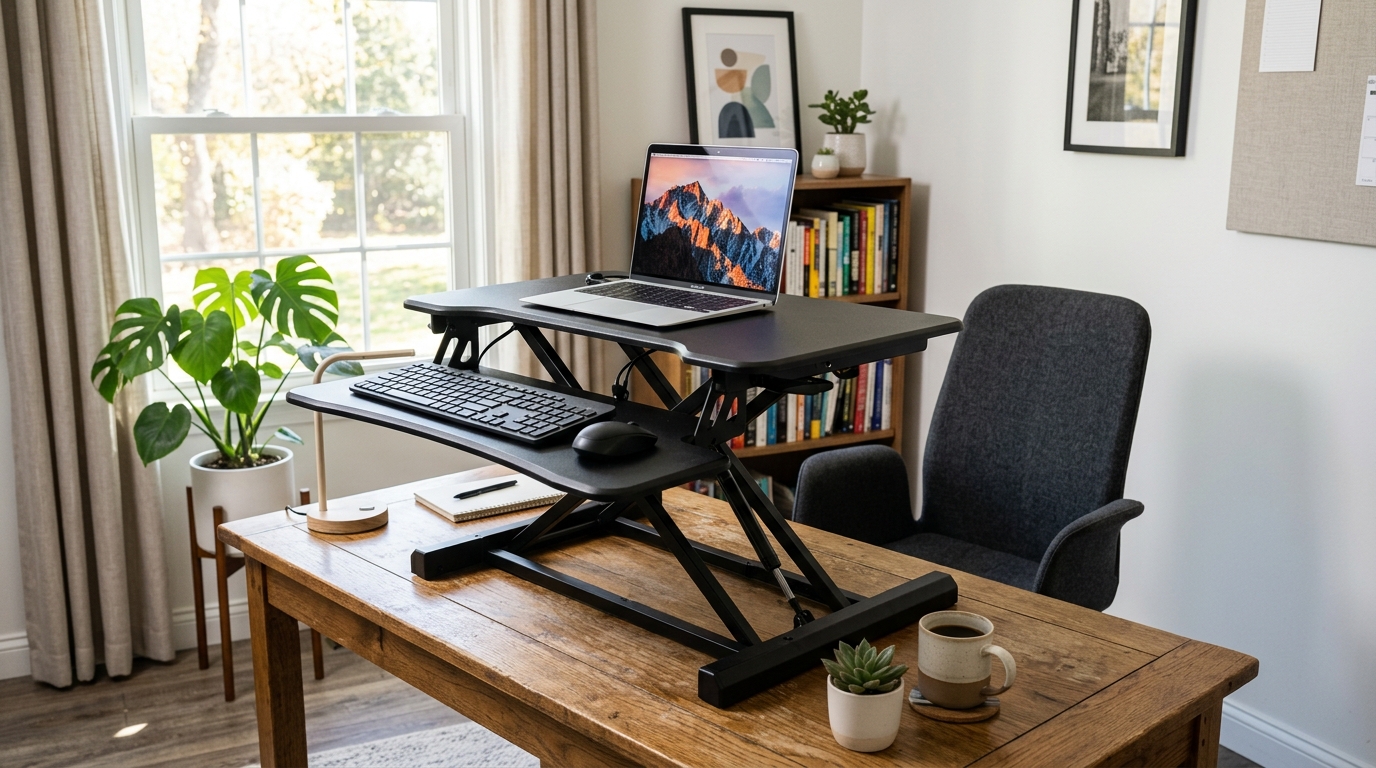
Desk risers are especially useful for rented rooms, dorm rooms, or apartments that already come with a built-in desk. You do not need to remove furniture or buy a full standing desk frame. You can simply place the riser on the existing surface and create a sit-stand setup.
The main limitation is that converters can take up desktop space. Some models are also heavy or bulky. Before buying one, check the size of your current table and make sure the riser leaves enough room for your keyboard, mouse, and other items.
4. Wall-Mounted or Folding Standing Desks
For extremely small spaces, a wall-mounted or folding standing desk can be a smart option. These desks are attached to the wall and can often be folded away when not in use. This is ideal for studio apartments, narrow bedrooms, or rooms where floor space is limited.
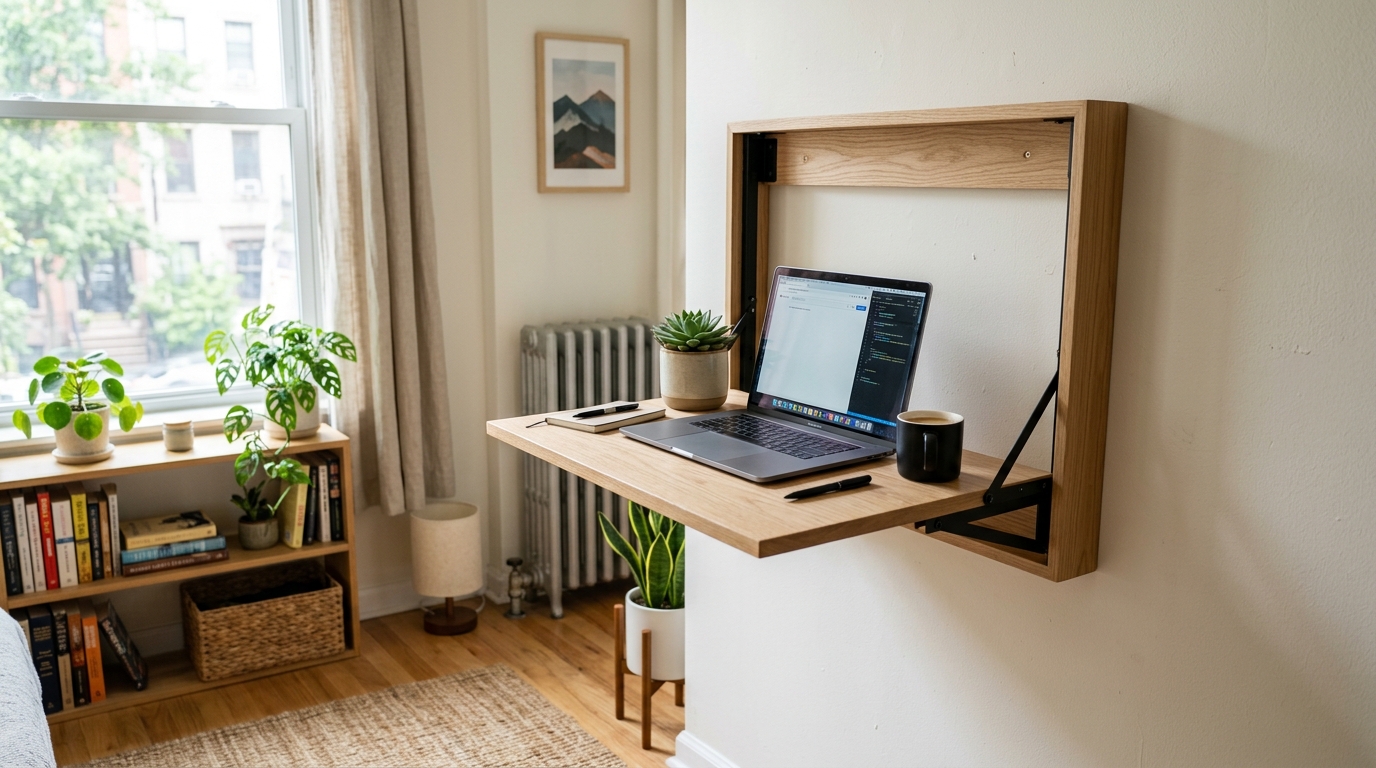
The main advantage is that the desk disappears when you finish working. This helps you separate work mode from home mode, even in a small room. It can also make your space feel more open after work.
However, wall-mounted desks have some limitations. They may require drilling into the wall, which may not be allowed in some rented apartments. You also need to check weight capacity carefully. A folding desk may be suitable for a laptop and light accessories, but not always for a heavy monitor setup.
Real Footprints: What Each Type Needs in the Room
Desktop size, height range and weight rating are the three numbers that decide whether a type fits. The figures below come from the models covered above.
| Type | Example model | Desktop | Height range | What the room has to allow |
|---|---|---|---|---|
| Compact electric desk | HUANUO 32×19 Inch | 32 x 19 in | 28.3-46.5 in | An outlet within reach of the desk, and about 19 in of depth |
| Manual crank desk | Hand Crank Small Standing Desk | Compact top with a tiltable surface | 27.76-40 in | No power needed — leave a little room beside the desk to turn the handle |
| Desk converter | VIVO DESK-V000K 32 in | 31.5 x 15.7 in | Raises a setup about 15-20 in above the desk | An existing table at least 31.5 in wide, rated for 33 lb |
| Wall-mounted or folding | Check models in section 4 | Varies by bracket | Fixed or a few positions | Clear wall space and permission to drill — check the weight rating before hanging a monitor |
Standing for long stretches changes the maths on the floor rather than the desk: a mat adds comfort without eating floor space, and our anti-fatigue mat picks cover the small-room options.
Which Type Should You Choose?
Match the type to the room you actually have, not the one you wish you had:
| Room situation | Best type | Why it works |
|---|---|---|
| Dedicated work corner, remote work most days | Compact electric desk | Button adjustment makes switching posture part of the routine |
| Rental with a desk you cannot remove | Desk converter | It sits on the existing table — no drilling, no furniture moved |
| Very small or shared room | Manual crank desk | No motor box or power lead, and the cheapest route to a full-size desk |
| Studio, or work and living share the floor | Wall-mounted or folding desk | The surface folds away when you finish, so the floor space comes back |
Still comparing on price? Our roundup of the cheap standing desk under $500 options measures the electric picks side by side on height range, load and wobble.
Small-Space Standing Desks Compared
| Product | Key specs | Typical price | Link |
|---|---|---|---|
| HUANUO 32×19 Inch Small Electric Standing Desk | 32 x 19 in top; 28.3-46.5 in height range; 176 lb capacity | $220-$280 | Check current price on Amazon |
| Hand Crank Small Standing Desk | 27.76-40 in height; tiltable top; wheels | $70-$110 | Check current price on Amazon |
| VIVO 32 in Standing Desk Converter (DESK-V000K) | Raises a laptop or monitor setup about 15-20 in above an existing desk | Check current price | Check current price on Amazon |
Three models worth checking at today’s prices:
Typical ≈ $220-$280 · Check current price on Amazon
Typical ≈ $70-$110 · Check current price on Amazon
VIVO 32″ desk converter · Check current price on Amazon
Small spaces often require one area to serve many purposes. Your desk may sit next to your bed, beside a wardrobe, near the kitchen, or in a corner of the living room. In some cases, the same table may be used for work, studying, eating, and storage. Because of this, every item in the room needs to earn its place. A standing desk for a small space should not only support your posture, but also fit naturally into your daily life.
The good news is that standing desks now come in many compact forms. You can choose a small electric standing desk, a manual crank desk, a desk converter, a riser placed on an existing table, or even a wall-mounted folding desk. The best choice depends on how much space you have, how often you work from home, and whether you can modify your room.
This guide will help you understand what to look for when choosing a standing desk for a small space. We will cover desktop size, frame design, flexibility, cable management, stability, layout tips, and a few realistic setup examples for small apartments and rented rooms.
1. Choose the Right Desktop Size
The desktop size is one of the most important factors when choosing a standing desk for a small room. A desk that is too large can block walkways, make the room feel crowded, and reduce the flexibility of your living space. A desk that is too small, however, may not give you enough room for your laptop, monitor, keyboard, mouse, notebook, and daily accessories.
For many small-space remote workers, a compact desktop width of around 100 to 120 cm can be a practical range. This is usually enough for a laptop, one external monitor, a keyboard, and a mouse. If you use only a laptop and a small notebook, you may be able to go smaller. If you use two monitors or a large monitor, you may need a wider desktop or a monitor arm to free up space.
Before buying a desk, measure your actual room instead of guessing — our guide to where to put a desk in a small apartment walks through the clearances that matter. Check the width of the wall where you plan to place the desk. Measure the distance to the door, bed, wardrobe, or any walkway. Make sure you still have enough room to move comfortably when the chair is pulled out. A standing desk should improve your workspace, not make the room harder to live in.
A helpful method is to mark the desk size on the floor using tape. This gives you a real sense of how much space the desk will occupy. If the marked area already feels too large, choose a smaller desktop or consider a desk converter instead of replacing the entire desk.
2. Pay Attention to Footprint and Frame Design
When people choose standing desks, they often focus only on the desktop size. But in a small space, the frame design matters just as much. The footprint of the desk determines how much floor space the desk legs use and how easily the desk can sit near a wall, bed, or corner.
A T-frame standing desk usually has legs centered under the desktop. This design is common and stable, but depending on the model, the feet may extend forward and backward. In a narrow room, this can affect how close the desk can be placed to a wall or how much space remains for your chair.
A C-frame standing desk has legs positioned more toward the back of the desk. This can sometimes make it easier to sit closer to the desk and place the frame near a wall. For small rooms, this design may feel more open, especially if the desk is placed against a wall or in a corner.
Try to avoid desks with very wide feet, bulky frames, or X-shaped legs if your floor space is limited. These designs may look stylish, but they can make a compact room feel more crowded. In small apartments, the best standing desk is often the one with a clean, simple frame that takes up as little visual and physical space as possible.
3. Look for Flexible and Multi-Use Design
In a small home, your desk may need to do more than one job. It may be your workstation during the day, a study desk in the evening, and sometimes even a dining or hobby table. Because of this, flexibility is important.
A compact standing desk with a simple surface can blend more easily into the room. Neutral colors such as white, black, light wood, or walnut are easier to match with existing furniture. A visually light design can make the room feel less crowded compared with a bulky desk that dominates the space.
If your room is very small, consider whether the desk can support your daily routine beyond work. Can you clear the surface quickly after work? Can it hold a laptop, monitor, and personal items without becoming messy? Can it still look acceptable if it is placed in a bedroom or living area?
For small spaces, the goal is not only ergonomics. It is also lifestyle compatibility. A desk that fits your work style but ruins the flow of your room may become frustrating over time.
4. Do Not Ignore Cable Management
Cable management may seem like a small detail, but it becomes very important in compact rooms. When your desk is close to your bed, wardrobe, or living area, messy cables can make the entire space feel cluttered. A few visible wires can quickly make a small room look disorganized.
Look for standing desks that offer cable trays, cable clips, under-desk storage, or at least enough space to install your own cable management accessories. If you use an electric standing desk, cable management is even more important because the desk moves up and down. Cables must have enough length to move safely without pulling your monitor, laptop charger, or power strip.
A simple setup might include:
- one cable tray under the desk
- cable clips along the back edge
- a power strip mounted under the desktop
- Velcro ties to group cables together
- a monitor arm with cable routing
Good cable management makes your workspace look cleaner, reduces distraction, and helps protect your equipment when the desk changes height.
5. Consider Noise and Stability
If you live alone, desk motor noise may not be a major concern. But if you share your apartment with a partner, roommate, family member, or children, the sound of an electric standing desk moving up and down can become noticeable, especially in a quiet room.
Many modern electric standing desks are relatively quiet, but noise levels still vary by model. If you plan to adjust your desk frequently throughout the day, choose a desk with a smooth and quiet motor. This is especially useful if you take meetings, work early in the morning, or live in a shared space.
Stability is also important. A small standing desk should still feel solid when raised. Some lightweight desks may wobble more at standing height, especially if you use a large monitor or type heavily. If possible, check reviews that mention stability at higher positions, not only at sitting height.
For small spaces, the best desk is not just compact. It should also feel safe, steady, and comfortable to use every day.
Quick Checklist for Small-Space Standing Desks
- Measure your wall space and tape out the desk footprint on the floor before buying
- Aim for a desktop around 100–120 cm wide — enough for a laptop, one monitor, keyboard, and mouse
- Prefer C-frame or narrow-footprint designs that sit close to the wall
- Choose a neutral, multi-use surface that blends into the room
- Plan cable trays, clips, and an under-desk power strip from day one
- Check motor noise and stability at standing height in reviews
One more thing to plan for: at sitting height, a desk that suits a standing frame can leave your feet dangling. If the gap between your heels and the floor is under 10 cm, a leg hammock for desk use is often the only support that fits — our footrest guide explains when a sling beats a rigid platform.
Frequently Asked Questions (FAQ)
What is the smallest practical standing desk size? Around 100 cm wide works for a laptop plus one external monitor. Go smaller only if you use a laptop alone, and add a monitor arm to free up space.
Should I buy a full standing desk or a converter? If you already have a sturdy table, a desk converter is cheaper and renter-friendly. A full desk is better when you need the entire surface to move.
Do standing desks wobble? Cheaper lightweight frames can wobble at maximum height. Always check reviews that mention stability at standing height, especially if you use a large monitor.
Which standing desk is the easiest to set up?
A desk converter or a wall-mounted desk: neither needs assembly time on a frame, and neither changes the furniture you already have. Converters simply sit on the existing table, while a wall-mounted desk fixes to the wall and folds away when the workday ends.
Is a minimalist standing desk a good choice for a small room?
Yes, as long as the minimalism is in the footprint rather than the height range. The minimalist standing desks worth buying keep a narrow top and a single column, so the desk occupies less floor area while still covering sitting and standing heights. What you give up is stability at the highest setting and, usually, some weight capacity.
What standing desk designs work in a small space?
Compact electric desks, single-column crank desks, converters and wall-mounted or folding desks. We compare all four, with their real footprints, in standing desk types for small spaces.
How much floor space should I leave for a standing desk?
Plan for the desktop footprint plus the room your chair needs to slide back when you stand: a 100 cm wide desk with 60 cm of clear space behind the chair covers most small rooms. If that does not fit, change the design rather than the measurements — a folding or wall-mounted desk only needs floor space while you work. Our layout guide walks through the measurements room by room.
Which type is best for a rented room? A desk converter or riser — it sits on your existing table, requires no furniture removal, and is completely landlord-friendly.
Are electric desks worth the extra cost? If you plan to switch between sitting and standing several times a day, yes. Otherwise a manual crank saves money and keeps the setup simpler.
Can I use a converter with a small table? Yes, but check the table’s weight capacity and depth first — the converter needs a stable, wide enough surface.
Will a standing desk fit in a studio apartment? Measure the wall width you can give up and the depth that the desk plus chair need. If both are tight, a wall-mounted or folding desk keeps the room usable, because nothing stays on the floor while you work.
Does a standing desk need to be near a power outlet? Only electric models do. Manual crank, converter and wall-mounted desks are adjusted by hand, so they can stand anywhere in the room.
Which standing desk designs work in small spaces? Four designs cover almost every small room: a compact electric desk with a 100-120 cm top, a single-column manual crank desk, a desk converter that reuses the table you already own, and a wall-mounted or folding desk that gives the floor back when you finish. The deciding factor is usually whether you can keep a desk on the floor at all.
What is the best standing desk under 500 dollars? In that bracket you are choosing between a compact electric frame and a higher-capacity converter. Electric wins if you change height several times a day; a converter wins if you rent and cannot replace the table. Both stay well inside the bracket, so compare the height range and the footprint rather than the price tag. See our sit-stand desks under 500 for that shortlist.
How small is a mini standing desk converter? A mini standing desk converter is the single-tier riser type: it is narrower than a full converter, holds a laptop or one monitor, and lifts the work surface to roughly standing height on top of an existing table. Our standing desk converter picks for small desks cover the current options and their footprints.
Related Guides
- How to Arrange a Standing Desk in a Small Apartment
- Best Types of Standing Desks for Small Spaces
- The Complete Ergonomic Home Office Setup Guide
- Start Here — New to Ergonomics?
- Standing Desks Under $500: 4 Picks
- Chairs That Fit a Small-Apartment Workspace
Remote Ergo Lab is reader-supported. When you buy through links on our site, we may earn an affiliate commission. See our Affiliate Disclosure.
Disclosure
As an Amazon Associate we earn from qualifying purchases.
Shop These Picks on Amazon
These are the three small-space options compared above, with live prices: