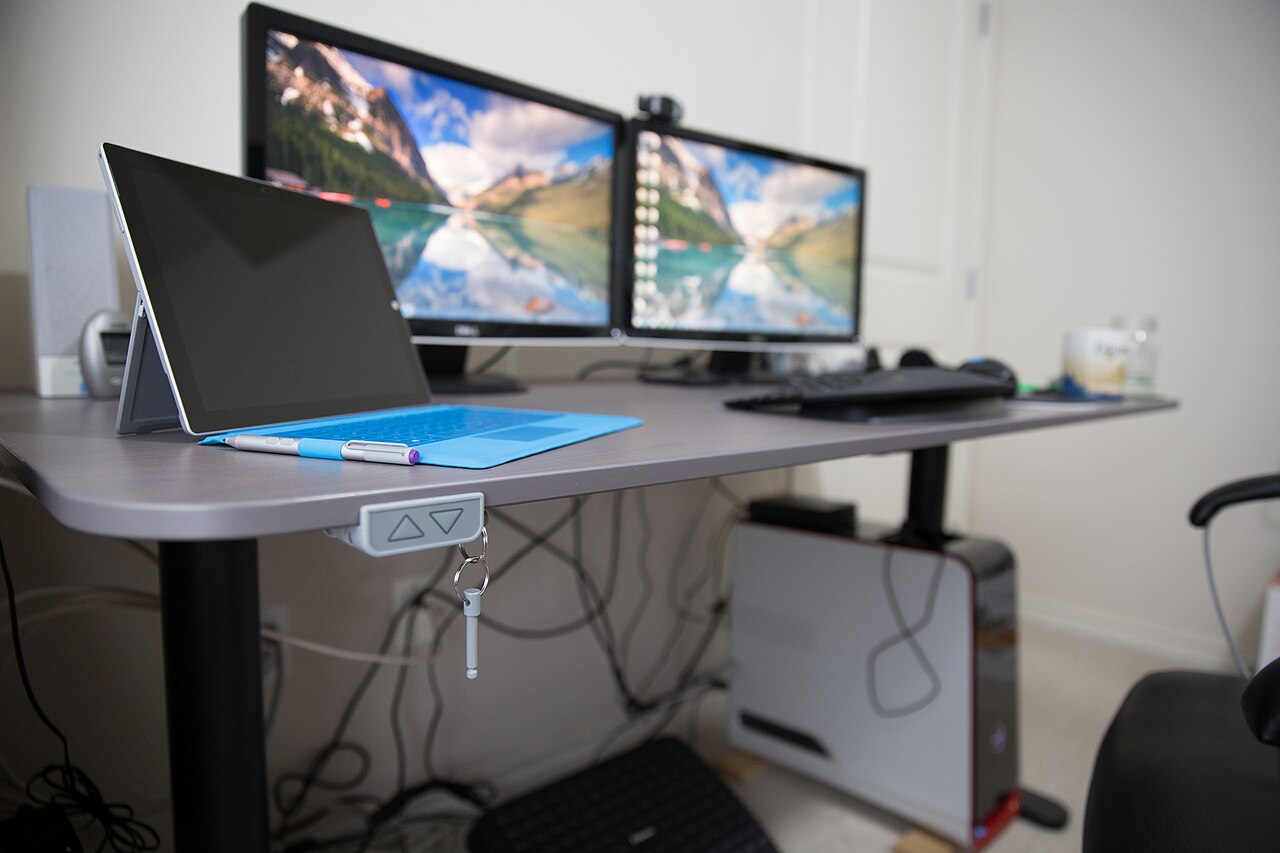
A standing desk fits a small apartment when you keep the footprint compact and place it against a wall or in a corner: the most common slim desktop measures 48 x 24 inches (122 x 61 cm), and a seated user needs about 30 inches (76 cm) of clear depth behind it for the chair to roll back. Cabinet-style sit-stand desks in that size usually adjust from roughly 28 to 48 inches (71 to 122 cm) tall, so most users between 5 ft 0 in and 6 ft 2 in can reach a comfortable standing height, per manufacturer spec sheets. This guide covers placement, vertical storage and the ergonomic details that keep a compact setup working; for sizing first, see our standing desk guides.
Quick Answer
A standing desk fits a small apartment when placed against a wall or in a corner with a compact 48 x 24 inch footprint, leaving about 30 inches of clear depth behind for chair clearance. Most slim cabinet-style models adjust from roughly 28 to 48 inches tall, suiting users between 5 ft and 6 ft 2 in, and cost $180–$600 depending on motors and warranty. Confirm the height range covers your standing elbow height before buying.
Who Should Choose a Standing Desk for a Small Apartment?
A standing desk suits a small apartment when you work from home most days but have under about 60 sq ft to dedicate to a desk, because a compact sit-stand frame adds almost no extra floor area versus a fixed desk of the same width. The clearest fits are renters who cannot drill into walls, anyone sharing one room with a bed or sofa, and people who feel stiff after two or more straight hours of sitting. A standing desk is a weaker fit if your only free floor is a 24-inch-deep alcove that cannot take 30 inches (76 cm) of chair clearance, or if a loft bed caps the usable height below about 48 inches, per standard furniture fit charts. If you mostly work from a laptop on the sofa, an $80-$150 laptop stand plus an external keyboard will help more than a desk swap (see our laptop stand picks).
How to Choose a Standing Desk for a Small Apartment
Four published numbers decide whether a sit-stand desk fits a tight room: footprint, height range, weight capacity and warranty. Match the footprint to the floor plan first, because a 48 x 24 inch (122 x 61 cm) top needs about a 48 x 30 inch zone once chair clearance is counted. Then confirm the height range covers your standing elbow height: a 28-48 inch range suits most adults, but a user around 6 ft 4 in may want a frame that reaches 50 inches. A capacity of 150-250 lb is ample for one monitor and a laptop, while a dual-monitor setup on a thin top should target 200 lb or more, per manufacturer spec sheets.
| Factor | Compact target | Why it matters |
|---|---|---|
| Desktop size | 48 x 24 in (122 x 61 cm) | Fits an alcove too narrow for a 60-inch desk |
| Height range | 28-48 in (71-122 cm) | Covers seated and standing for most adults |
| Weight capacity | 150-250 lb | Handles a monitor, laptop and accessories |
| Warranty | 5-15 years | Signals a steel frame, not particleboard |
| Motor type | Dual motor | Quieter and steadier on a narrow frame |
A 48-inch two-leg frame with a laminate top typically lands at $180-$300, while a 48-inch model with dual motors and a 15-year warranty runs $400-$600, per current listings checked in October 2026.
1. Where Should the Desk Go in a Small Apartment?
A standing desk fits best against a wall or in a corner in a small apartment, because that placement frees the middle of the room and turns a 4-6 m2 patch of floor into a defined work zone. Leave about 30 inches (76 cm) in front of the desk so a chair can roll back, and keep at least 36 inches (91 cm) of walking path past the corner so the desk never blocks the route between door and kitchen. A 48-inch desk on a long wall uses about 8 sq ft of floor, versus roughly 12 sq ft when it stands in the open, per standard furniture layout charts.
A corner setup can work especially well if you want to separate your workspace from your sleeping or relaxing area. Even a small corner can become a productive workstation if the desk, chair, lighting, and storage are arranged carefully.
If possible, avoid placing the desk where it blocks doors, wardrobes, or walking paths. A desk that interrupts daily movement will quickly become annoying, even if it looks good at first.
2. How Do You Use Vertical Space?
Vertical storage is what keeps a small desk usable: lifting the monitor onto an arm frees the whole desktop, and one wall shelf adds storage without taking any floor. Mount the lowest board about 18-20 inches (46-51 cm) above the desk so it clears the screen, and keep the top shelf within easy reach at roughly 72 inches (183 cm). A wall organizer for cables plus a small plant shelf keep the surface clear so a 48 x 24 inch top feels larger than it measures, per standard shelf-height guides.
A shelf above the desk can hold books, documents, small plants, headphones, or accessories. A monitor arm can lift the screen off the desk surface, giving you more room for your keyboard, mouse, and notebook. A wall-mounted organizer can store cables, chargers, and office tools without taking up desktop space. If the distraction is other people rather than shelves, see our noise-cancelling headphones for remote work.
The goal is to keep the desk surface as clear as possible. A clean surface makes a small workspace feel larger and helps reduce visual distraction.
3. How Do You Pair the Desk With a Chair and Monitor?
Pairing the standing desk with the right chair and monitor height matters because you still sit for part of the day: aim for the top third of the screen at eye level, about 20-28 inches (51-71 cm) from your eyes, and set the chair so your elbows rest at 90 degrees. When standing, hold the same monitor position 2-3 inches below eye level to keep your neck neutral. An external keyboard lets a laptop screen rise without lifting your hands, and a monitor arm with 13-27 inch reach usually covers a 48-inch desk, per manufacturer spec sheets.
When sitting, your feet should rest comfortably on the floor or on a footrest. Your elbows should stay close to your body, and your keyboard should be at a height that allows your shoulders to relax. When standing, your elbows should still be around a comfortable typing angle, and your monitor should be positioned so you do not need to bend your neck downward.
If you use a laptop, consider adding an external keyboard and mouse. A laptop screen is often too low for good posture, especially when standing. A laptop stand or monitor arm can help raise the screen to a better viewing height.
Small Apartment Layout Ideas
Each layout below suits a different room size: the corner office fits a room of 80-120 sq ft, the bedroom dual-use setup needs about 48 inches of clear wall, and the sofa divider wants roughly 60 inches of depth so both sides stay usable, per common floor-plan proportions.
- Corner office: place the desk in a corner with a wall shelf above and a monitor arm to keep the surface clear.
- Bedroom dual-use: position the desk at the foot of the bed, facing away from the sleeping area, with storage boxes underneath.
- Living room divider: tuck the desk behind the sofa and use a shelf or screen as a visual divider between work and relaxation.
Frequently Asked Questions (FAQ)
Where should a standing desk go in a studio apartment?
A standing desk belongs against a wall or in a corner, away from doors and walkways. Keep 30 inches (76 cm) of chair clearance in front of the desk and 36 inches (91 cm) of path past it, and keep the top no wider than about 48 inches so it does not swallow the room. Separate the workspace with a shelf, curtain, or divider where you can; which wall and how much walkway to tape out is covered in our desk placement guide for small apartments.
How do I keep cables tidy in a small space?
Cables stay tidy when nothing crosses the floor: mount a power strip under the desk, run cables through a tray and a monitor arm, and clip the remainder to a leg. A 12-24 inch under-desk tray holds 3-6 cables, and a single sleeve covers runs up to 60 inches, per product listings. This keeps a 48-inch desk looking clear and stops dust collecting behind the legs.
Do I still need an ergonomic chair if I stand often?
Yes, most people with a sit-stand desk still sit for roughly half the workday, so an ergonomic chair with 4-6 inches of seat-height range and adjustable lumbar support keeps your hips and lower back neutral. Pair the desk with an adjustable ergonomic chair and keep your monitor at eye level whether you sit or stand.
How much floor space does a standing desk need in a small apartment?
A compact sit-stand desk needs a footprint of about 48 x 24 inches (122 x 61 cm) plus 30 inches (76 cm) of chair clearance, so plan on a 48 x 54 inch working zone, or roughly 18 sq ft of floor. A 40-inch-wide model shaves that to about 15 sq ft if you work mainly from a laptop, per standard furniture fit charts.
Related Guides
- Standing Desks for Small Spaces: The Practical Guide
- Best Types of Standing Desks for Small Spaces
- The Complete Ergonomic Home Office Setup Guide
Remote Ergo Lab is reader-supported. When you buy through links on our site, we may earn an affiliate commission. See our Affiliate Disclosure.
Disclosure
As an Amazon Associate we earn from qualifying purchases.
Featured photo: Mack Male (CC BY-SA 2.0, via Wikimedia Commons)