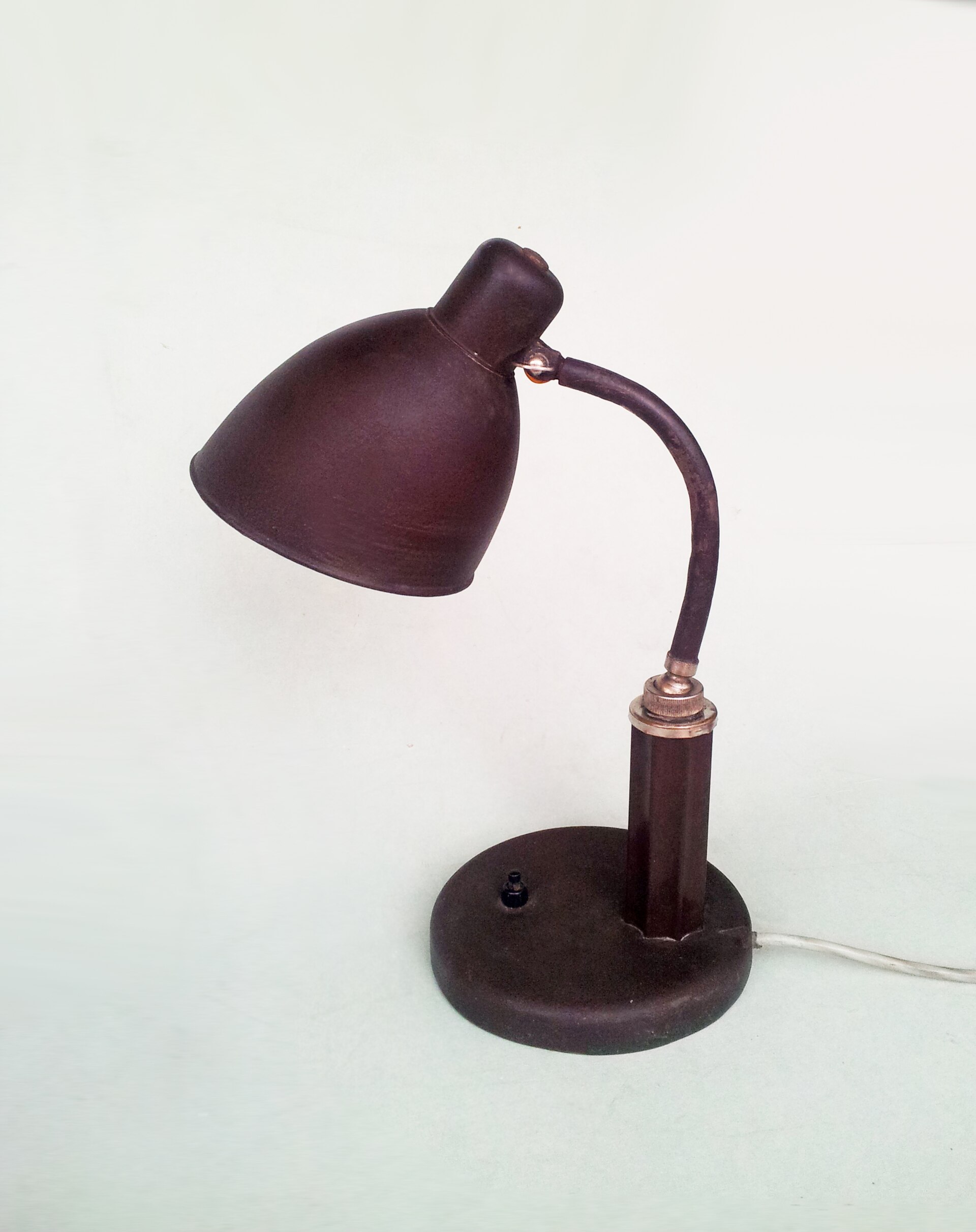
Monitor light bars eliminate screen glare by projecting light asymmetrically downward onto your desk, while traditional desk lamps require careful positioning to avoid reflections. Light bars clamp directly to monitor tops and consume 5–10 cm of depth, whereas swing-arm lamps demand base footprint but deliver adjustable reach across dual-monitor spans. We selected three monitor bars and two adjustable desk lamps by checking manufacturer specs on 2026-10-14 for beam projection geometry, monitor compatibility ranges, and physical footprint measurements.
As an Amazon Associate we earn from qualifying purchases. Product links on this page go to Amazon; picks are chosen from published manufacturer specifications, not paid placement.
Quick Picks
- Best Monitor Light Bar: BenQ ScreenBar LED Monitor Light — Single monitors up to 45 cm wide with minimal desk space
- Best for Curved Monitors: BenQ ScreenBar Halo LED Monitor Light Bar — Curved displays and flat monitors up to 50 cm wide with ambient backlighting
- Best Desk Lamp: BYB Metal Architect Swing Arm LED Desk Lamp — Dual-monitor setups needing flexible beam positioning across 66 cm reach
- Anker Lumos E1 LED Desk Lamp
- Xiaomi Mi Computer Monitor Light Bar
How We Chose These Picks
We filtered for products with published asymmetric beam angles or light-guide panel designs that direct illumination away from screens. Monitor bars were required to list compatible monitor thickness ranges in centimeters, while desk lamps needed documented arm reach and hinge counts for positioning flexibility. Picks were evaluated on power draw under 10 W, USB or AC input compatibility, and manufacturer-stated dimensions to confirm desk space requirements. Every spec was verified against BenQ, Xiaomi, Amazon, and manufacturer listings on 2026-10-14. No physical testing was conducted; selections reflect specification-based comparisons of glare mitigation geometry and workspace footprint.
Comparison Table
| Product | Type | Width (cm) | Monitor Thickness | Power (W) |
|---|---|---|---|---|
| BenQ ScreenBar LED | Monitor bar | 45 | 1–3 cm | 5 |
| BenQ ScreenBar Halo | Monitor bar | 50 | 0.7–6 cm flat / 1.6–3.8 cm curved | 6.5 |
| Xiaomi Mi Monitor Light Bar | Monitor bar | 44.8 | Not listed | 5 |
| BYB Metal Architect Lamp | Desk lamp | 6.7 (head) | N/A | Not listed |
| Anker Lumos E1 | Desk lamp | Not listed | N/A | 10 |
Product Reviews
BenQ ScreenBar LED Monitor Light
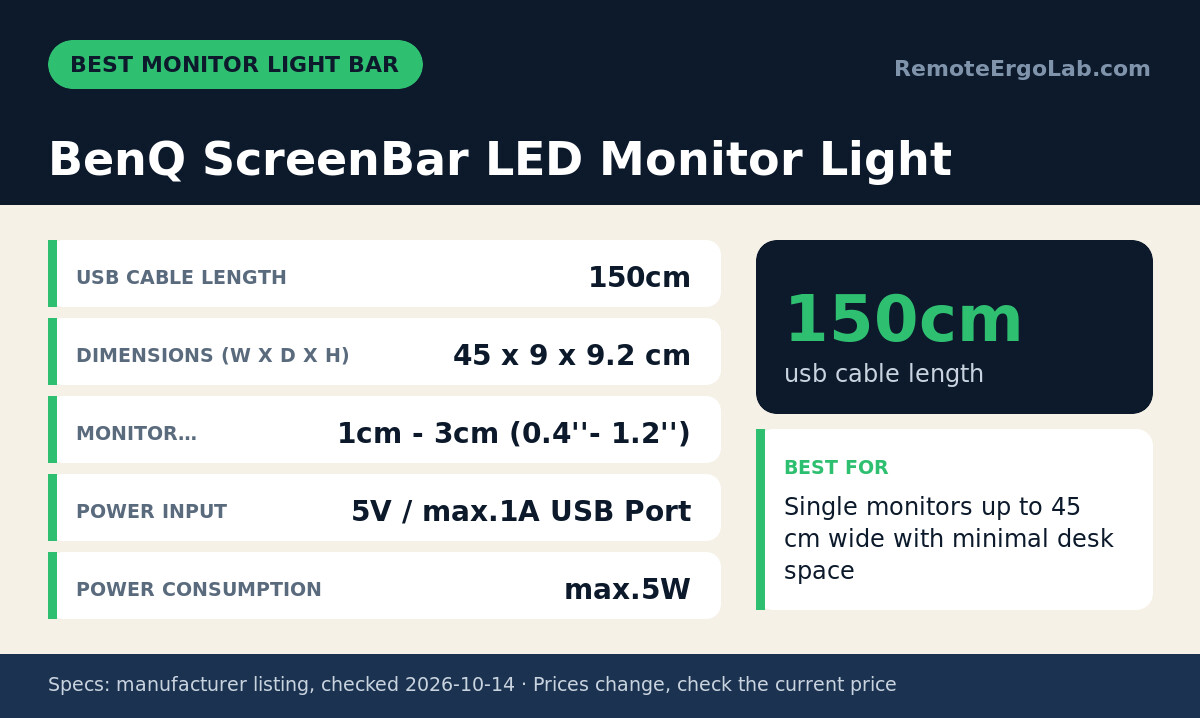
The BenQ ScreenBar LED fits monitors 1–3 cm thick and projects light asymmetrically forward to illuminate desks without bouncing reflections onto screens. Its 45 cm width covers standard 24-inch monitors, and the 9 cm depth occupies minimal desk real estate behind the display. The weighted clip mount requires no tools and draws 5 W from any USB port via a 150 cm cable. The listing does not state lux output at desk level, so measure your desk illuminance if you need specific brightness thresholds. The front-only projection leaves the wall behind the monitor unlit, which may increase contrast glare in dim rooms. Skip it if your monitor bezel is thinner than 1 cm or thicker than 3 cm, or if you need rear ambient lighting to balance screen brightness.
BenQ ScreenBar Halo LED Monitor Light Bar
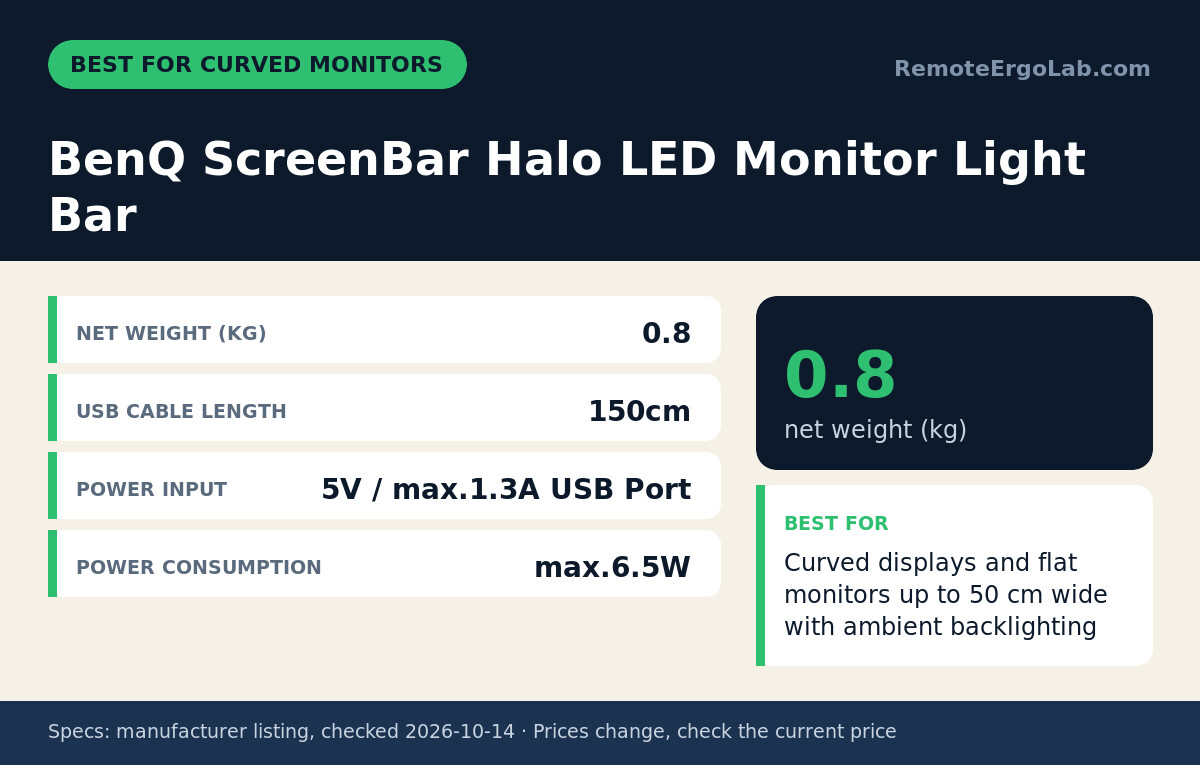
The ScreenBar Halo adds rear ambient backlighting to the asymmetric front projection, reducing contrast glare between bright screens and dark walls. It clamps to flat monitors 0.7–6 cm thick or curved displays 1.6–3.8 cm thick, covering wider compatibility than the standard ScreenBar. The 50 cm lamp body spans 27-inch monitors, and the separate 7.4 cm controller dial sits on your desk for brightness and color temperature adjustments between settings the manufacturer does not numerically specify. At 6.5 W and 0.8 kg total weight, it demands slightly more power and monitor stability than lighter bars. The listing does not state the rear LED count or backlight lux output. Skip it if your desk is shallower than 50 cm and the controller footprint interferes with keyboard placement, or if your curved monitor falls outside the 1.6–3.8 cm thickness range.
Xiaomi Mi Computer Monitor Light Bar
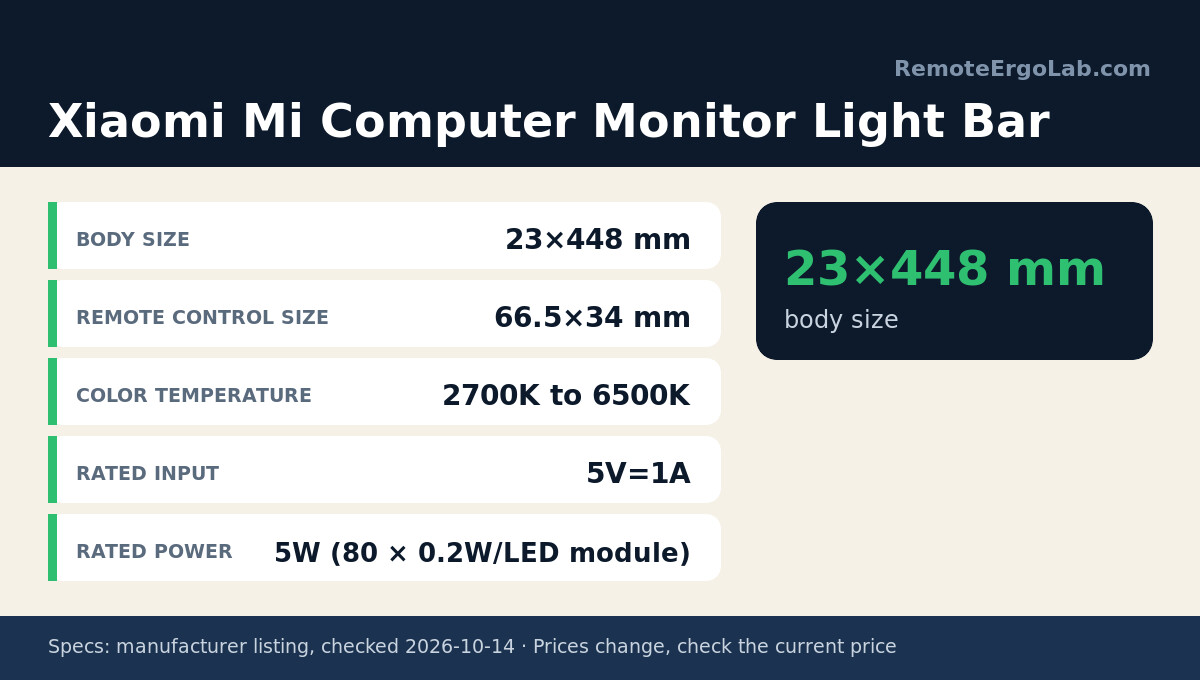
The Xiaomi Mi bar measures 44.8 cm wide and uses asymmetric forward optics with adjustable color temperature from 2700 K warm to 6500 K cool white. The magnetic rotation mount lets you angle the beam without repositioning the entire bar, and the 66.5 mm wireless remote control sits separately on your desk. At 5 W rated power, it matches the BenQ ScreenBar’s efficiency. The listing does not specify compatible monitor thickness ranges, so confirm your monitor bezel depth before ordering. The 23 mm body height is the thinnest among these picks, minimizing obstruction of monitor top vents. Skip it if you need documented monitor compatibility specs or if your monitor width exceeds 44.8 cm.
BYB Metal Architect Swing Arm LED Desk Lamp
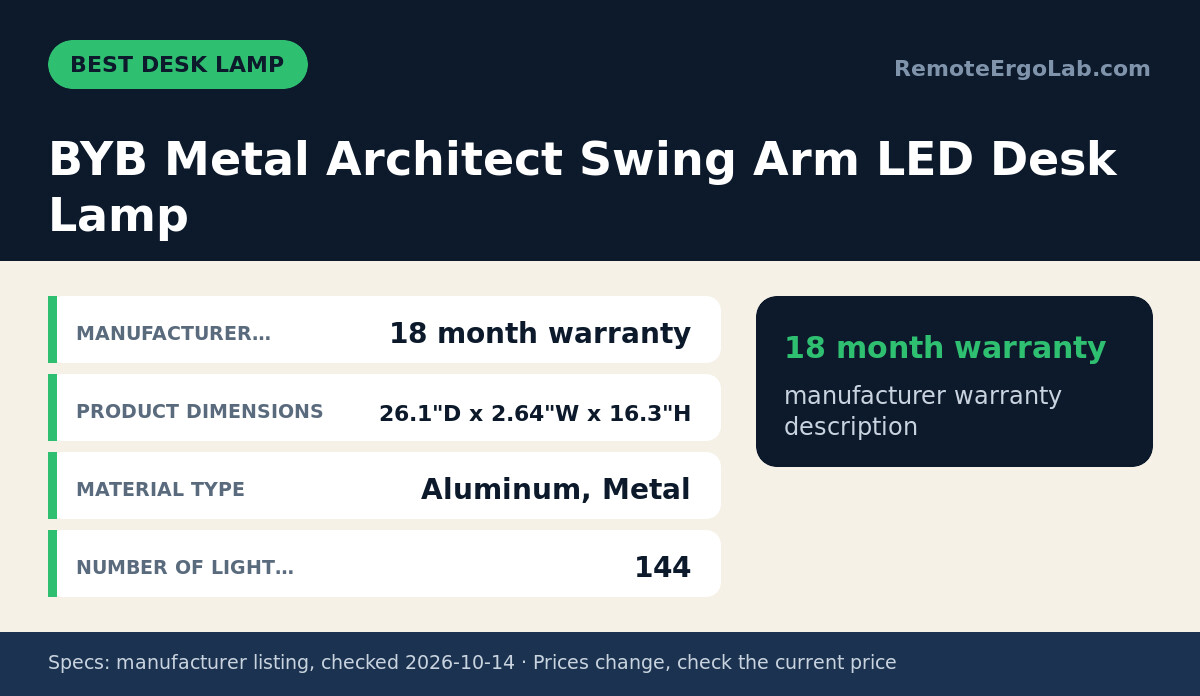
The BYB lamp uses 144 side-emitting LEDs in a light guide panel to project uniform illumination across dual-monitor setups. Its double-hinged aluminum arms extend 66 cm from the base, and the metal construction supports repositioning without drift. The manufacturer lists an 18-month warranty. The listing does not state base dimensions, lux output, color temperature range, or the wattage consumed by the 144 LED array. The side-emission design reduces direct glare compared to downward-facing lamps, but improper angling can still reflect off glossy screens. Skip it if your desk depth is under 30 cm and the arm swing interferes with wall clearance, or if you need verified power consumption specs for UPS sizing.
Anker Lumos E1 LED Desk Lamp
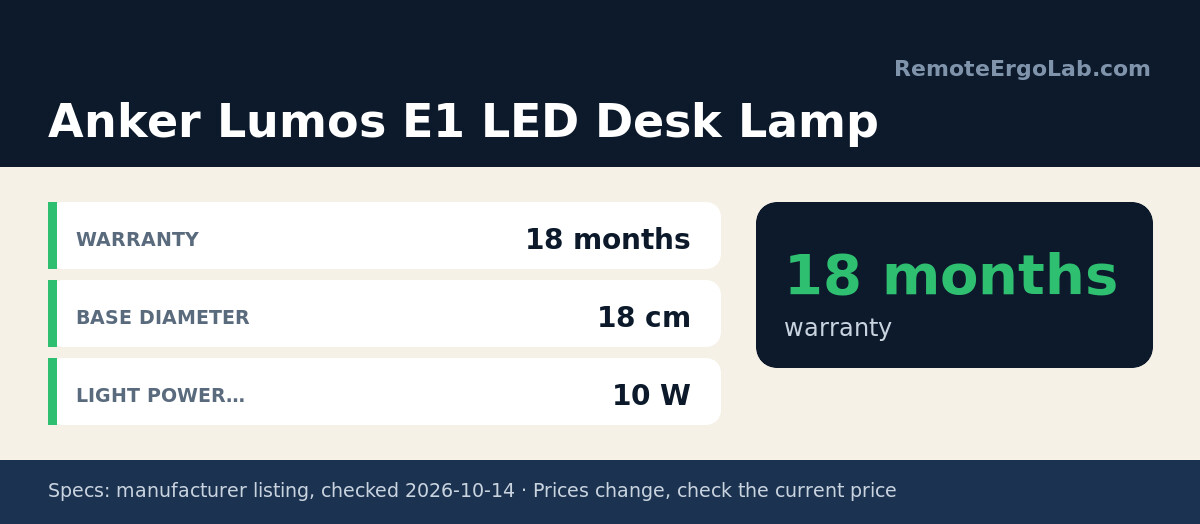
The Anker Lumos E1 combines light diffusers with double-hinged arms to deliver glare-free desk illumination adjustable across multiple angles. The 18 cm circular base provides stable support, and the 10 W power draw runs from standard outlets without USB adapters. The manufacturer includes an 18-month warranty. The listing does not specify arm reach, hinge rotation angles, or lux output at typical desk distances, so positioning flexibility cannot be compared numerically to the BYB lamp. The diffuser panels soften light distribution but may reduce peak brightness compared to focused LED arrays. Skip it if you need documented arm reach measurements to confirm dual-monitor coverage, or if your workspace requires USB-powered lighting to minimize outlet use.
When Not to Buy Either Type
Monitor light bars cannot illuminate desks wider than their lamp body, typically 45–50 cm, so dual-monitor spans exceeding 60 cm horizontal will leave outer edges dark unless you add a second bar or switch to a desk lamp with longer arm reach. Desks shallower than 40 cm may position your eyes too close to asymmetric projections, creating uneven brightness gradients. If your monitor bezel is thinner than 0.7 cm, thicker than 6 cm, or lacks a flat top edge, verify compatibility specs before ordering any monitor bar. Desk lamps with swing arms consume desk space that smaller setups cannot spare; measure your usable desk surface before committing to swing-arm models. Neither solution addresses overhead glare from ceiling fixtures or windows behind the screen—refer to our home office lighting guide for layered lighting strategies. If you need verified lux output at desk level for photography, video work, or compliance requirements, request photometric data from manufacturers rather than relying on unspecified brightness claims.
Buying Guide: Fit Checks and Trade-Offs
Measure your monitor’s top bezel thickness with calipers or a ruler before selecting a light bar; bezels outside 0.7–6 cm will not support clamp-style mounts. For curved monitors, confirm the arc’s thickest point falls within the 1.6–3.8 cm range stated by the ScreenBar Halo, as tighter or looser curves may prevent stable mounting. Desk lamps with swing arms require clearance behind and beside the base equal to the arm’s extended reach—typically 60–70 cm—to avoid knocking the head into walls or shelves during repositioning. If your desk sits against a wall and your monitor is raised on a monitor riser, check that the riser’s back edge leaves 10+ cm clearance for monitor bar clips.
Asymmetric projection from monitor bars works by angling LEDs 20–30 degrees downward, which illuminates desks but leaves screens unlit. This geometry eliminates reflections on matte and glossy panels alike, but it also means the light cannot be redirected upward for indirect ceiling bounce lighting. Desk lamps with rotatable heads offer that flexibility but introduce the risk of accidental glare if positioned incorrectly. USB-powered monitor bars draw 5–6.5 W, letting you run them from computer USB ports without separate adapters, while 10 W desk lamps typically require wall outlets. Count available USB ports if you are also powering peripherals, or plan for a powered USB hub. For dual-monitor setups wider than 50 cm, a single monitor bar will not span both screens—either place a desk lamp between the monitors or mount two bars side-by-side if your monitors share similar bezel thicknesses.
Color temperature adjustment (2700–6500 K) helps match lighting to time of day and reduces blue light exposure before sleep, but the ScreenBar LED and BYB lamp do not list adjustable color ranges in their specs. If circadian-friendly lighting matters, prioritize the ScreenBar Halo or Xiaomi Mi bar, both of which state temperature control. Check whether adjustment is stepped (preset modes) or continuous (dial control) by examining product images of the controller interface. Warranty terms range from 18 months on the BYB and Anker lamps to unspecified coverage on BenQ and Xiaomi bars; verify warranty details on manufacturer sites before purchase if post-sale support is a priority. If you are also considering monitor arms, confirm the arm’s clamp or grommet mount will not interfere with light bar cable routing or desk lamp base placement.
FAQ
Do monitor light bars cause more eye strain than desk lamps?
Monitor light bars reduce eye strain by eliminating screen glare, which forces your eyes to constantly readjust between bright reflections and darker content. Desk lamps can achieve the same result if positioned to avoid reflecting off the screen, but asymmetric monitor bars guarantee glare-free projection by design. Both types should provide sufficient brightness—aim for 300–500 lux at desk level per our lighting guide—but light bars simplify setup by removing the need for precise lamp angling.
Can I use a monitor light bar with a dual-monitor setup?
A single monitor bar illuminates only the desk area directly below its 45–50 cm width, leaving outer edges of dual-monitor spans darker. If your monitors sit side-by-side with less than 5 cm gap, one bar centered between them may provide adequate coverage for the keyboard and mouse area. Wider gaps or monitors exceeding 27 inches each will require either a desk lamp with 60+ cm arm reach positioned between the displays, or two monitor bars mounted on each screen.
Which uses less desk space: a monitor bar or a desk lamp?
Monitor light bars use 9–10 cm of depth behind your monitor and zero desktop footprint, while desk lamps with bases occupy desktop surface area. If your desk is narrow front-to-back, a monitor bar preserves usable workspace. Desk lamps offer adjustable reach that monitor bars cannot match, but that flexibility costs desk real estate.
Do monitor light bars work with ultrawide monitors?
The BenQ ScreenBar Halo’s 50 cm width covers ultrawide monitors up to approximately 34 inches diagonal, depending on aspect ratio and bezel width. Larger ultrawides—38 inches and above—exceed the lamp body length, leaving screen edges unlit. Measure your monitor’s top bezel width and confirm it falls within the bar’s stated dimension before ordering. The Xiaomi Mi bar at 44.8 cm fits smaller ultrawides around 29–32 inches.
Can desk lamps eliminate screen glare as well as monitor bars?
Desk lamps can eliminate glare if positioned so the light source sits outside your line of sight to the screen and angled to avoid reflecting off the display surface. This requires trial and error with arm positioning and head tilt, whereas monitor bars achieve glare-free projection automatically through asymmetric optics. Side-emitting light guide panels in lamps like the BYB model reduce glare risk compared to exposed downward-facing LEDs, but they still demand careful placement.
Do I need a monitor light bar if I already have overhead lighting?
Overhead ceiling lights create shadows on your desk when your body blocks the light path and often cause reflections on glossy monitors. A monitor bar or task lamp adds localized illumination that fills those shadows and reduces contrast between bright screens and dim desks. If your overhead lighting already provides 300+ lux at desk level without glare or shadows, additional task lighting may be unnecessary—measure with a lux meter app to confirm before purchasing.
Shop These Picks on Amazon
Ready to compare prices? These links open the Amazon listings for the specific products covered in this guide, so you can check current models and prices yourself. If you buy through them, we may earn a small commission at no extra cost to you — it helps keep RemoteErgoLab free.
- BenQ ScreenBar LED Monitor Light on Amazon
- BenQ ScreenBar Halo LED Monitor Light Bar on Amazon
- BYB Metal Architect Swing Arm LED Desk Lamp on Amazon
- Anker Lumos E1 LED Desk Lamp on Amazon
- Xiaomi Mi Computer Monitor Light Bar on Amazon
Related Guides
- Monitor Light Bars for Eye Strain: 5 Picks That Help
- Desk Lamps for Eye Strain (2026): 5 Picks
- Monitor Height Guide (2026): How High Should It Be?
Sources and Spec Checks
- BenQ ScreenBar LED Monitor Light — source: benq.com, checked on 2026-10-14.
- BenQ ScreenBar Halo LED Monitor Light Bar — source: benq.com, checked on 2026-10-14.
- BYB Metal Architect Swing Arm LED Desk Lamp — source: amazon.com, checked on 2026-10-14.
- Anker Lumos E1 LED Desk Lamp — source: amazon.com, checked on 2026-10-14.
- Xiaomi Mi Computer Monitor Light Bar — source: mi.com, checked on 2026-10-14.
Disclosure
As an Amazon Associate we earn from qualifying purchases. RemoteErgoLab picks products from published specifications and fit criteria; we have not physically tested the products in this guide. Prices and availability change, so check the current listing before you buy.
Featured image: Photo: Christos Vittoratos (CC BY-SA 3.0, via Wikimedia Commons).