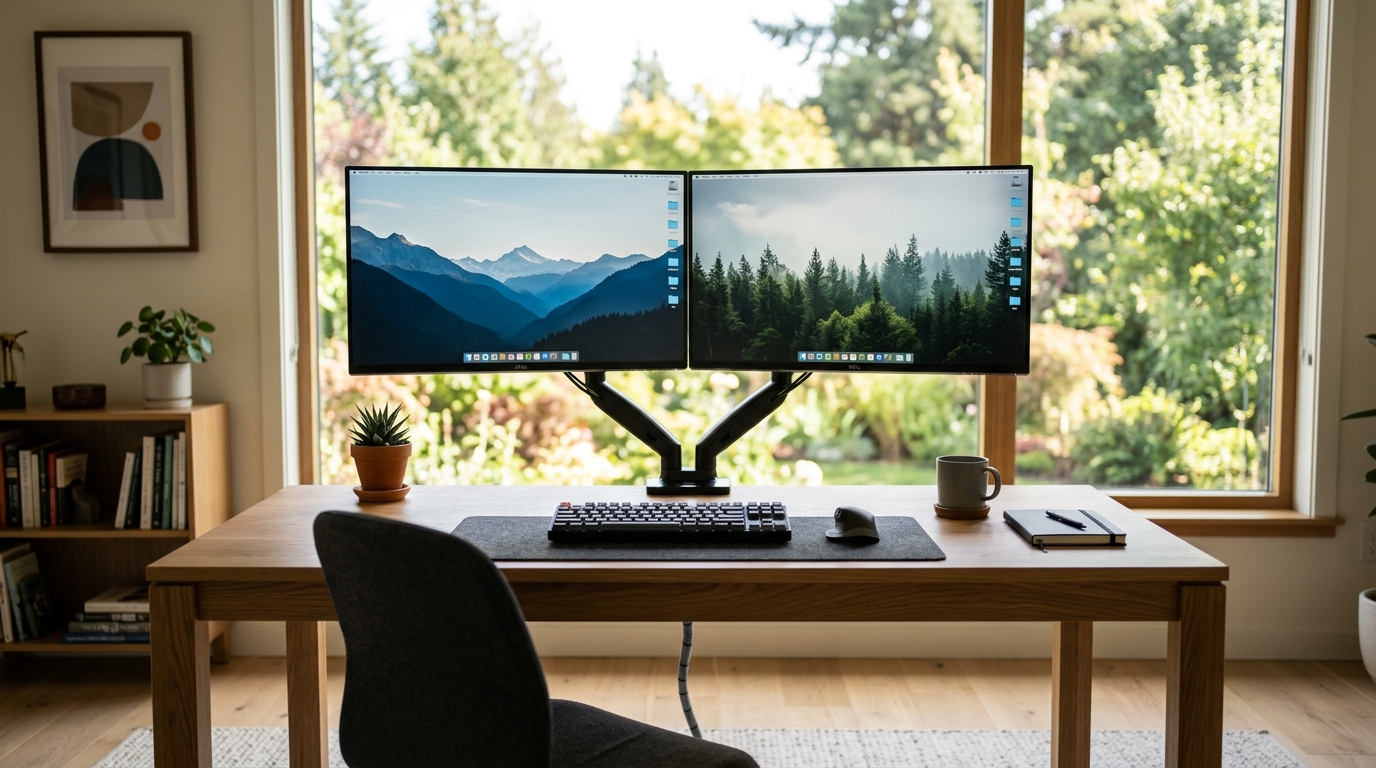
Single vs Dual Monitor Arm: Which One Should You Buy?
Your neck hurts, your desk is cluttered, and you keep tilting your head sideways to read the second screen. A monitor arm fixes both problems, but the choice between a single and a dual arm stalls many buyers. The honest answer: it depends on how many screens you actually run, how often you rearrange them, and what your desk can physically carry. Fitting two screens on a compact desk is its own problem — see our dual monitor setup picks for small desks.
This guide compares the two setups using real product specs and owner feedback. No testing claims here, just researched comparisons, clear numbers, and a buying path that fits a typical home office budget.
Quick Answer
Choose a single arm for one screen: it is cheaper (typically $25-$60), lighter on the desk, and easier to position precisely. Choose a dual arm only when you run two screens every day, because it mounts both on one pole for typically $50-$130 and keeps them level, which is the real ergonomic win. If you are weighing single or dual monitor arm, the deciding factors are how many screens you use and how much weight your desk edge can safely take.
Decision table
| Your situation | Buy this |
|---|---|
| One monitor, any size up to 27 inches | Single arm |
| One ultrawide | Single arm |
| Two screens you use every day | Dual arm |
| Laptop plus one external monitor | Single arm (plus a laptop stand) |
| Two 27-inch-or-larger panels on a thin desk | Free-standing dual (no clamp) |
| You reposition screens several times a day | Two single arms |
Single vs Dual Monitor Arm at a Glance
A single arm holds one screen on a clamp or grommet base. A dual arm carries two screens on one central pole with two independent arms. Both free up desk space, but they behave very differently once you start moving things around.
- Single arm: one screen, one gas spring, cheaper, easier to position precisely, easier to install.
- Dual arm: two screens on a shared base, one clean pole instead of two clamps, but heavier and pickier about desk thickness and monitor weight.
Comparison Table
| Feature | Single Arm | Dual Arm |
|---|---|---|
| Screens supported | 1 | 2 |
| Typical price range | Typically $25-$60 | Typically $50-$130 |
| Installation effort | Low | Moderate |
| Desk space needed | One clamp point | One wider clamp point |
| Best for | One large monitor, frequent repositioning | Two screens, tidy cable runs, ultrawide + second screen |
| Downside | Two screens means two clamps | Heavier; fewer desks can take two 27-inch screens |
When a Single Arm Makes Sense
Run one monitor that you angle toward a colleague or pull closer for detail work? A single arm gives you the full range of motion without paying for hardware you will not use. Models like the VIVO Single Monitor Arm (PT-SD-AM01A) handle screens up to 27 inches and weigh in around $25-$40, which makes them an easy first upgrade.
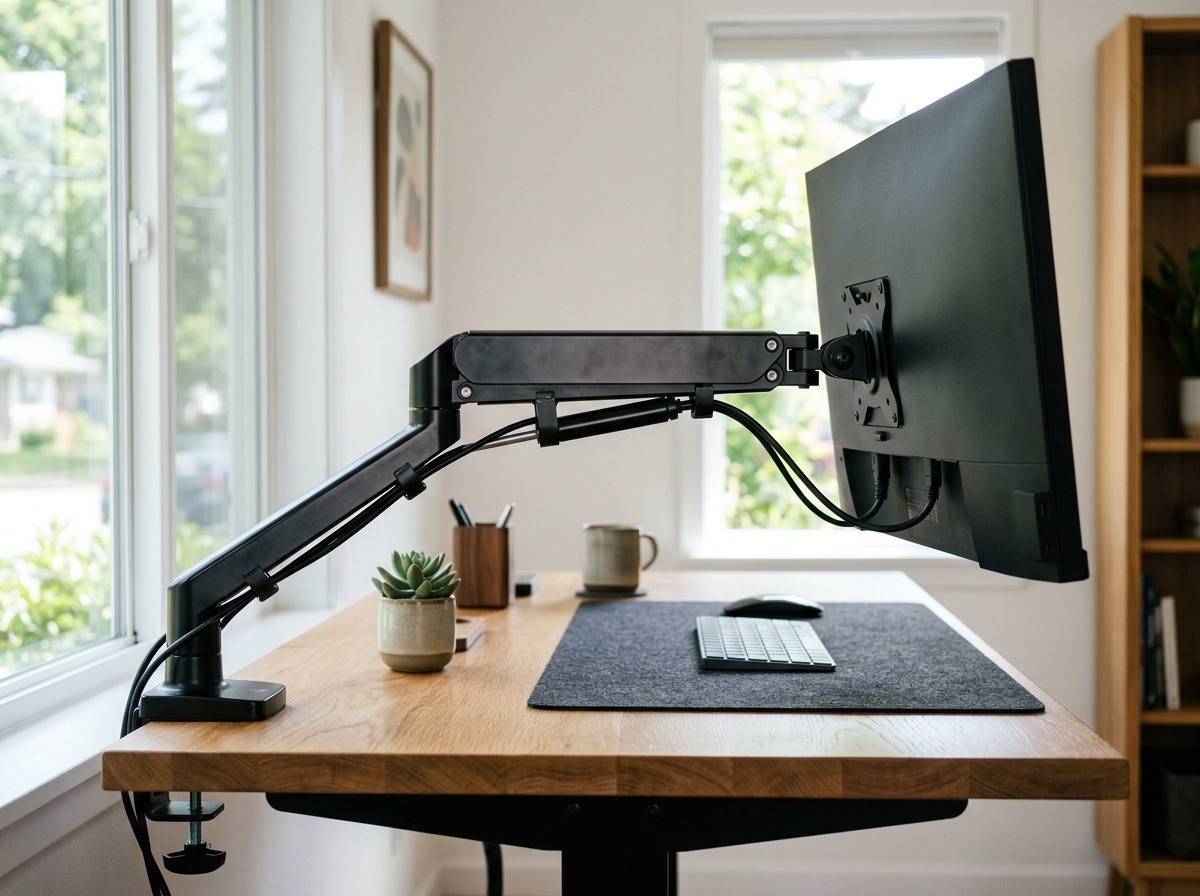
Pros of a single arm
- Cheaper, and replacement parts are common
- Each screen moves independently when you own two arms
- Lighter clamping force, so thin and glass desks are less risky
- Simpler cable management
Cons of a single arm
- Two monitors means two clamps eating desk edge space
- Two separate arms rarely align perfectly side by side
- More poles and brackets to dust and tidy
When a Dual Arm Makes Sense
Two screens that stay put most of the day, like a main monitor plus a vertical document screen, are what dual arms do best. The BIZUM Dual Monitor Stand supports 17-42 inch screens with a 33.1 lbs per arm rating and a clamp or grommet base, typically $70-$120. The single-pole design keeps both screens at matching heights, which matters more for posture than most buyers expect.
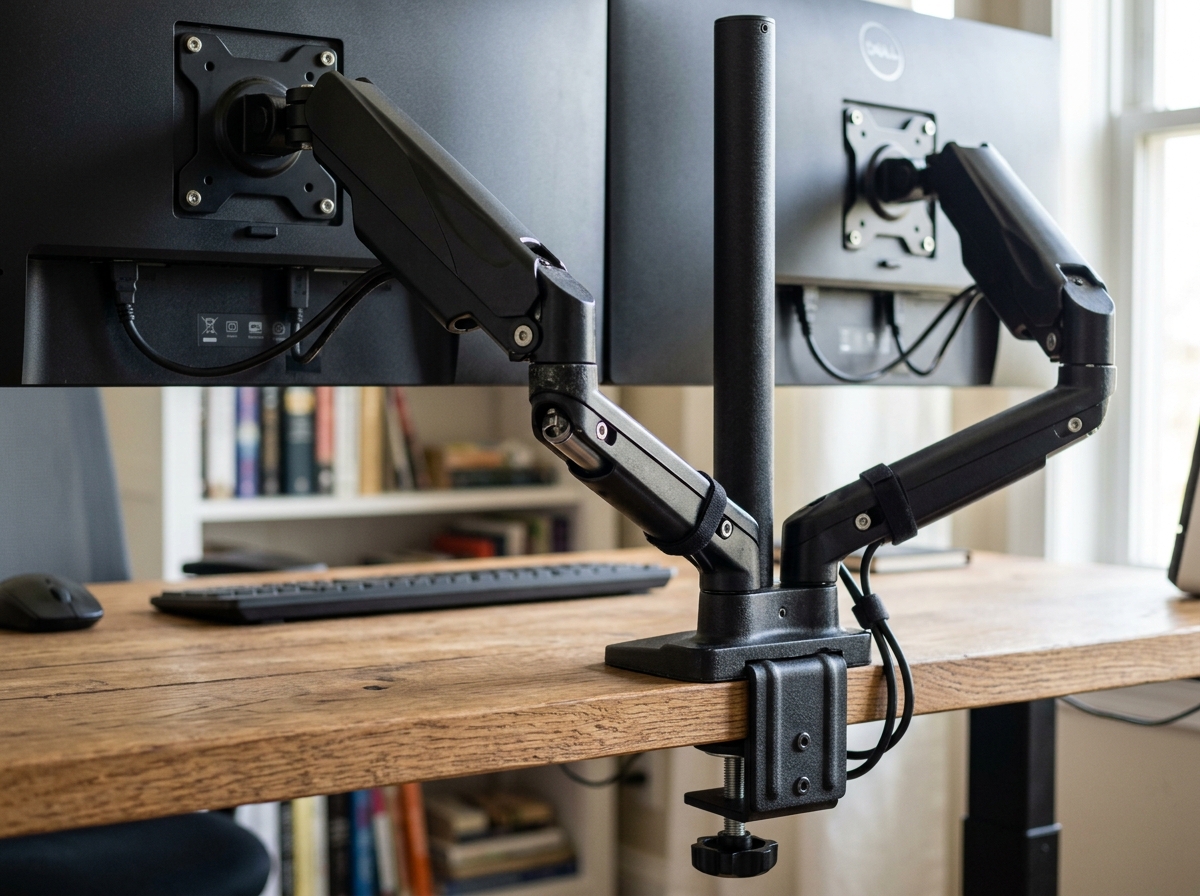
Dual arms also win on desk real estate. One pole replaces two clamps, freeing the edge for a keyboard, notebook, or coffee. For users with a 32-inch or smaller pair, the Suptek Dual Free-Standing Desk Mount (ML6802) skips the clamp entirely with a 31.5-inch pole and heavy base, typically $50-$70, and supports screens up to 32 inches in a vertical or side-by-side layout.
Pros of a dual arm
- One mounting point for two screens
- Screens stay level with each other, which reduces neck rotation
- Cleaner look and simpler cable routing
Cons of a dual arm
- Heavier; total load can reach 50-60 lbs with two large screens
- Arms share one pivot, so positioning one screen can nudge the other
- Not ideal for desks thinner than 0.4 inches or hollow-core tops
Key Differences That Decide the Purchase
Weight capacity and monitor size
Check the per-arm rating, not just the total. The BIZUM carries 33.1 lbs per arm, while many budget dual arms top out around 17.6-22 lbs per arm, which rules out heavy 32-inch panels. A single arm rated for your one screen gives you more headroom for future upgrades.
Desk compatibility
Clamp mounts need a solid edge, usually 0.4 to 3.3 inches thick. Glass tops need a spreader plate or a grommet mount, and some dual arms simply weigh too much for them. Free-standing models like the Suptek ML6802 avoid the clamp question entirely, which suits rental desks and standing desks with thin tops.
Adjustability and ergonomics
Your top of screen should sit at or just below eye level, roughly 15-30 degrees below your line of sight. Both arm types reach that height, but a dual arm keeps two screens on the same plane, so you stop tilting your neck sideways between them. That single change is the main ergonomic argument for going dual.
Buying Guide: How to Choose
- Count your screens. One monitor, one laptop on a riser, or a single ultrawide, buy a single arm. Two separate screens you use daily, buy a dual arm.
- Weigh your monitors. Add 10-15% margin over the combined weight, then match the per-arm rating.
- Measure your desk edge. Clamp arms need a solid, flat edge. Thin, rounded, or glass tops push you toward grommet or free-standing mounts.
- Decide on motion. If you frequently switch between sitting and standing or pull screens closer for focused work, gas-spring arms with full articulation beat fixed-height stands.
- Budget for both screens. Two good single arms sometimes cost the same as one dual arm, and they position independently.
Frequently Asked Questions (FAQ)
Is a dual monitor arm worth it for one monitor?
No. A single arm is cheaper, lighter, and positions a lone screen just as well. Buy a dual arm only when you actually run two screens.
Can a dual monitor arm hold two 27-inch monitors?
Yes, if the per-arm weight rating covers each screen. Look for at least 17.6 lbs per arm for typical 27-inch panels, and confirm your desk edge is thick and solid enough for the clamp. If the screens are 32 inches, check our 32-inch monitor arm picks first.
Do monitor arms damage desks?
Clamps can dent or scratch soft wood edges if over-tightened. Use the included protective pads, tighten to snug rather than maximum force, and check the clamp periodically. Grommet and free-standing mounts avoid edge pressure altogether.
Single arm or dual arm for a standing desk?
Either works, but dual arms reduce cable clutter during height changes. If your standing desk top is thin or hollow, prefer a grommet mount or a free-standing model like the Suptek ML6802.
Shop These Picks on Amazon
Ready to compare prices? These links open Amazon listings for the specific products covered in this guide, so you can check current models and prices yourself. If you buy through them, we may earn a small commission at no extra cost to you – it helps keep RemoteErgoLab free.
- VIVO Single Monitor Arm (PT-SD-AM01A) on Amazon
- BIZUM Dual Monitor Stand on Amazon
- Suptek Dual Free-Standing Desk Mount on Amazon
Related Guides
- Monitor Arm vs Laptop Stand: Which Do You Need?
- Best Monitor Arms for Small Desks
- Best Monitor Arm for 27 Inch Monitors
As an Amazon Associate we earn from qualifying purchases.