Monitor arms and laptop stands solve different problems, and buyers often pick the wrong one for their setup. A gas-spring arm can cost about $120 or more for a monitor that gets replaced a few years later; a folding stand at about $35 can serve a laptop user for years without an upgrade. Neither choice is a mistake — they just fit different workflows.
Quick Answer
Choose a monitor arm when an external monitor is the center of your setup: it frees desk space by replacing the stock stand, holds the screen at eye level with smooth height and tilt adjustment, and costs around $120 or more. Choose a laptop stand when your laptop is your only computer: it raises the screen 15 to 20 cm, costs $25–$80, installs in seconds, and serves for years without extra hardware.
The real question isn’t “which is better?” It’s “which fits how you actually work?” This guide compares them head to head, with real numbers you can check against your own desk.
The Short Answer
Choose a monitor arm when an external monitor is the center of your setup. You get eye-level height, a freed-up desktop, and the ability to swing the screen out of the way between meetings.
Choose a laptop stand when your laptop is your only computer. It raises the screen 15 to 20 cm off the desk, costs $25-$80, and installs in ten seconds with zero tools. The same question for a desk-mounted screen is covered in our monitor arm vs monitor stand comparison.
Monitor Arm vs Laptop Stand at a Glance
What a Monitor Arm Actually Does
| Feature | Monitor Arm | Laptop Stand |
|---|---|---|
| Typical price | $60-$250 | $20-$90 |
| Installation | Clamp or drilled grommet, 15-30 min | None, sits on the desk |
| Height adjustment | 15-60 cm of travel | Fixed or 2-3 preset angles |
| Weight capacity | 2-9 kg (VESA 75/100) | 2-4 kg |
| Desk space freed | Large — screen floats above the desk | Small — footprint stays |
| Needs VESA holes | Yes | No |
| Best for | External monitors, dual screens | Laptop-only workers, travelers |
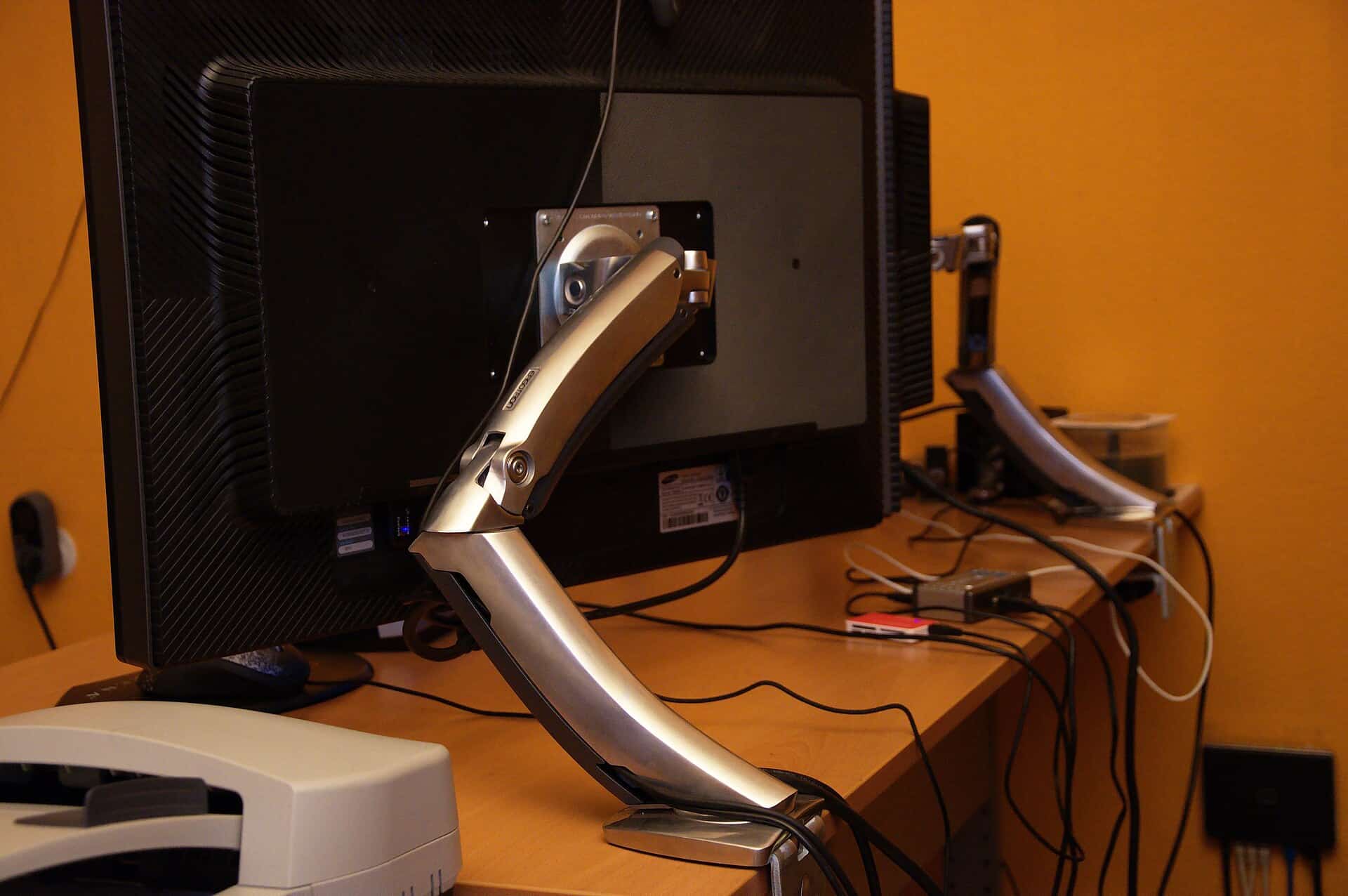
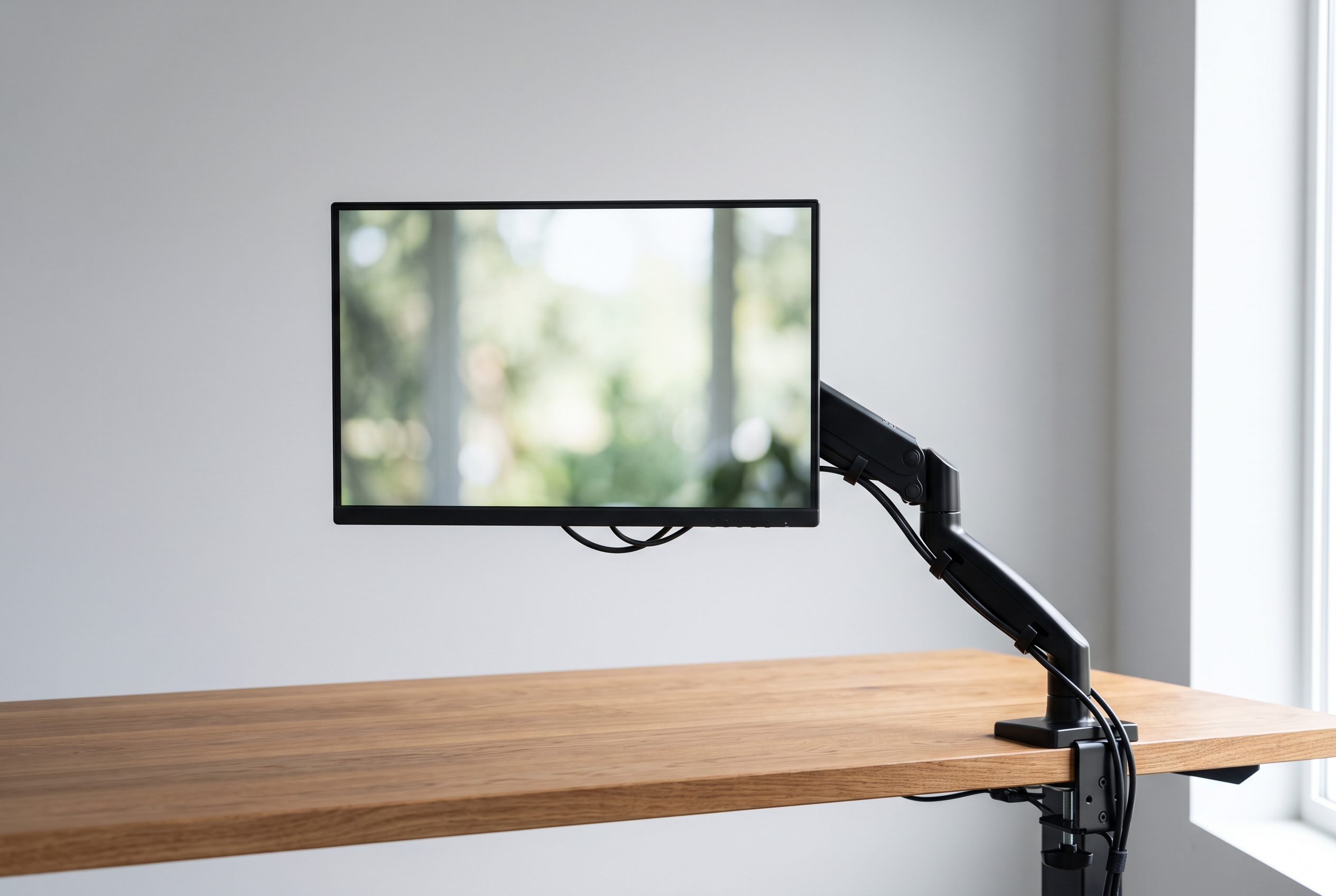
A monitor arm replaces the plastic stand that ships with your display. A gas-spring or tension-loaded joint holds the screen in mid-air, letting you adjust height, tilt, swivel, and rotation with a light touch.
The practical payoff is desk space. A 27-inch monitor’s stock stand is typically about 26 cm deep — a quarter of a 120 cm desk before anything else goes on it. With an arm clamped to the back edge, the screen floats above the surface, freeing the space underneath for papers, a coffee mug, or a drawing tablet.
Two things to check before buying: VESA compatibility and weight rating. Most monitors from the last decade have 75×75 or 100×100 mm mounting holes on the back, but ultra-cheap and ultra-thin models sometimes skip them. Arms typically support 2 to 9 kg, and a gas-spring arm rated for your monitor’s exact weight gives the smoothest adjustment.
Mounting options matter too. A C-clamp needs 2 to 5 cm of overhang on your desk’s back edge; a grommet mount needs a drilled hole. Renters who can’t drill should measure the clamp’s reach before ordering.
What a Laptop Stand Actually Does
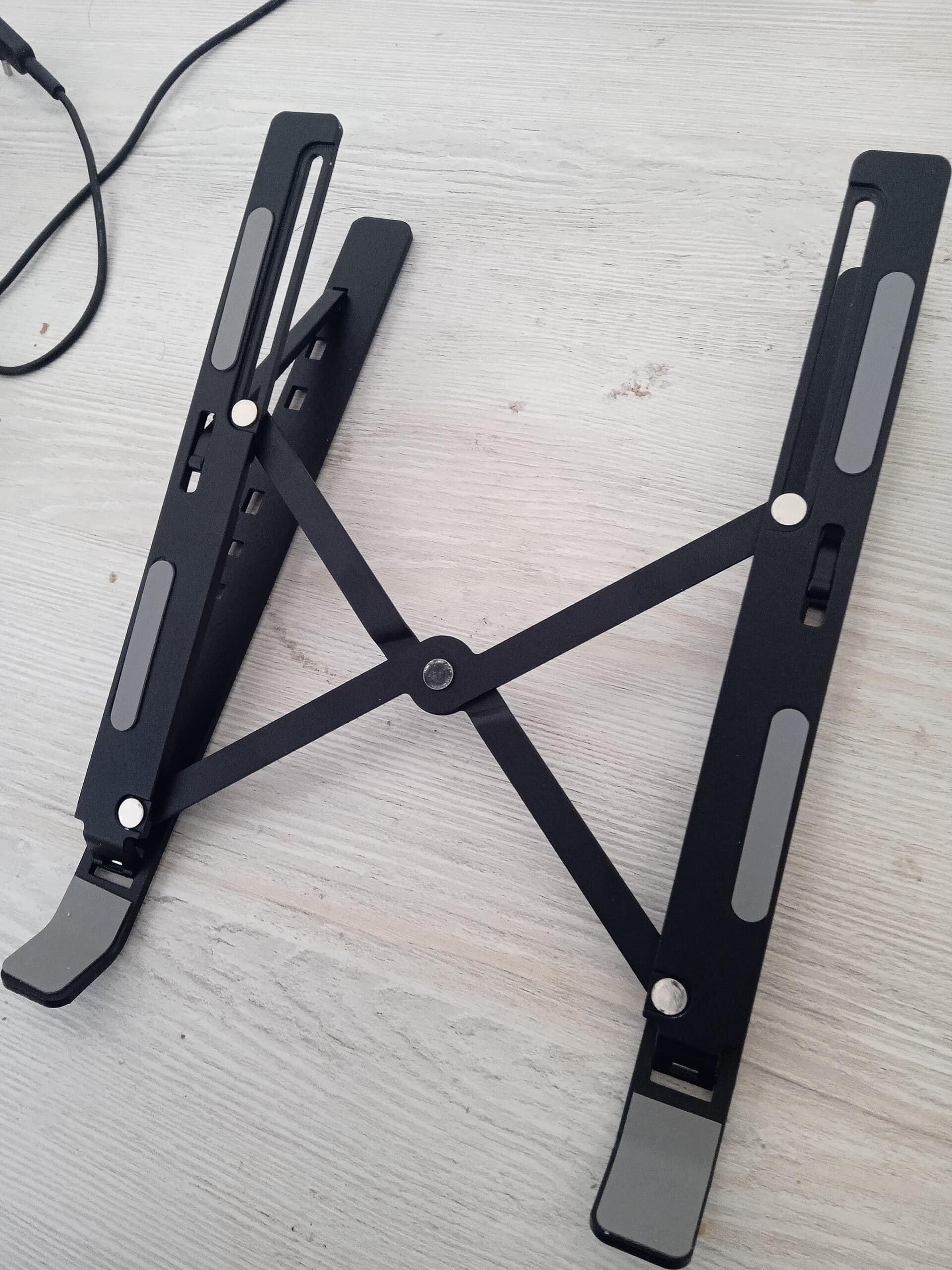
A laptop stand is a tray that lifts the rear of your laptop so the screen sits closer to eye level. A good one tilts the keyboard 10 to 15 degrees, which flattens your wrists and stops the hunch.
A folding aluminum stand runs $25-$45 and weighs under 400 grams. A heavier anodized model with silicone grips, the kind that holds 13- to 16-inch laptops, lands around $60 to $90. Most top out at 2 to 4 kg, which covers every mainstream laptop on the market.
The trade-off is adjustability. Most stands offer one or two preset angles, not infinite height. If your desk is 73 cm tall and you’re 188 cm, a fixed stand can still leave the screen 8 cm too low — that’s where a stack of books used to come in, until a stand with adjustable height legs came along.
When a Monitor Arm Wins
Three situations favor an arm:
- You work on a monitor four or more hours a day. Eye-level placement stops the neck craning that builds up by Thursday afternoon.
- Your desk is small. A 100 cm desk loses a third of its depth to a stock monitor stand. An arm gives it back.
- You switch between sitting and standing. Gas-spring arms adjust in seconds as the desk changes height, so the screen stays at eye level in both positions.
If you want a specific starting point, the Ergotron LX is the arm most long-term owners recommend for exactly this setup. Dual-monitor workers get the biggest win. Two arms, or one dual-arm model, let you angle the screens into a gentle arc around your face — you turn your head instead of your neck.
When a Laptop Stand Wins
A laptop stand is the smarter buy when:
- Your laptop is your only computer and there’s no external monitor in the plan.
- You rent and can’t clamp or drill into the desk — a stand needs no permission.
- You move between home, cafés, and co-working spaces, where a folding stand slips into a backpack.
- A tight budget points here too, since a stand at about $30 genuinely fixes your posture problem. For a permanent desk setup, the Rain Design mStand is the fixed-height stand most owners keep for years.
A typical case: a 10 m² apartment bedroom, a laptop, a 60 cm desk. A monitor arm would be overkill there, and a clamp needs a desk edge she doesn’t have. Her folding stand cost less than two takeout lunches and ended her shoulder pain.
The Hybrid Setup Most Remote Workers End Up With
The pattern that keeps showing up in setup photos and owner reviews: laptop stand for the laptop, monitor arm for the external display, and the laptop’s own screen used as a secondary display.
Run the laptop closed or angled off to the side, keep the main monitor on an arm at eye level, and you get the ergonomics of a desktop setup without buying a desktop. Total cost: about $30 for the stand plus $70-$150 for a single-monitor arm.
How to Decide in Five Minutes
Answer these in order:
- Do you use an external monitor daily? Yes → monitor arm. No → laptop stand.
- Is your desk narrower than 120 cm? Yes → arm (it frees surface). No → either works.
- Can you clamp or drill your desk? No → laptop stand, or an arm with a wide clamp if the edge allows.
- Do you move your setup weekly? Yes → laptop stand. No → arm.
- What’s the budget? Under about $50 → laptop stand. about $60 or more → arm.
- Best Laptop Stands for Neck Pain
- Single vs Dual Monitor Arm
- Best Monitor Arms for Small Desks
- Trackball vs Vertical Mouse: Which Ergonomics Fit You?
- Best Budget Ergonomic Setup Under $200: 5 Picks (2026)
Two answers pointing the same direction settle it.
FAQ
Can I use a monitor arm with a laptop?
Yes, if the laptop has VESA holes (rare) or you buy a VESA laptop tray that the laptop sits in. Most people skip this and use a laptop stand instead — it’s cheaper and does the same job.
Do laptop stands damage the laptop?
No, provided the stand has rubber or silicone grips. Metal-on-metal contact can scratch the base, and a blocked bottom vent can raise temperatures on gaming laptops, so check the airflow design before you buy.
Is a monitor arm worth it for one monitor?
If you use that monitor for several hours daily and your neck or shoulders complain, yes. The $80-$150 you spend buys back desk space and puts the screen exactly where your eyes want it.
Do I need VESA holes for a monitor arm?
Yes — 75×75 or 100×100 mm holes on the back of the monitor. If yours lacks them, look for an arm with adapter plates, or take the laptop stand route instead.
Disclosure: This post contains affiliate links. If you buy through them, RemoteErgoLab may earn a small commission at no extra cost to you. It helps keep the site running — thanks for the support.
Photo: Ben Scholzen (CC BY 2.0, via Wikimedia Commons).
Photo: Solijon Solayev (CC BY-SA 4.0, via Wikimedia Commons).
Shop These Picks on Amazon
Ready to compare prices? These links open Amazon listings for the specific products covered in this guide, so you can check current models and prices yourself. If you buy through them, we may earn a small commission at no extra cost to you — it helps keep RemoteErgoLab free.
Related Guides
Disclosure
As an Amazon Associate we earn from qualifying purchases.
Shop These Picks on AmazonReady to upgrade your setup? The links below go to the specific products covered in this guide. If you buy through them, we may earn a small commission at no extra cost to you — it helps keep RemoteErgoLab free.