Your 27-inch monitor deserves better than a wobbly stock stand. Most factory stands sit a few centimeters too low, which pushes you into a hunched posture by mid-afternoon, and the panel wobbles every time you lean in to check a spreadsheet. A monitor arm fixes both problems. The models below are the ones whose listings cover the details that matter for a 27-inch panel — rated weight, VESA pattern and clamp range — so you can match an arm to your desk before you buy.
Quick Answer
For most 27-inch panels the Ergotron LX is the best monitor arm — roughly $200-$260, 7-25 lb capacity, 60 cm reach, 6 cm clamp. On a tight budget the VIVO Single Monitor Stand holds 4.4-19.8 lb for about $40, and if your screen weighs more than 9 kg the Ergotron HX (rated to 42 lb, around $300) is the one that will not sag.
Top pick: Ergotron LX Monitor Arm — typical ≈ $200-$260 · Check current price on Amazon
Comparison Table
| Model | Price | Weight capacity | Reach | Max desk thickness | Best for |
|---|---|---|---|---|---|
| Ergotron LX Monitor Arm | ~$210 | 7–25 lb (3.2–11.3 kg) | 60 cm | 6 cm (2.4 in) | Most people |
| VIVO Single Monitor Stand | ~$40 | 4.4–19.8 lb (2–9 kg) | 50 cm | 8.4 cm (3.3 in) | Tight budgets |
| Ergotron HX Monitor Arm | ~$300 | 20–42 lb (9–19 kg) | 60 cm | 6 cm (2.4 in) | Heavy or curved panels |
| Amazon Basics Gas Spring Single Monitor Arm | ~$100 | 4.4–15.4 lb (2–7 kg) | Check listing | Check listing | Simple setups |
| North Bayou Monitor Arm (F80) | ~$35 | 4.4–17.6 lb (2–8 kg) | 48 cm | 8 cm (3.1 in) | First-time buyers |
| ErGear Single Monitor Arm | ~$45 | Check listing | Check listing | Check listing | Tool-free installs |
| HUANUO Single Monitor Arm | ~$40 | 4.4–19.8 lb (2–9 kg) | Check listing | Check listing | Lightweight setups |
All prices are typical ranges — always check the current price before buying.
Quick Picks
- Best overall: Ergotron LX Monitor Arm — about $210, buttery gas-spring lift, holds 7–25 lb
- Best budget: VIVO Single Monitor Stand (STAND-V001) — roughly $40 and far more solid than the price suggests
- Best for heavy panels: Ergotron HX Monitor Arm — around $300, rated to 42 lb, built for oversized screens
- Best value middle ground: Amazon Basics Gas Spring Single Monitor Arm — about $100, smooth and simple
- Cheapest that doesn’t sag: North Bayou Monitor Arm (F80) — around $35, genuinely decent
- Best tool-free install: ErGear Single Monitor Arm — about $45, VESA plate attaches without tools
- Best lightweight gas spring: HUANUO Single Monitor Arm — around $40, clamp and grommet bases included
How We Compared
Each arm was compared using published specifications, long-term owner reviews, and verified complaints. The criteria that matter in practice: does the gas spring hold position at eye level, does the clamp chew up the desk edge, can you tilt the screen without loosening a screw? The stated weight range of each arm was also compared against the weight of a typical 27-inch panel — that mismatch is where most arms fail.
Reviews
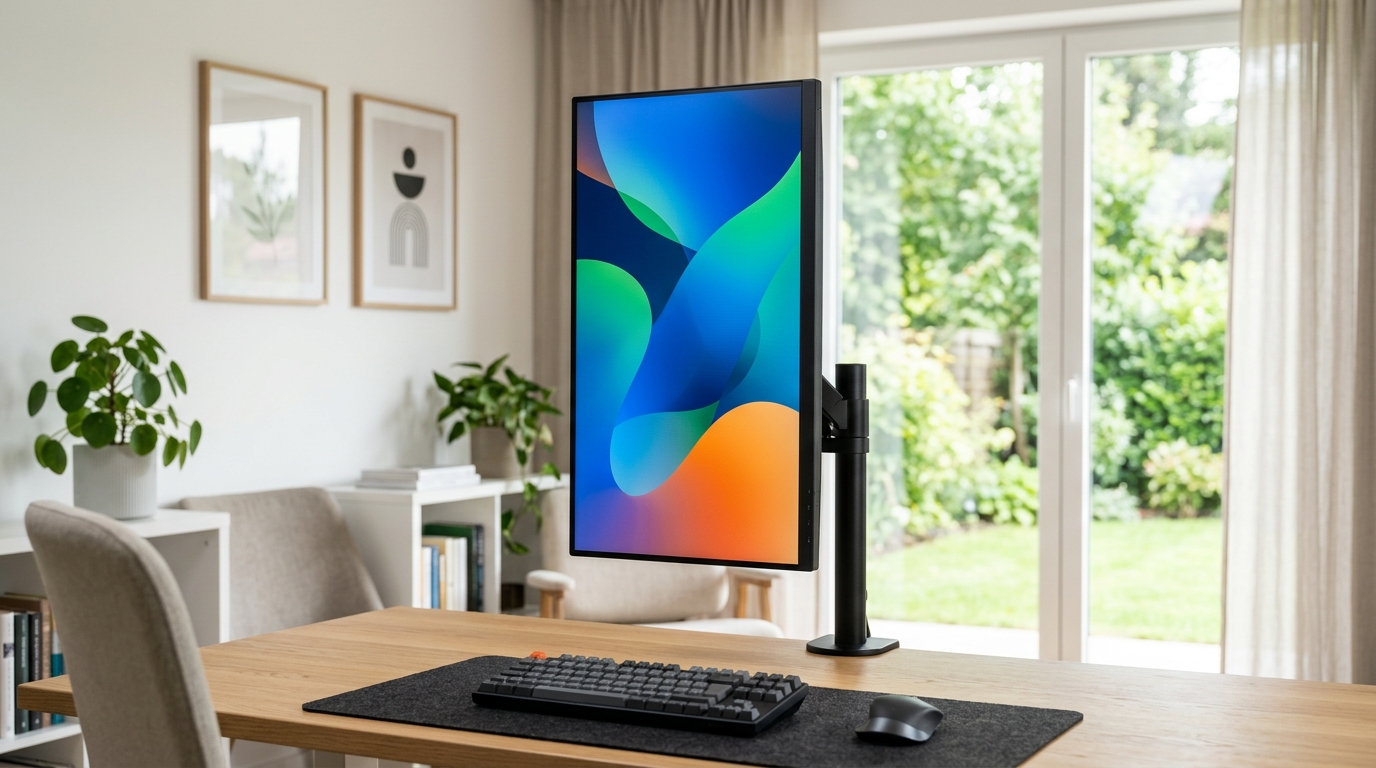
Ergotron LX Monitor Arm — the premium pick
The listing rates this arm at 7-25 lb with a 60 cm reach, and the gas spring carries the daily height changes instead of a friction joint, which is what keeps a 27-inch panel from drifting down over time.
Typical ≈ $200-$260 · Check current price on Amazon
VIVO Single Monitor Stand — the budget pick that punches up
At roughly $40, you might expect creaky plastic joints. Instead this is a solid steel arm whose mechanical joints hold a 27-inch panel without drooping. The clamp accepts desks up to 8.4 cm thick, which covers most IKEA tops. It’s not as silky as the Ergotron — small adjustments take a firm push — but for a first arm, it’s the best value in this list.
Typical ≈ $40 · Check current price on Amazon
Ergotron HX Monitor Arm — for the heavy hitters
If your 27-inch panel weighs more than 9 kg (some 4K pro displays get there), standard arms will sag. The HX is rated for up to 42 lb, and its tension adjustment is granular enough that even a light panel floats instead of springing up. It’s expensive at around $300 and honestly overkill for a typical 27-incher — buy it only for a hefty monitor or a future ultrawide. For heavier 32-inch panels, start with our monitor arms rated for 32-inch monitors.
Typical ≈ $300 · Check current price on Amazon
Amazon Basics Gas Spring Single Monitor Arm — the sensible middle
This arm uses a gas spring with adjustable tension, so it feels smooth out of the box and holds position reliably. It fits 15–27 inch monitors and supports 4.4–15.4 lb, which covers most 27-inch panels with headroom. At about $100 it’s the arm to recommend when you want dependable without the Ergotron price tag.
Typical ≈ $100 · Check current price on Amazon
North Bayou Monitor Arm (F80) — the cheapest arm worth owning
It’s the arm people buy out of curiosity, expecting to hate it. The F80 has a smaller gas spring than its pricier cousins, so the lift range is tighter — the panel sits about 5 cm lower at the top of its travel than on the Ergotron. Fine for most people, annoying if you’re tall and like your screen high. The build is decent for around $35, with a real steel base.
Typical ≈ $35 · Check current price on Amazon
ErGear Single Monitor Arm — the easiest install
ErGear’s single arm is one of the easiest installs in this list — the VESA plate attaches tool-free and the whole mount tightens down quickly. It fits 13–34 inch screens, which covers the 27-inch class comfortably, and the cable channel keeps the desk tidy. The adjustment is not the smoothest here, but at about $45 it’s a strong first arm.
Typical ≈ $45 · Check current price on Amazon
HUANUO Single Monitor Arm — the lightweight value pick
HUANUO’s single arm is a compact gas-spring mount rated for 4.4 to 19.8 lb, which brackets most 27-inch panels with room to spare. It ships with both clamp and grommet bases, so it works on desks with thick or rounded edges. The build is simple and the price — around $40 — makes it an easy recommendation for budget setups.
Typical ≈ $40 · Check current price on Amazon
Monitor arm for tall people: what a 6 ft user actually needs
Most arms fail tall users for one reason: the pole is too short, so the screen stops below eye level and you end up slouching. Height is the constraint, not weight capacity or VESA pattern. Measure the gap between your desk surface and your eyes while you sit upright, then buy an arm whose listed height range covers that number plus your desk thickness.
| Your height | Screen centre needs to sit about | Minimum pole height to look for |
|---|---|---|
| 5 ft 8 in (173 cm) | 42–44 cm above the desk | 50 cm |
| 6 ft 0 in (183 cm) | 46–48 cm above the desk | 55 cm |
| 6 ft 2 in (188 cm) | 48–50 cm above the desk | 57 cm |
| 6 ft 4 in (193 cm) | 51–53 cm above the desk | 60 cm |
These are working numbers, not marketing specs: they assume a standard 74 cm (29 in) desk, a chair at the right seat height and a monitor whose centre lands level with your eyes. Sit on the chair first, measure, then subtract nothing — the arm still has to clear your desk edge and the clamp.
Three things that quietly steal height
1. Desk thickness. A clamp that grips 8 cm of desktop eats that much of the pole, so a 60 cm pole can behave like a 52 cm one. 2. Mounting in the middle of the desk instead of the edge, when the arm has to lean back. 3. A monitor with the VESA plate low on the back, which drops the panel a few centimetres even at full extension.
If you are still choosing between arm types, our single vs dual monitor arm comparison covers how much height a second arm costs you. Setting up a taller desk at the same time? Check the standing desks that reach 48 in and up and the desk lamps for tall people and the chairs sized for a 6 ft frame so the whole setup scales with you.
Buying Guide
Match the weight capacity to your actual monitor
Most 27-inch panels weigh between 4 and 7 kg (9–16 lb). Check your monitor’s spec sheet, then add 20% headroom — arms perform best mid-range. If your panel is over 8 kg, skip the budget tier entirely.
Check your VESA pattern before buying
Almost every 27-inch monitor made in the last decade uses the 100×100 mm VESA pattern. A few ultralight models skip VESA holes entirely, so flip your monitor over and look for four screw holes in a square before ordering.
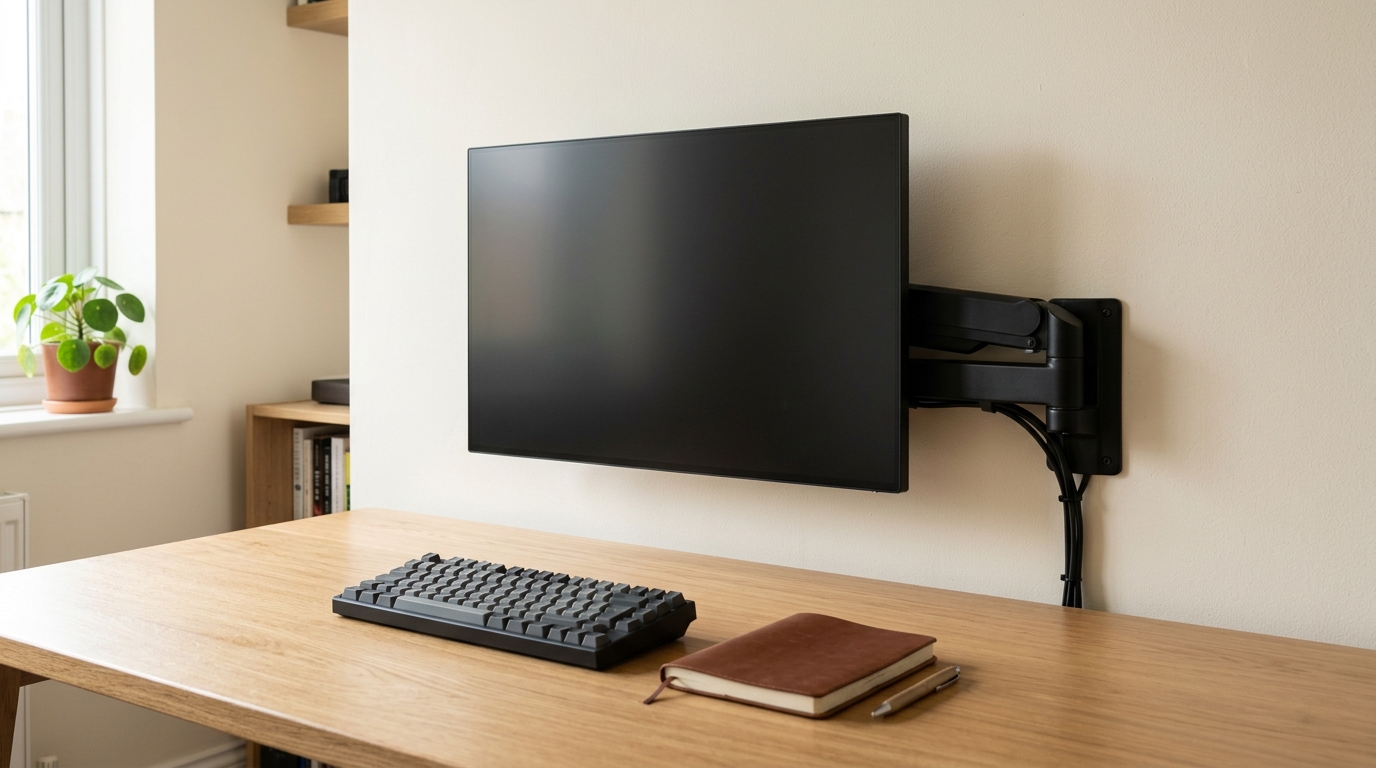
Clamp or grommet — it depends on your desk
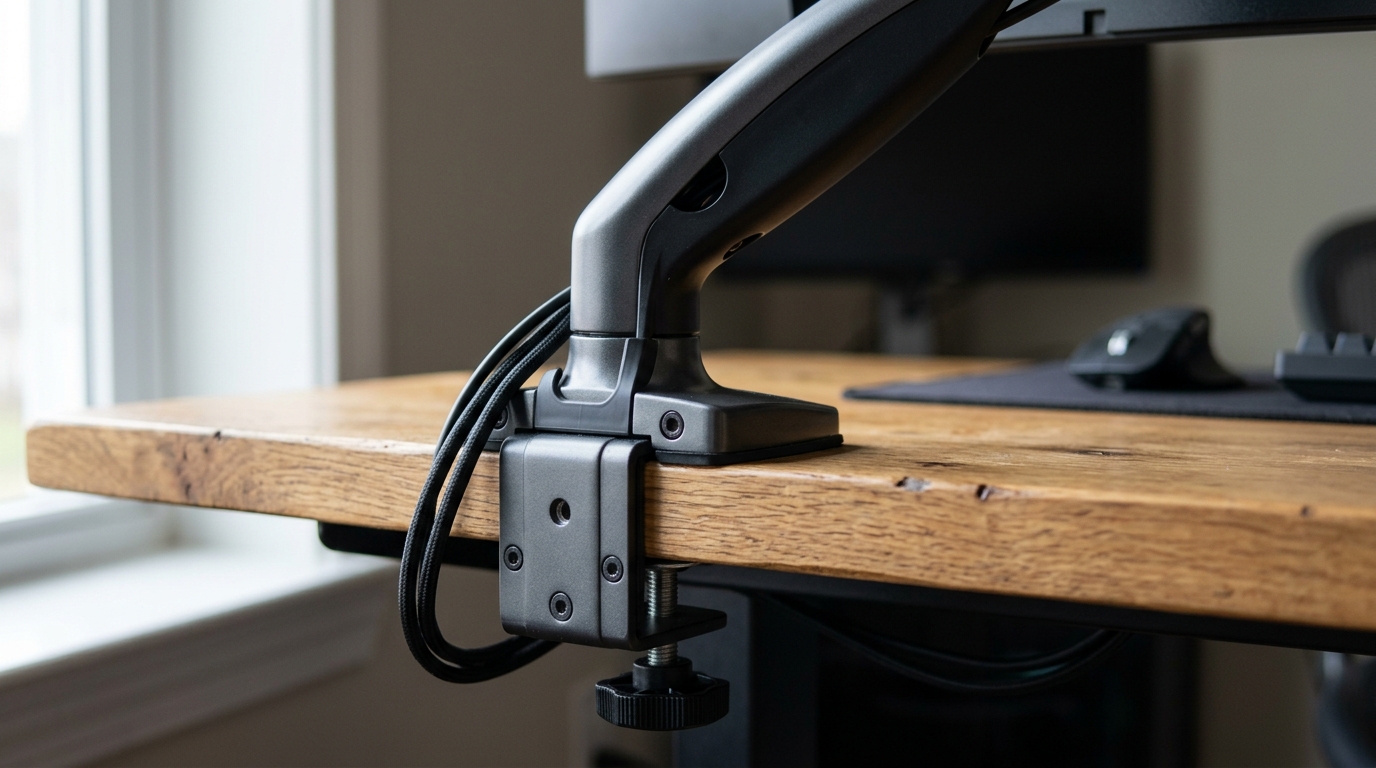
A C-clamp needs a protruding lip, which most desks have. If your desk has a thick rounded edge (8 cm or more) or sits flush against a wall, look for a model that also supports grommet mounting, where the arm bolts through a 10 mm hole you drill. Grommet is sturdier but leaves a permanent hole.
Reach matters more than you think
Measure from the back edge of your desk to where your eyes sit. A typical arm extends 45–60 cm. On a 60 cm deep desk, the Ergotron’s full reach pulls the screen to the front edge — handy for reading fine print, and equally useful when switching to paperwork.
Gas spring vs mechanical adjustment
Gas-spring arms (Ergotron, North Bayou, HUANUO, Amazon Basics) make height changes effortless — one hand, no tools. Mechanical arms (VIVO) use tightened joints instead, which hold fine but feel stiffer. If you alternate between sitting and standing, gas spring wins.
What you should expect to pay
Realistic pricing: expect roughly $30-50 for a functional budget arm, $90-150 for the sweet spot where build quality actually improves, and $250 or more for engineering you don’t need for a single 27-inch panel. No-name arms in the $10-$20 range are a common regret — many sag within weeks.
Frequently Asked Questions (FAQ)
Will a monitor arm work with my 27-inch monitor?
Yes, if it has the standard 100×100 mm VESA holes on the back and weighs under the arm’s rated capacity.
What if my desk edge is thicker than 8 cm?
Look for arms with a clamp rated above your desk thickness, like the VIVO at 8.4 cm, or choose a grommet mount that bolts through a drilled hole.
How much weight capacity do I need for a 27-inch monitor?
Most 27-inchers weigh 4–7 kg, so an arm rated for 9 kg or more gives comfortable headroom. Weigh yours if you’re unsure — the box usually lists it.
Will a monitor arm damage my desk?
Not if you install it correctly. Clamp pads leave shallow marks on soft wood after months of pressure, and grommet mounts leave a permanent hole. A felt scrap under the clamp protects softer surfaces.
Can I mount a curved 27-inch monitor on an arm?
Yes. Curved panels use the same VESA pattern but are often heavier and shift the center of gravity forward. Pick an arm with 30% more capacity than the monitor’s weight.
What is the best monitor arm for a 27-inch monitor?
One that matches the panel’s weight and VESA pattern first: a 100×100 mm VESA plate, a rating comfortably above the monitor’s weight, and a clamp or grommet that fits your desk thickness. Beyond that, choose a single arm for one screen and a dual arm only if the desk is wide enough for two panels to sit side by side without meeting in the middle.
Which monitor arm is best for tall people?
Height is the constraint, not width. A monitor arm for tall people needs a tall centre pole or a long gas-spring range so the screen can be raised to eye level while you sit upright; check the maximum height in the listing and add the thickness of your desktop, because the clamp eats into the range. Mounting on the desk edge (instead of the middle) also adds usable height. At 6 ft you need the screen centre roughly 46–48 cm above the desk, which means a pole of about 55 cm once clamp and desktop thickness are taken out.
Is a monitor arm worth it for a 27 inch monitor?
For most remote desks, yes: the arm replaces the stand, which frees the desktop underneath and lets you set the top of the screen level with your eyes instead of buying a riser. It also makes cable routing easier, since the cable runs along the arm rather than across the desk.
Related Guides
- Best Monitor Arms for Small Desks
- Best Monitor Arm for Glass Desks
- Monitor Arm vs Laptop Stand: Which Do You Need?
- Best Clamp-Free Monitor Arms 2026: 5 Picks for Desks
- Best Monitor Arms for Ultrawide Monitors 2026: 5 Picks
Disclosure
Some links in this article are affiliate links. If you buy through them, we may earn a small commission at no extra cost to you. As an Amazon Associate we earn from qualifying purchases.
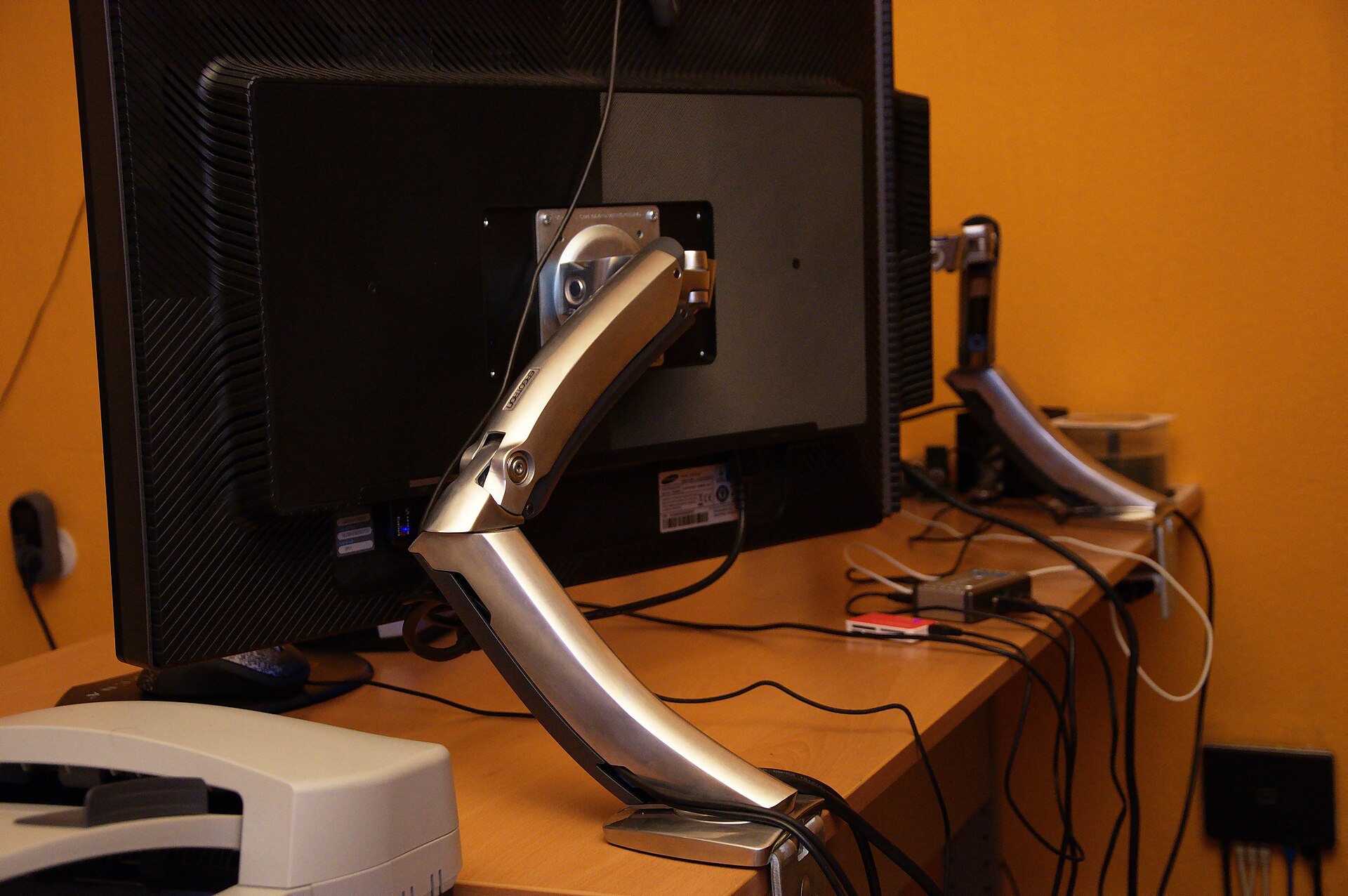
Photo: Ben Scholzen (CC BY 2.0, via Wikimedia Commons).
Shop These Picks on Amazon
Ready to compare prices? These links open Amazon listings for the specific products covered in this guide, so you can check current models and prices yourself. If you buy through them, we may earn a small commission at no extra cost to you — it helps keep RemoteErgoLab free.