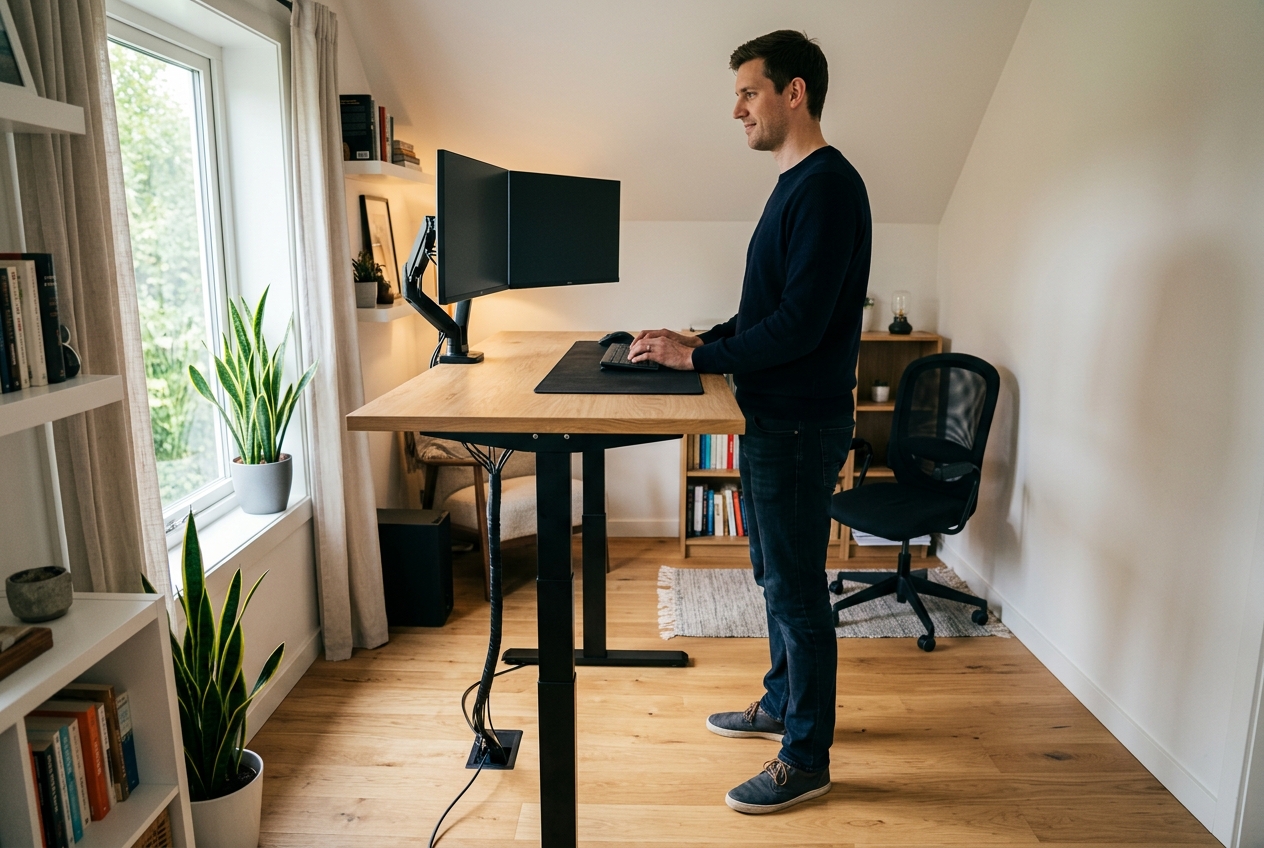
Most standing desks are built around a 5’9″ body. Buy one at 6’3″ and you end up with the same two complaints: the top locks out below your standing elbow height, and you spend the afternoon hunched over a keyboard that sits too low. The fix is not a taller chair or a stack of books under the monitors. It is a desk whose frame actually travels high enough. For seated work at that height, our chairs for tall people use the same measurements.
Standing desk height is a simple formula. Your standing work surface should land at roughly your standing elbow height, which works out to about 0.63 of your total height. For someone 6’0″ that is near 45 inches, for 6’3″ about 47 inches, and for 6’5″ close to 49 inches. A typical two-stage desk stops between 45 and 47.5 inches, which is why so many tall remote workers end up standing with their shoulders cranked up toward their ears. The four desks below were chosen because their spec sheets, and the owners who reviewed them, put their usable maximum height at 48 inches or higher.
As an Amazon Associate we earn from qualifying purchases.
Quick Verdict
If you want the highest top and a complete desk out of the box, the Vari Classic 60×30 is the safest buy. If you already own a desktop, the HUANUO three-stage frame is the cheapest way to get a 49-inch maximum. The VIVO corner kit solves the same problem for an L-shaped footprint, and the FLEXISPOT E6 MAX is the mid-price pick when you mostly care about load capacity at full extension.
Quick Picks
- Vari Classic Electric Standing Desk 60×30 – check price (highest verified top at 50.5 in, dual motor, four presets)
- HUANUO 3-Stage Standing Desk Frame – check price (frame only, 23.6-49.2 in, cheapest tall-friendly option)
- VIVO 83 x 83 Corner Standing Desk DESK-KIT-E3CB83B – check price (L-shaped, triple motor, 264 lb capacity)
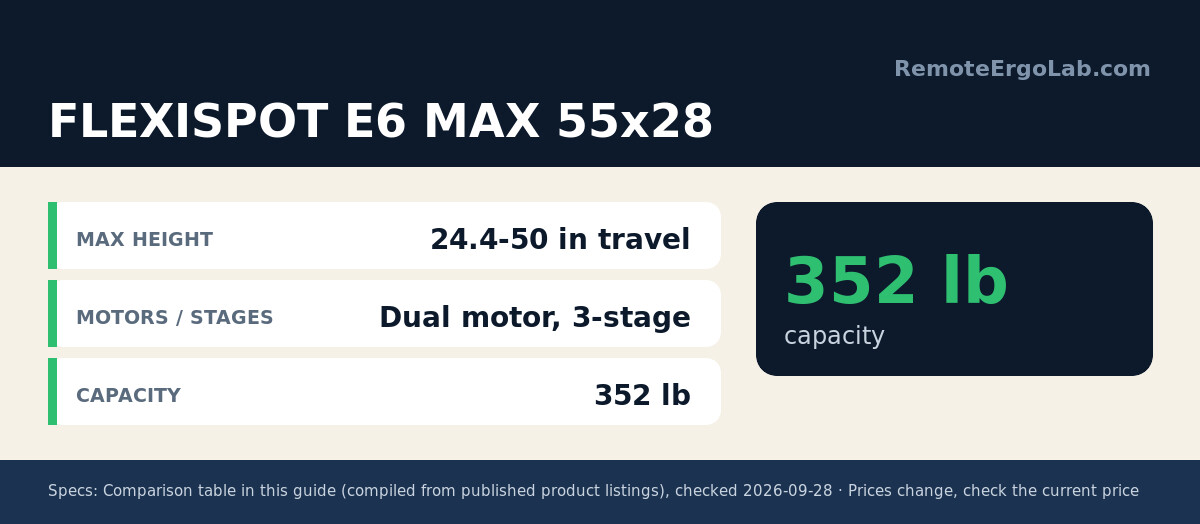
- FLEXISPOT E6 MAX 55 x 28 Bamboo Standing Desk – check price (352 lb frame rating, 24.4-50 in travel)
How We Chose These Desks
Height range came first, and it had to be a published number rather than a marketing phrase like “extra tall.” Frames that adjust on three telescoping stages reach higher than two-stage frames of the same footprint, so three-stage legs appear on three of the four picks. We then weighed stability at maximum extension, because a desk that wobbles at 49 inches is not usable at 49 inches. Load rating, desktop depth for a keyboard and monitor arm, and the number of memory presets rounded out the shortlist. Nothing here was tested in person; the specifications come from the product listings and the patterns in thousands of owner reviews.
Comparison Table
| Desk | Max height | Motors / stages | Capacity | Typical price |
|---|---|---|---|---|
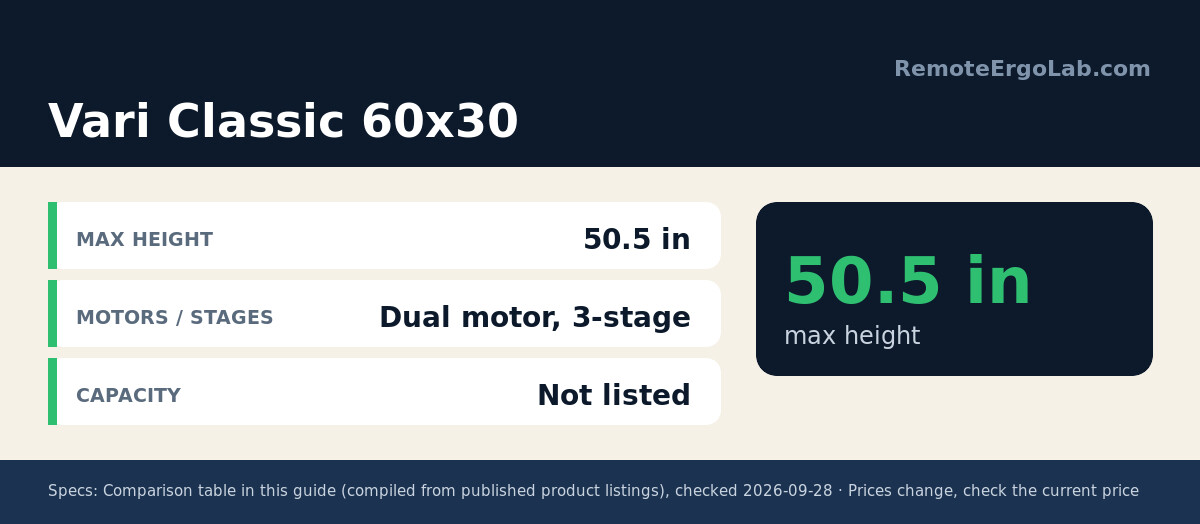
| Vari Classic 60×30 | 50.5 in | Dual motor, 3-stage | Not listed | around $779-$829 |
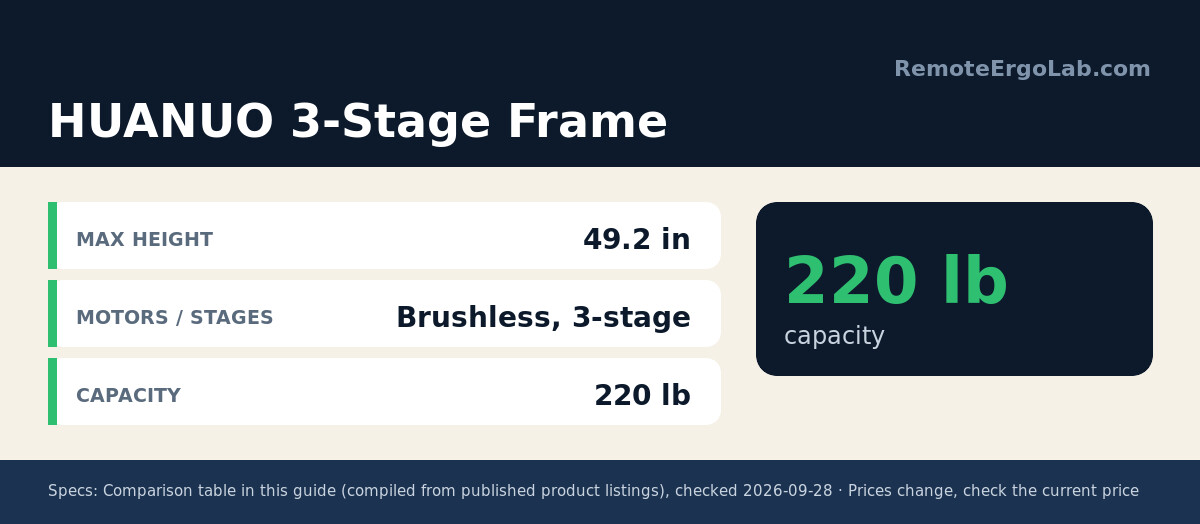
| HUANUO 3-Stage Frame | 49.2 in | Brushless, 3-stage | 220 lb | about $179.98 (list $249.99) |
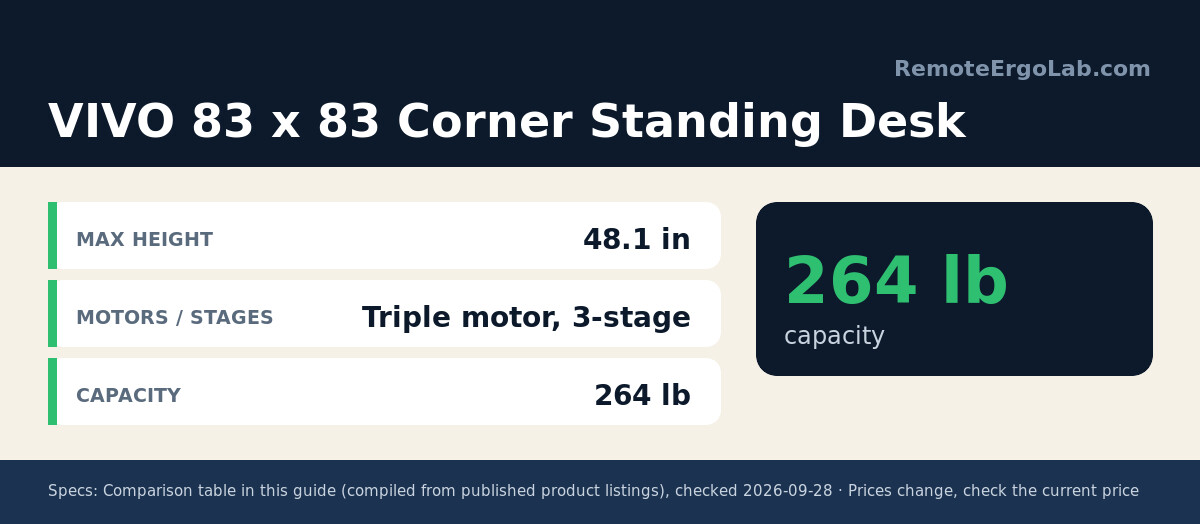
| VIVO DESK-KIT-E3CB83B | 48.1 in | Triple motor, 3-stage | 264 lb | around $799.99 |
| FLEXISPOT E6 MAX 55×28 | 24.4-50 in travel | Dual motor, 3-stage | 352 lb | typically $399.99 |
The 4 Best Standing Desks for Tall Users
1. Vari Classic Electric Standing Desk 60×30 – best overall
The Vari Classic tops out at 50.5 inches, which clears the standing elbow height of someone who is 6’6″ and gives a 6’2″ user room to spare. Its T-style legs use a three-stage column, and the dual motor moves the 60 x 30 inch top between 25 and 50.5 inches with four memory presets on the keypad. Presets matter more than people expect at this height: you can store one setting for standing with a keyboard, a second for standing during calls, and a third for seated work, instead of hunting for the right number twice a day.
Desktop depth of 30 inches is another tall-user advantage. Longer forearms mean the keyboard sits further from the torso, and a 24-inch-deep top pushes monitors uncomfortably close. Owners also mention the finish options, including the reclaimed wood and slate combination. The main trade-off is price: check the current price on Amazon, which typically sits around $779-$829 depending on the top you choose.
2. HUANUO 3-Stage Standing Desk Frame – best budget route
Frame-only kits are the quiet answer for tall remote workers who already own a solid wood top. This HUANUO frame adjusts from 23.6 to 49.2 inches, which is higher than plenty of complete desks that cost three times as much, and it accepts desktops up to roughly 35.4 x 86.6 inches. A double crossbeam and 40-percent thicker legs are the anti-wobble measures, and the brushless motor is rated for 220 lb, enough for a hardwood top plus two monitors and a laptop dock.
Four memory heights, a cable tray, and adjustable feet round out the package. Budget about an hour for assembly, and plan on drilling pilot holes into your own top. At its current listing price, which runs about $179.98 against a $249.99 list price, it is the least expensive way to reach a 49-inch working height in this guide.
3. VIVO 83 x 83 Corner Standing Desk (DESK-KIT-E3CB83B) – best L-shaped pick
Corner desks are awkward for tall users because the return section often shares the frame with the main top, and one leg ends up shorter. VIVO solves it with a three-motor, three-stage frame that lifts the whole 83 x 83 inch L to 48.1 inches with a 264 lb capacity. That figure is high enough for a 6’1″ or 6’2″ user standing straight, and the L shape lets you push monitors into the corner while keeping the keyboard at the deeper edge.
Three motors are not marketing filler. On a desk this large, two motors have to work harder when the load is unevenly distributed between the two tops, and motor strain is a common failure point in negative reviews of cheaper corner desks. The trade-off is assembly complexity and floor space. Compare the current price and dimensions on Amazon, which usually sits near $799.99, before committing to an 83-inch footprint.
4. FLEXISPOT E6 MAX 55 x 28 Bamboo – best heavy-duty mid-price pick
The E6 MAX pairs a solid bamboo top with a dual-motor three-stage frame. Its travel range runs from 24.4 to 50 inches before you add desktop thickness, so the finished surface ends up a little above 50 inches, and the frame carries a 352 lb rating. That rating is the highest here, which matters if you run a clamp-mounted monitor arm, a heavy dual-monitor mount, and a desktop tower on the same surface at full height.
Bamboo is denser than the particleboard used on most desks in the $350-$450 bracket, and it takes threaded inserts and clamp mounts without crushing. Four presets, a cable management tray, and a lower anti-collision sensor are included. Sizes vary, and the 55 x 28 version is the shortest of the family, so check the current listing, typically around $399.99, if you want the 60 x 30 or 71 x 32 top instead.
Buying Guide for Desks Over 6 Feet
Work out your required height before you shop
Multiply your height in inches by 0.63. A 74-inch (6’2″) reader needs about 46.6 inches; a 77-inch (6’5″) reader needs about 48.5 inches. Add an inch if you wear thick-soled shoes at your desk or use a standing mat, and add two if you plan to type on a keyboard tray, since trays steal vertical space.
Three-stage frames are the dividing line
Two-stage legs telescope twice and typically stop near 45 to 47.5 inches. Three-stage legs telescope a third time and reach 48 to 50.5 inches. When a listing does not state the number of stages, look at the collapsed-to-extended spread: a range wider than about 24 inches almost always means three stages.
Stability gets worse as the desk rises
Every inch of extension adds leverage against the feet, so a desk that feels rock solid at 29 inches can feel springy at 49. Frames with a crossbeam, a welded center rail, or a four-leg design handle the top of their range better. Owner reviews that mention wobble usually describe it at maximum height with two monitors, so read those carefully.
Plan your monitor height at the same time
A tall torso raises your eye line, and most monitors on standard stands sit too low even after the desk is fixed. A gas-spring monitor arm adds 10 to 16 inches of eye-level adjustment and is often the cheaper upgrade. Our guide to monitor arms versus monitor stands walks through when each one makes sense.
Frame-only is a legitimate shortcut
If you already own a hardwood, butcher block, or bamboo top at least 25 mm thick, a frame kit gets you the same height range for a fraction of the price. Check the frame’s supported top size and weight before ordering, because an oversized top on an under-rated frame is the most common DIY mistake.
FAQ
What height standing desk do I need at 6’4″?
Around 47.5 to 48.5 inches for standing, assuming flat shoes. If a desk’s maximum is 46 inches, you will end up reaching down or leaning forward, which defeats the purpose of standing.
Is a 48-inch maximum height enough for someone over 6 feet?
For 6’0″ to 6’3″, yes. Above 6’4″, aim for 49 inches or more, or add a 1-inch standing mat, which effectively lowers the surface relative to your body by an inch.
Do tall users need a deeper desktop?
Yes. Long forearms and a longer torso push monitors further away, so a 30-inch-deep top is noticeably better than 24 inches for anyone over 6’2″. Depth also gives clamp-mounted arms more room to sit behind the screens.
Can a two-stage desk work if I raise the monitors and keyboard?
Sometimes, but it is a compromise. Raising the keyboard with a tray or a riser narrows the gap, and a monitor arm fixes eye level, yet the desk edge still ends up low against your thighs and forearms. Three-stage frames solve the problem at its source.
Do three-stage desks cost more to run?
Power draw is small, a few watts per cycle, and most use the same 24V or 29V controller as two-stage desks. The real cost difference is in the frame itself, typically $80 to $200 more for the same desktop size.
Shop These Picks on Amazon
Ready to compare prices? These links open Amazon listings for the specific products covered in this guide, so you can check current models and prices yourself. If you buy through them, we may earn a small commission at no extra cost to you – it helps keep RemoteErgoLab free.
- Vari Classic Electric Standing Desk 60×30 on Amazon
- HUANUO 3-Stage Standing Desk Frame on Amazon
- VIVO DESK-KIT-E3CB83B Corner Standing Desk on Amazon
- FLEXISPOT E6 MAX 55 x 28 Bamboo Standing Desk on Amazon
Related Guides
Still weighing your options? These guides cover the decisions that come up before and after you pick a desk.
- Manual vs Electric Standing Desk: Which Should You Buy?
- Best Manual (Non-Electric) Standing Desks
- Budget sit-stand desks around the $500 mark
Disclosure
RemoteErgoLab is reader-supported. As an Amazon Associate we earn from qualifying purchases. This article was written from published product specifications, manufacturer documentation, and patterns in verified owner reviews. We do not claim personal testing of these desks. Prices and specifications change often, so confirm the details on the Amazon listing before you buy.
Raising the desk is only half of the setup: once your monitors go up, a normal lamp shines straight into your eyes. See the desk lamps that reach above eye level for frames from 6 ft up.