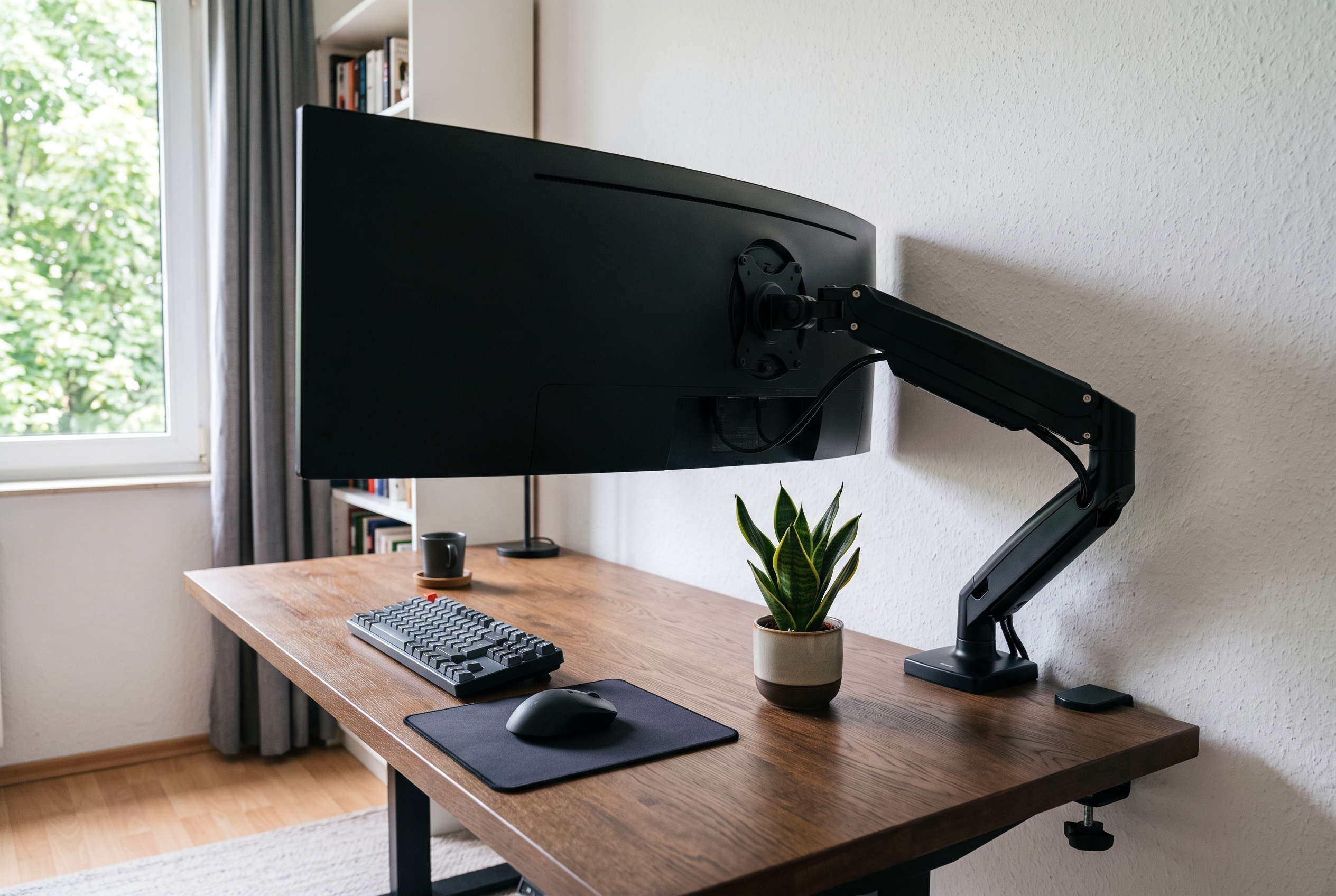
A 49-inch ultrawide looks spectacular on a desk and behaves like a small television when you try to hang it on the wrong arm. The panel alone can pass 30 lbs, and the further it sits from the mounting point, the more torque the joint has to fight. That is why so many “fits up to 32 inch” arms sag the moment a 34-inch 21:9 screen is attached. This guide covers five desktop mounts that are actually rated for ultrawide loads, from a budget pick that typically runs under $100 to a 59.4 lbs mount built for 57-inch screens.
As an Amazon Associate we earn from qualifying purchases.
Quick Verdict
For a 49-inch 32:9 screen, the VIVO STAND-V101V is the safest starting point: 44 lbs of capacity, an 11-inch spring-lift height range and a 3.2-inch clamp that will clear most desktop rails. Buyers who want a dual C-clamp base and a slightly lower price tag should look at the HUANUO TitanLift, which carries the same 44 lbs rating. Budget builders running a 34-inch flat or curved panel get the best value from the VIVO STAND-V100O at 26.4 lbs.
Quick Picks
- VIVO Heavy Duty Aluminum Ultrawide Monitor Tension Arm for up to 49″ Screens (best overall for a 49-inch ultrawide)
- HUANUO TitanLift Heavy Duty Monitor Arm for Screens up to 49″, Holds 44 lbs, Aluminum Ultrawide Screen Monitor Mount (sturdiest dual-clamp base)
- ErGear Heavy Duty Monitor Arm for 13-49″ Ultrawide Screens, 37.4 lbs Capacity, Full Motion Monitor Desk Mount (best price for a 37 lbs load)
- VIVO Heavy Duty Ultrawide Monitor Tension Arm for up to 40″ Screens, Holds 26.4 lbs, STAND-V100O (budget pick for 34-inch panels)
- monTEK Heavy Duty Monitor Arm, 17-57″ Ultrawide, Gas Spring, 59.4 lbs, White (for 57-inch and super-heavy screens)
How We Chose
We started from load ratings, because that number decides whether an arm survives a 32:9 panel. Any mount rated below 26 lbs was dropped, even if the listing mentioned ultrawide support in the title. From there we compared the numbers that affect daily use: height adjustment range in inches, tilt and swivel degrees, VESA patterns, and the maximum desk thickness each clamp accepts. Desk hardware mattered more than polish, so mounts that ship both a C-clamp and a grommet option ranked higher. Finally we read through owner reports on Amazon for sagging joints, stripped tension screws and clamp damage on thin tabletop tops, and we cross-checked each pick against our existing guides on 32-inch and 27-inch arms so the recommendations stay consistent across the site.
Comparison Table
| Product | Screen size | Load rating | Height range | Mounting |
|---|---|---|---|---|
| VIVO Heavy Duty Ultrawide Monitor Tension Arm | Up to 49 in | 44 lbs | 11 in spring lift | C-clamp up to 3.2 in or grommet 1.4 in |
| HUANUO TitanLift | Up to 49 in | 44 lbs | Full motion articulating | Dual C-clamp, VESA 100×100 max |
| ErGear 13-49 in Arm | 13-49 in | 37.4 lbs | Full motion articulating | Dual C-clamp or grommet |
| VIVO STAND-V100O | Up to 40 in | 26.4 lbs | 10.8 in spring lift | C-clamp up to 3.15 in or grommet 1.7 in |
| monTEK 17-57 in Arm | 17-57 in | 59.4 lbs | Gas spring with rotation stop | VESA clamp and grommet base |
Reviews
1. VIVO STAND-V101V – Best Overall for a 49-Inch Ultrawide
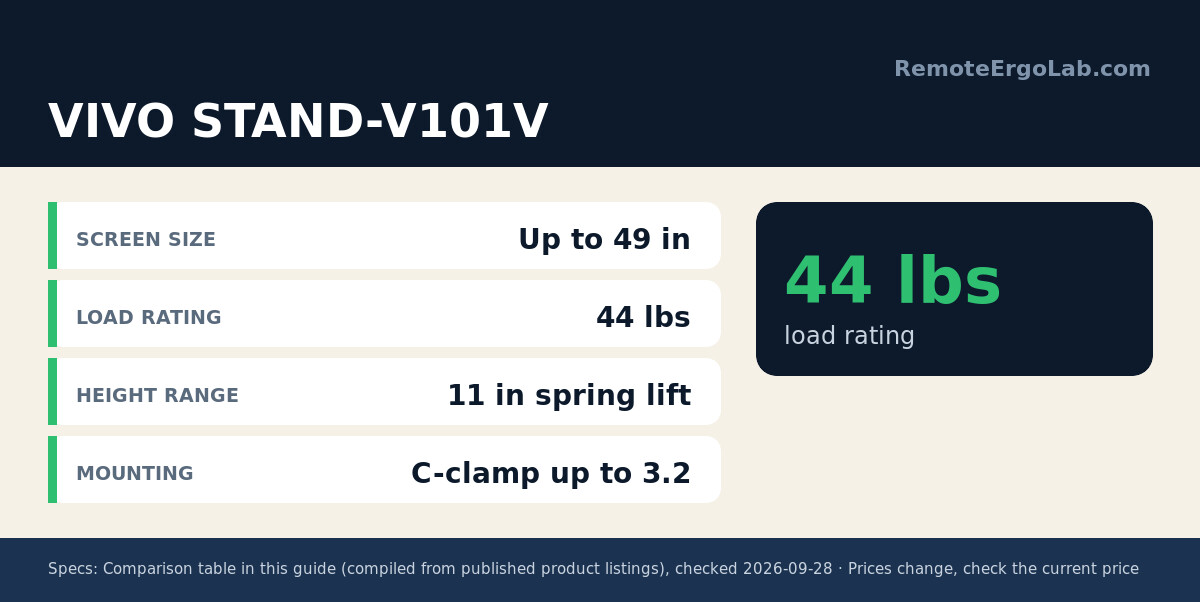
The STAND-V101V is the arm we point 32:9 owners to first. VIVO rates it for screens up to 49 inches and 44 lbs on 75x75mm or 100x100mm VESA plates, which leaves real headroom over a 31-33 lbs Odyssey G9 class panel. The tilting head moves between +50 and -20 degrees, the joint swivels 180 degrees and the screen rotates a full 360 degrees for portrait flips. Spring-lift height travel of 11 inches covers the sit-stand gap without tools. Steel and aluminum construction keeps the whole thing rigid, and integrated cable covers hide the DisplayPort run. Clamp compatibility runs to 3.2 inches of desktop, dropping to 1.4 inches if you use the optional grommet route, so measure your tabletop before ordering. Typical price sits around $110-$140; check the current price on Amazon.
2. HUANUO TitanLift – Sturdiest Dual-Clamp Base
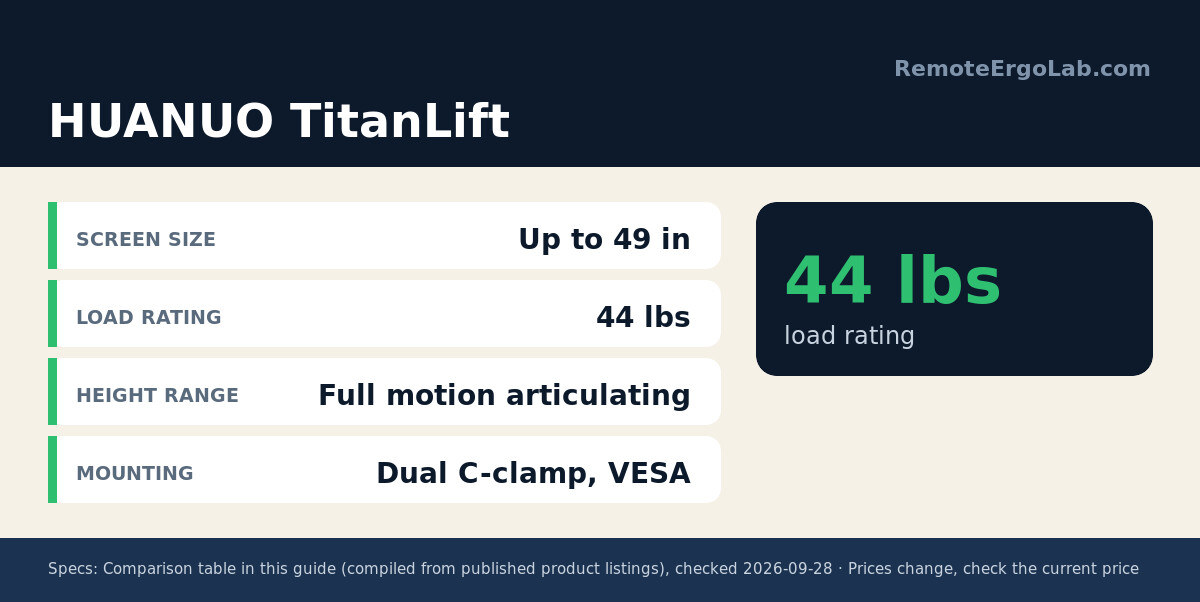
The TitanLift targets the same 49-inch, 44 lbs class as the VIVO above but leans on a dual C-clamp base instead of a single clamp column. Two clamp jaws spread the load across a wider strip of desktop, which matters on particle board and thin veneer tops where a single clamp can dent the surface. The build is aluminum with a fully adjustable head covering swivel, tilt and rotation, and the VESA plate tops out at 100x100mm. Owner reports highlight the assembly process rather than load complaints, with most people installing it solo in under an hour. If your desk has a rear rail or a beveled edge, the wider clamp footprint may need a spacer block. Expect roughly $120-$160; check the current price on Amazon.
3. ErGear Heavy Duty 13-49 Inch Arm – Best Value
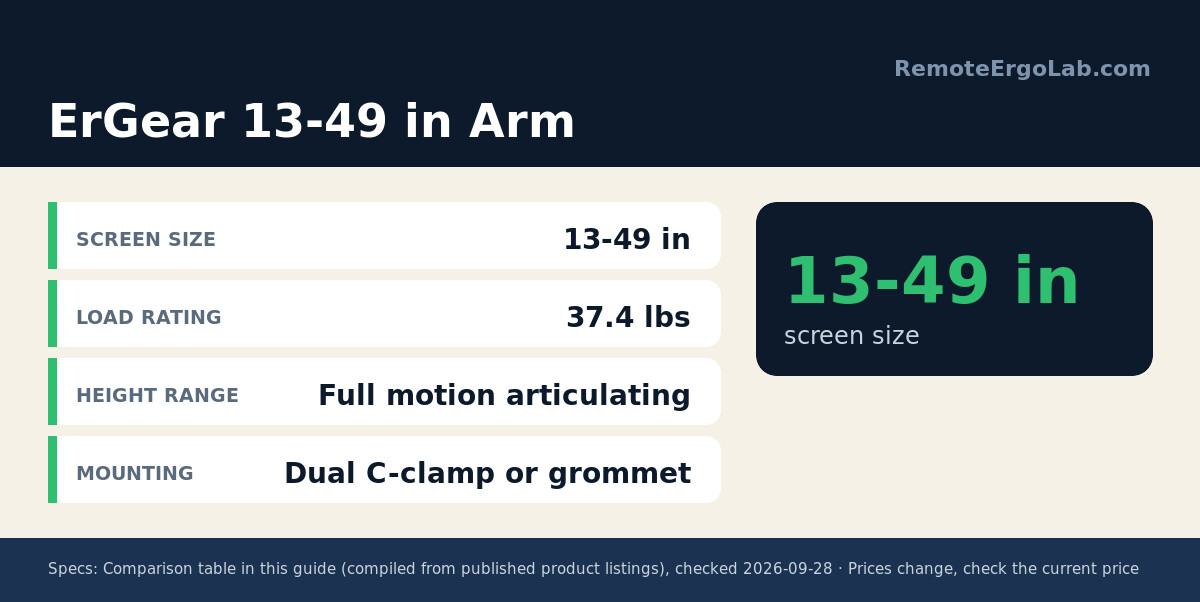
ErGear undercuts the 44 lbs arms while still covering a 49-inch screen, and its 37.4 lbs capacity is enough for a 34-inch 21:9 panel plus a heavy VESA adapter. The full motion head articulates, rotates, swivels and tilts, and the package includes both a dual C-clamp and a grommet mount, which is unusual at this price. Its rank as one of the top-selling monitor arms on Amazon reflects volume more than specification, but owner feedback repeatedly mentions how little the arm moves once tension is set. The trade-off is headroom: a 49-inch panel that weighs above 37 lbs with its mounting bracket has no margin left, so weigh your screen with the VESA plate attached. Typically $80-$110; check the current price on Amazon.
4. VIVO STAND-V100O – Budget Pick for 34-Inch Panels
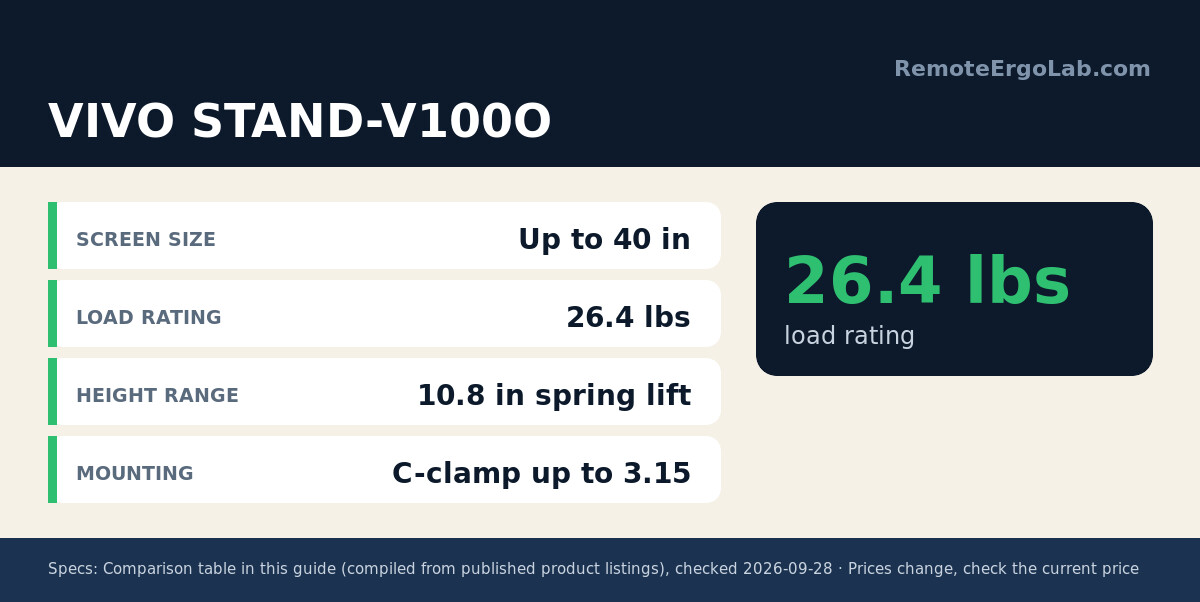
Most people searching for an ultrawide arm are running a 34-inch 3440×1440 screen that weighs somewhere between 12 and 20 lbs. The STAND-V100O handles that load with room to spare at a 26.4 lbs rating, and it accepts the same 75x75mm and 100x100mm VESA patterns as the larger VIVO arms. Tilt travel is generous at +90 to -90 degrees, height adjustment runs 10.8 inches, and the clamp tolerates 3.15-inch desktops with a 1.7-inch grommet alternative. Steel and aluminum carry the structure, with plastic used mainly for the cable covers. It tops out at 40 inches of screen, so it is the wrong choice for a 49-inch 32:9 monitor. Around $90-$120 typically; check the current price on Amazon.
5. monTEK 17-57 Inch Gas Spring Arm – For Super-Heavy Screens
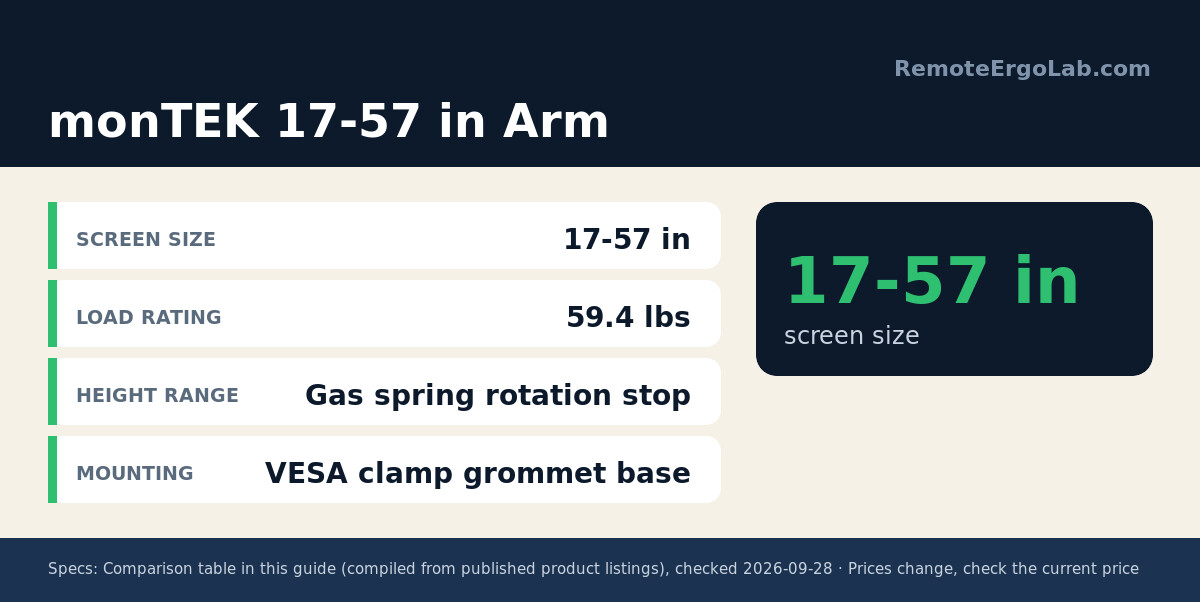
The monTEK arm exists for the small group of users running 49-inch super ultrawides that already exceed 35 lbs, plus the handful of 57-inch 32:9 owners. Its 59.4 lbs rating is the highest in this roundup, the gas spring is adjustable, and the head includes an integrated rotation stop so a heavy panel cannot swing past vertical and drift into the wall. The white finish is a deliberate match for lighter desk setups. One honest caveat: a customer review on the listing reports it is not strong enough for the Samsung Odyssey G9 57-inch, which suggests the practical ceiling depends on how the weight is distributed once the factory stand is removed. Weigh the panel with its VESA plate before committing. Expect about $170-$220; check the current price on Amazon.
Buying Guide
Weight capacity is the first filter. Take the panel weight without its original stand, add the VESA plate and any adapter, then pick an arm rated at least 8-10 lbs higher. Capacity that only just equals the load leaves no tension range, and a spring or gas cylinder pinned at maximum will sag within weeks.
Leverage follows weight. A 49-inch screen hanging 8 inches further from the pole multiplies the torque on the joint, so long-arm designs need stiffer cylinders and thicker steel. Models with short reach and a high rating are safer than long reach with a rating that only matches the load.
Check the mounting hardware against your actual desk. Thickness limits of 3.1-3.2 inches cover most desktops, but a rear crossbar, a cable tray or a beveled edge can block a large clamp. A grommet mount solves that when the desk already has a hole, and several picks here include both options.
Do not skip the VESA pattern. Almost every ultrawide uses 100x100mm, but 75x75mm appears on 34-inch panels, and both must be listed as supported before you order.
Tall user, or planning a standing setup? Height — not load rating — is what breaks first: our guide to monitor arm heights for a 6 ft user lists the screen height you actually need and the pole length that delivers it.
FAQ
Can a standard monitor arm hold a 34-inch ultrawide?
Sometimes. Many 34-inch 21:9 panels weigh 12-20 lbs, which sits inside the 19.8-22 lbs range of some ordinary gas spring arms. The problem is the tension range: an arm rated for 20 lbs is already at its limit, so the screen drifts down over time. A heavy-duty arm with a 26 lbs or higher rating gives you the adjustment range back.
What weight capacity do I need for a 49-inch monitor?
Most 49-inch 32:9 screens land between 26 and 33 lbs without the stand. Add the VESA plate and aim for a 44 lbs rated arm, which is what the two top picks here provide. That leaves 10 lbs of headroom, enough for the spring to hold position at any height.
Will a heavy monitor arm damage my desk?
A single C-clamp concentrates a large load on a small area. On solid wood and steel frames the risk is low. On hollow-core, particle board or thin veneer tops, use a grommet mount or add a steel reinforcement plate between the clamp and the underside of the desktop. Dual-clamp bases spread the force more evenly.
How high should an ultrawide monitor sit?
The top edge of any screen should sit close to eye level when you sit upright, with the panel roughly an arm’s length away. Ultrawides are shorter than 16:9 panels of the same width, so they often need less elevation than expected. Our monitor height guide walks through the measurement.
Can I use one arm for two ultrawide monitors?
Only with a dual-arm mount rated for the combined load per arm. Two 34-inch panels is a reasonable load for a heavy-duty dual arm, while two 49-inch screens pushes past what most desk clamps can hold safely and usually needs a freestanding base or a wall mount.
Shop These Picks on Amazon
Ready to compare prices? These links open Amazon listings for the specific products covered in this guide, so you can check current models and prices yourself. If you buy through them, we may earn a small commission at no extra cost to you – it helps keep RemoteErgoLab free.
- VIVO Heavy Duty Aluminum Ultrawide Monitor Tension Arm for up to 49″ Screens on Amazon
- HUANUO TitanLift Heavy Duty Monitor Arm for Screens up to 49″, Holds 44 lbs, Aluminum Ultrawide Screen Monitor Mount on Amazon
- ErGear Heavy Duty Monitor Arm for 13-49″ Ultrawide Screens, 37.4 lbs Capacity, Full Motion Monitor Desk Mount on Amazon
- VIVO Heavy Duty Ultrawide Monitor Tension Arm for up to 40″ Screens, Holds 26.4 lbs, STAND-V100O on Amazon
- monTEK Heavy Duty Monitor Arm, 17-57″ Ultrawide, Gas Spring, 59.4 lbs, White on Amazon
Related Guides
- Monitor arms for 32-inch screens that hold their weight
- 27-inch monitor arms with no-sag tension
- Clamp-free monitor arms for glass desks
- Monitor height guide: how high should your monitor be?
- Best Clamp-Free Monitor Arms 2026: 5 Picks for Desks
- Dual Monitor Setup for Small Desks (2026): 5 Picks
Disclosure
RemoteErgoLab is reader-supported. As an Amazon Associate we earn from qualifying purchases. Product specifications and capacities in this guide come from manufacturer listings and owner reports, not from hands-on lab testing. Prices and stock change often, so always confirm the current details on the Amazon listing before ordering.