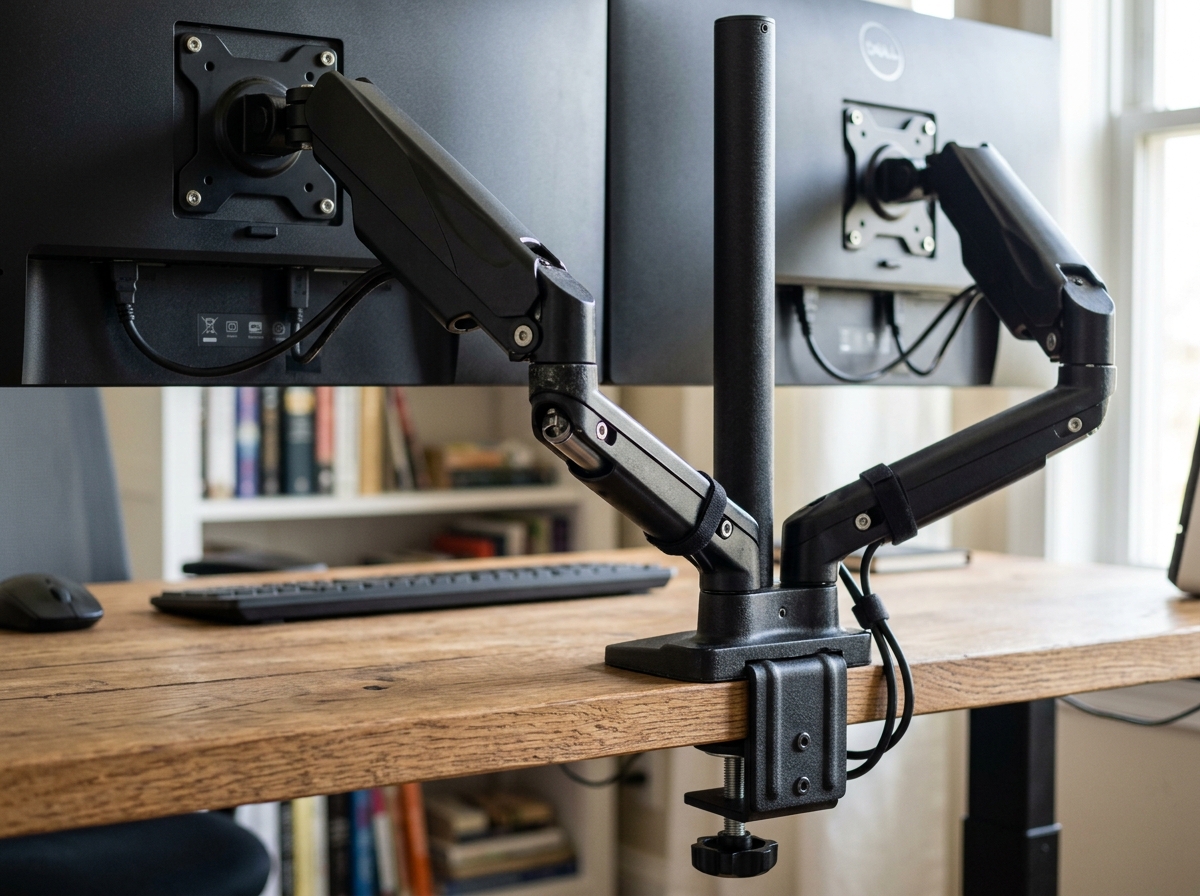
C-clamp monitor mounts grip your desk edge without drilling and let you reposition the arm later; grommet mounts thread through a drilled hole for a fixed, low-profile base and cleaner cable routing. If your desk sits against a wall or you rent your space, a clamp mount works; if you want permanent placement and hidden cables, a grommet mount fits better.
As an Amazon Associate we earn from qualifying purchases. Product links on this page go to Amazon; picks are chosen from published manufacturer specifications, not paid placement.
Quick Picks
- Best C-Clamp Overall: Ergotron LX Dual Side-by-Side Arm — Thick desks up to 2.5" with both clamp and grommet hardware included
- Best Budget C-Clamp: VIVO Dual Monitor Desk Mount Adjustable Stand — Desks up to 3.25" thick with flexible dual-mount option
- Best Grommet Mount: Mount-It! Full Motion Dual Monitor Desk Mount — Permanent setups on solid desks with grommet-only installation
- Best for Thick Desks: WALI Dual Monitor Fully Adjustable Desk Mount Stand — Solid-core desks up to 4" thick with reversible clamp/grommet
- Best Gas Spring Grommet: ErGear Adjustable Gas Spring Dual Monitor Desk Mount Stand — Heavy monitors up to 26.4 lbs with smooth height adjustment
- Best Tool-Free Grommet: HUANUO FlowLift Pro Monitor Arm — Quick grommet install on desks 0.59–3.54" thick
How We Chose These Mounts
We selected six dual-monitor arms that highlight the trade-offs between clamp and grommet installation. Every pick was evaluated against manufacturer spec sheets checked on 2026-10-13 for desktop thickness range, weight capacity per arm, VESA compatibility, and whether the mount includes both clamp and grommet hardware. We prioritized arms that accommodate 27-inch and 32-inch screens, support at least 19 lbs per monitor, and fit standard desks between 0.75 and 4 inches thick.
Clamp vs Grommet: Quick Comparison
| Product | Mount Type | Max Desk Thickness | Weight Per Arm | Screen Size |
|---|---|---|---|---|
| Ergotron LX Dual Side-by-Side Arm | C-clamp + grommet | Not listed | 20 lbs | ≤ 27″ |
| VIVO Dual Monitor Desk Mount | C-clamp + grommet | 3.25″ | 22 lbs | 13–30″ |
| Mount-It! Full Motion Dual Monitor Desk Mount | Grommet | Not listed | 19.8 lbs | 17–32″ |
| WALI Dual Monitor Fully Adjustable Desk Mount Stand | C-clamp + grommet | 4″ | 22 lbs | 13–27″ |
| ErGear Adjustable Gas Spring Dual Monitor Desk Mount Stand | Grommet | Not listed | 26.4 lbs | 13–32″ |
| HUANUO FlowLift Pro Monitor Arm | Grommet | 3.54″ | 15.4 lbs | 13–27″ |
The Picks
Ergotron LX Dual Side-by-Side Arm
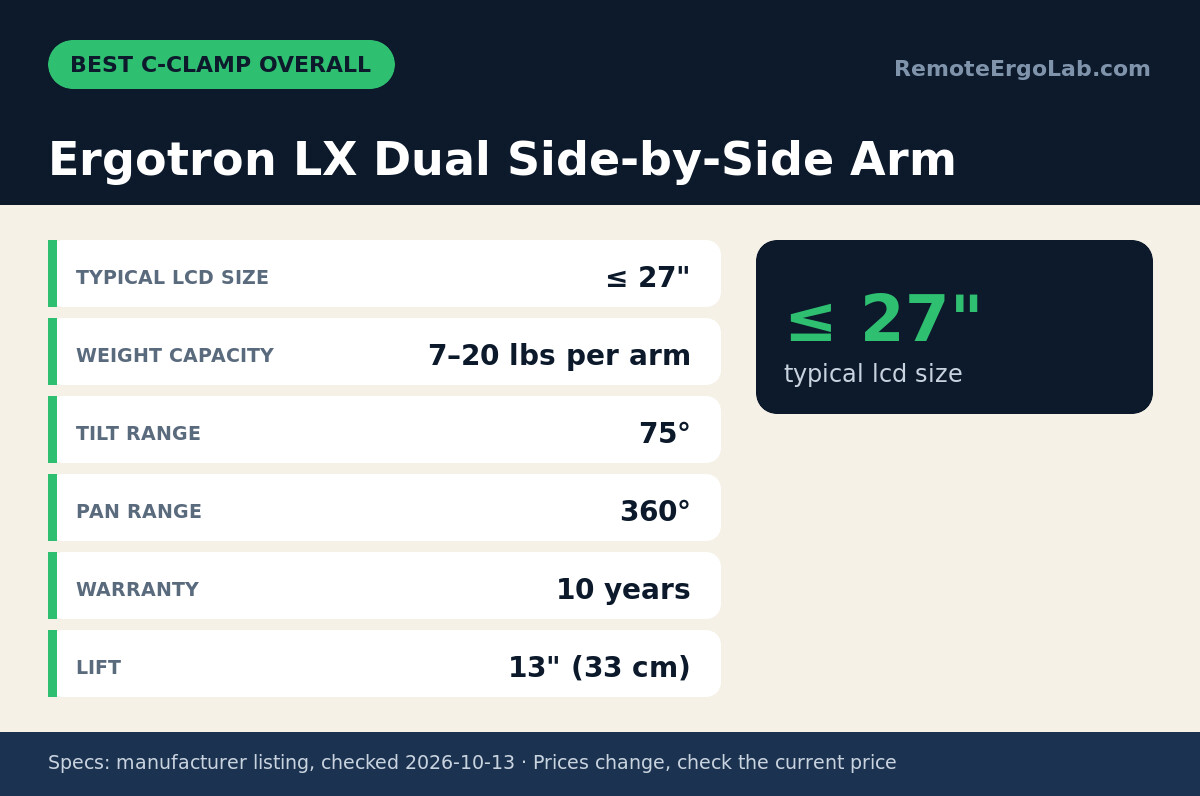
The Ergotron LX supports two monitors up to 27 inches and 20 lbs each with a combined maximum load of 40 lbs. It ships with both heavy-duty C-clamp and grommet mounting hardware, so you can switch installation methods if you move desks. Each arm offers 13 inches of height adjustment, 75° tilt, and full 360° pan and rotation on 100 x 100 mm and 75 x 75 mm VESA patterns. The manufacturer does not list a maximum desk thickness for the clamp, so measure your desk edge and confirm fit with the retailer before ordering. The 10-year warranty covers mechanical components. Skip it if your monitors weigh less than 7 lbs each—the counterbalance spring may not hold lighter screens in position.
VIVO Dual Monitor Desk Mount Adjustable Stand
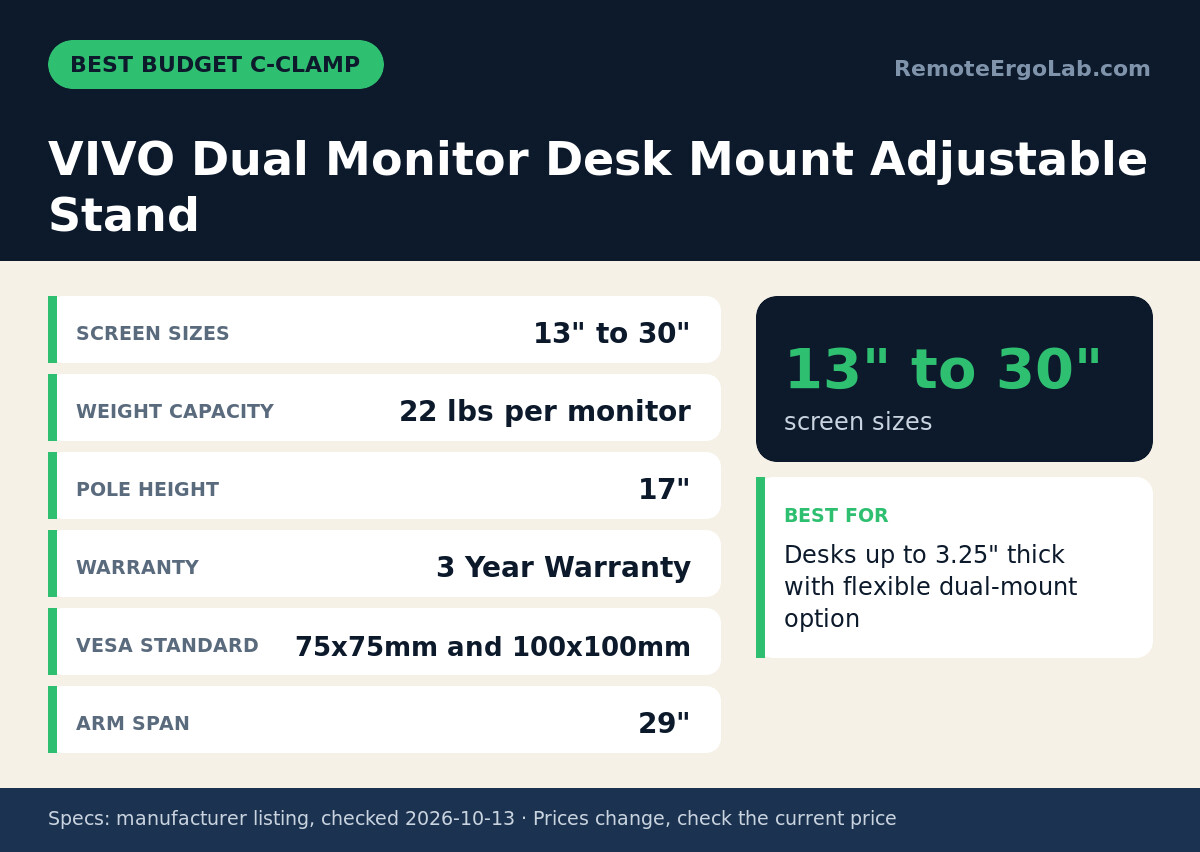
The VIVO dual mount clamps onto desks up to 3.25 inches thick and holds two screens from 13 to 30 inches, each weighing up to 22 lbs. The 17-inch pole and 29-inch arm span give you enough reach to position monitors side by side or stacked. It includes both C-clamp and grommet hardware, and the clamp base fits most solid-core and laminate desks without marking the edge. VESA compatibility covers 75 x 75 mm and 100 x 100 mm patterns. The three-year warranty is shorter than the Ergotron’s but standard for this price range. Skip it if your desk is thicker than 3.25 inches or if you need to mount screens larger than 30 inches.
Mount-It! Full Motion Dual Monitor Desk Mount
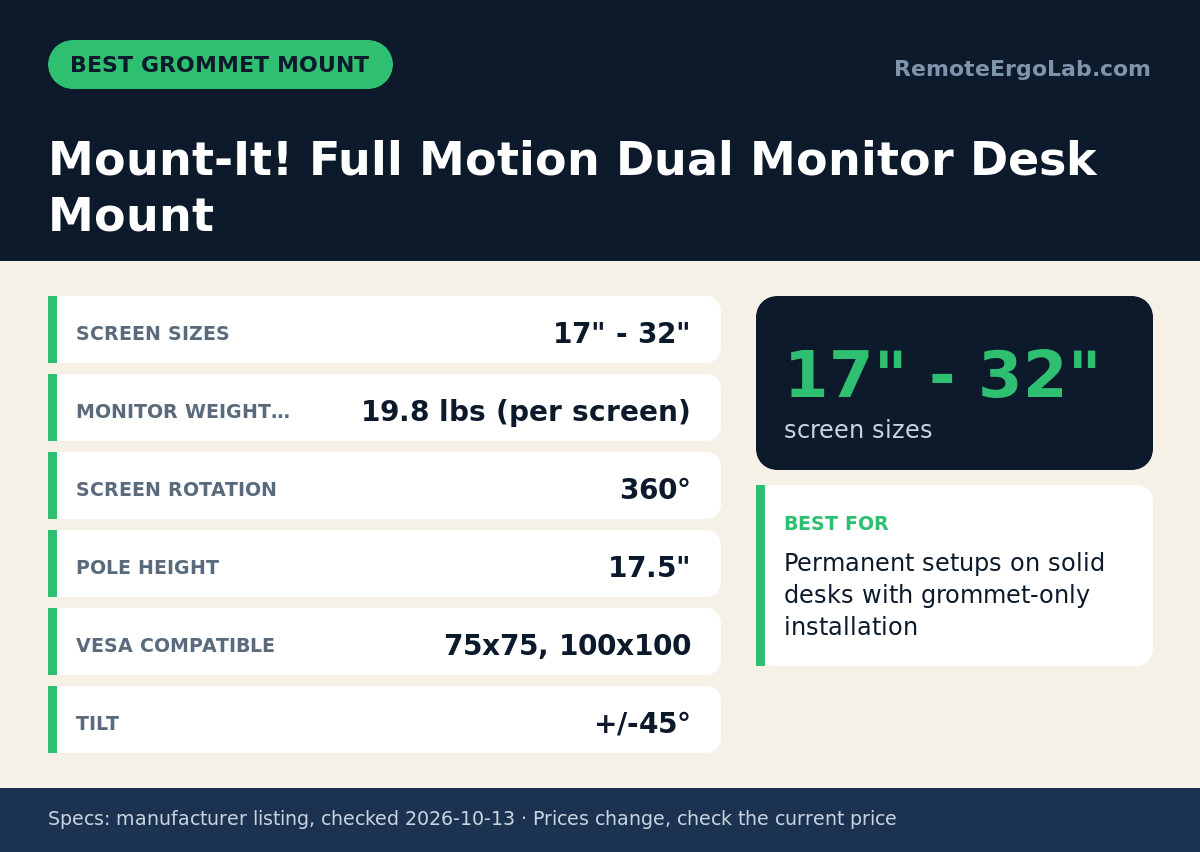
The Mount-It! arm uses grommet-only mounting and supports monitors from 17 to 32 inches and up to 19.8 lbs each, with +/- 45° tilt and +/- 180° swivel. The 17.5-inch pole height and 360° screen rotation let you orient displays in portrait or landscape. Because the grommet base sits flush with your desktop, cables drop straight through the hole and stay hidden behind the pole. The manufacturer lists VESA 75 x 75 mm and 100 x 100 mm compatibility. The listing does not state the maximum desk thickness for grommet mounting, so confirm with the seller before ordering. The lack of a C-clamp option means you will need to drill a hole, so this mount works best for solid desks you plan to keep long-term. Skip it if your desk has a hollow core or if you want the flexibility to reposition the mount later.
WALI Dual Monitor Fully Adjustable Desk Mount Stand
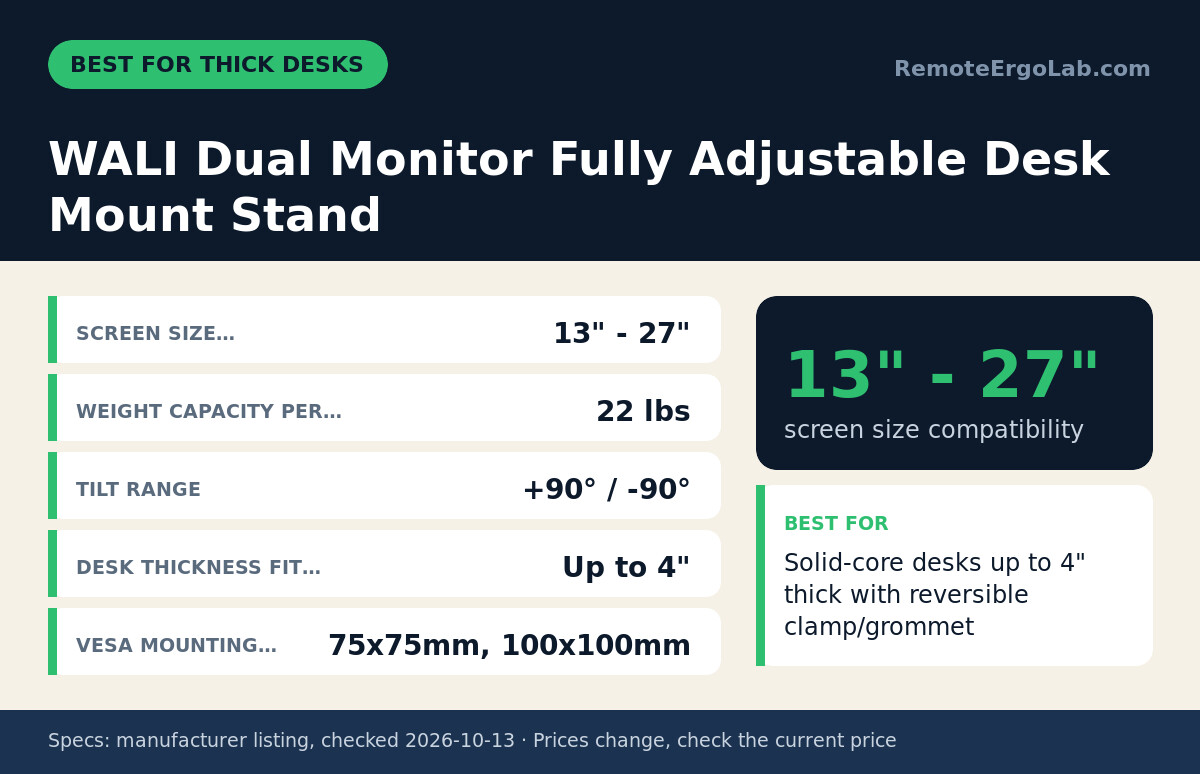
The WALI mount fits desks up to 4 inches thick, the widest range in this group, and holds two monitors from 13 to 27 inches at 22 lbs per arm. It ships with both clamp and grommet hardware, and the clamp base accommodates butcher-block and solid-wood desks that exceed the 3.25-inch limit of most other arms. Each arm tilts +90° / -90° and mounts to 75 x 75 mm or 100 x 100 mm VESA patterns. The tilt range is wider than the Ergotron’s, useful if you stand and sit throughout the day. The listing does not specify whether the grommet hardware also fits 4-inch desks, so confirm with the manufacturer if you plan to use grommet installation on a thick desktop. Skip it if your monitors are larger than 27 inches or if you need gas-spring tension adjustment.
ErGear Adjustable Gas Spring Dual Monitor Desk Mount Stand
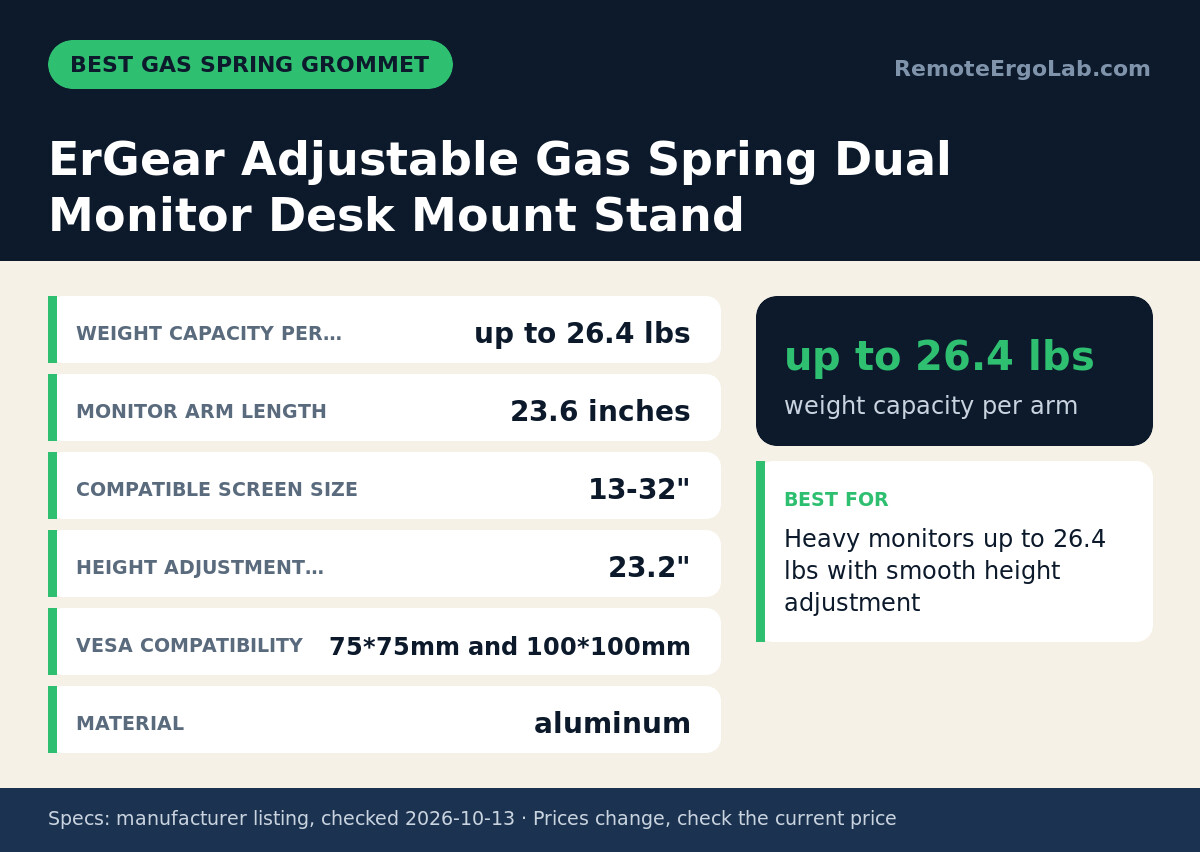
The ErGear mount uses grommet installation and supports the heaviest screens in this group—up to 26.4 lbs per arm—across 13 to 32 inches. The aluminum construction and gas-spring mechanism provide 23.2 inches of smooth height adjustment without manual tightening, and each 23.6-inch arm extends far enough to clear deep desks. The 45° tilt and VESA 75 x 75 mm / 100 x 100 mm compatibility cover most ergonomic setups. The listing does not state the maximum desk thickness for grommet mounting, so check the product page or contact the seller if your desk is thicker than 3 inches. The grommet-only design means cables route cleanly through the desk, but you cannot move the arm without redrilling. Skip it if you want clamp flexibility or if your monitors weigh less than 10 lbs—gas springs may not hold lighter panels steady.
HUANUO FlowLift Pro Monitor Arm
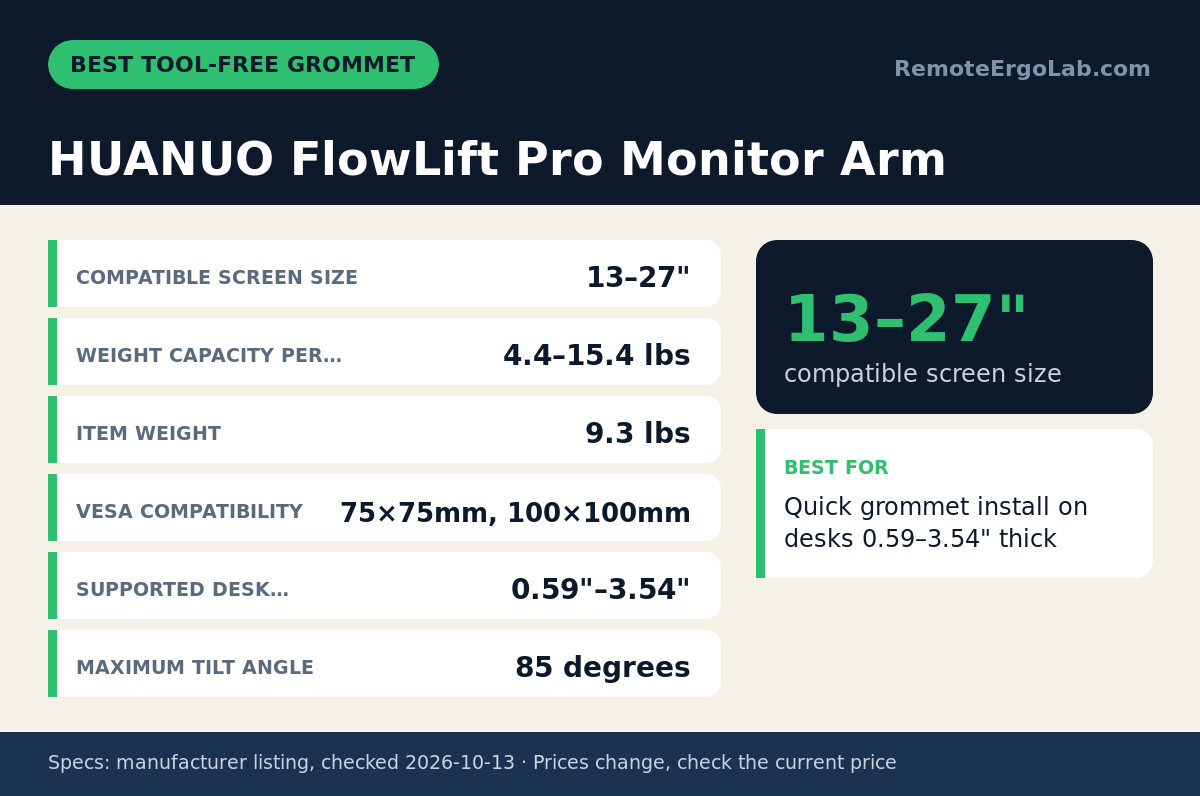
The HUANUO arm offers tool-free grommet installation on desks from 0.59 to 3.54 inches thick and supports monitors from 13 to 27 inches weighing between 4.4 and 15.4 lbs per arm. The 85° tilt range and VESA 75 x 75 mm / 100 x 100 mm mounting work for most 24-inch and 27-inch displays. At 9.3 lbs total weight for the arm assembly, it is lighter than the ErGear and easier to position during setup. The tool-free grommet design speeds installation, but you still need to drill the hole yourself. The listing does not specify arm reach or maximum combined weight, so confirm those details before ordering. Skip it if your monitors weigh more than 15.4 lbs each or if you want the option to clamp instead of drilling.
When Not to Buy These Mounts
Skip all six picks if your desk has a hollow particleboard core thinner than 0.75 inches—clamp pressure can crush the edges, and grommet mounts lack the solid material needed for thread grip. Consider a freestanding pole mount instead. If your desk sits flush against a wall with less than 4 inches of rear clearance, C-clamp bases may not fit; grommet mounts clear the wall but require drilling. For glass desks, all clamp and grommet arms risk cracking; see our glass-safe monitor arms guide. If you need to mount a single ultrawide monitor over 34 inches, these dual arms lack the reinforced poles and weight capacity; check our ultrawide monitor arm picks instead.
Clamp vs Grommet: What to Measure Before You Buy
Measure your desk thickness at the mounting point with a ruler or calipers. Most office desks range from 0.75 to 1.5 inches; butcher-block and solid-wood desks often reach 2 to 3 inches. If your desk exceeds 3.25 inches, only the WALI mount with its 4-inch clamp capacity fits. Clamp mounts need at least 3 inches of clearance behind the desk edge for the clamp screw and base plate; measure from the desk edge to the wall to confirm fit. Grommet mounts require a drilled hole, typically 0.5 to 1 inch in diameter—check the product listing for the exact size—and they sit flush with the desktop, clearing walls and cabinets.
Check whether your desk has a solid core or hollow particle-board interior by looking at the exposed edge or tapping the surface. Hollow-core desks flex under clamp pressure and may splinter around grommet holes; solid desks distribute load evenly. If you plan to reposition your monitors or move apartments, a clamp mount lets you remove the arm without damage. If you want permanent placement and concealed cable routing, grommet mounts hide the base and let cables drop through the desk into a cable tray or grommet hub.
For dual-monitor setups on small desks, consider whether your desk depth allows two screens side by side; most 27-inch monitors need at least 24 inches of desk width per screen, and you will need a pole with enough arm reach to position both displays. If your desk is narrower than 48 inches, read our small-desk dual-monitor guide for stacked and angled configurations.
FAQ
Can you convert a clamp mount to a grommet mount?
Some dual-monitor arms, including the Ergotron LX, VIVO, and WALI models in this guide, ship with both clamp and grommet hardware in the box. You swap the base plate and use the included grommet collar to thread the pole through a drilled hole. Mounts sold as clamp-only or grommet-only typically do not include interchangeable hardware, so check the product listing before ordering.
Do grommet mounts damage your desk?
Grommet mounts require a permanent hole drilled through the desktop, usually 0.5 to 1 inch in diameter. The hole remains visible if you remove the mount, though you can fill it with a wood plug or replace the desk surface. Solid-core desks handle grommet holes without structural issues; hollow-core desks may splinter or lose stability around the drilled area.
Which mount type works best for a desk against a wall?
Grommet mounts sit flush with the desktop and need zero rear clearance, so they work when your desk is pushed tight against a wall. C-clamp mounts require 3 to 4 inches of space behind the desk edge for the clamp screw and base plate. If your desk is already against the wall, measure the gap or pull it forward before installing a clamp mount.
Can I use a grommet mount on a glass desk?
Drilling through tempered glass typically shatters it, and grommet mounts are not designed for glass surfaces. Clamp mounts also risk cracking glass under pressure. For glass desks, use a pole-style mount with a weighted base or a specialized clamp with protective pads. See our glass desk monitor arm guide for safe options.
How much weight can a grommet mount hold compared to a clamp?
Weight capacity depends on the arm’s mechanical design and pole diameter, not the mounting method. The ErGear grommet mount in this guide holds 26.4 lbs per arm, while the Ergotron LX clamp mount holds 20 lbs per arm. Both clamp and grommet bases distribute load across the desk surface, so a solid desk with proper installation supports the same weight regardless of mount type.
Do I need special tools to install a grommet mount?
You need a drill and a hole saw bit sized to match the grommet diameter listed in the product specs—typically 0.5 to 1 inch. The HUANUO mount offers tool-free assembly after the hole is drilled, but all grommet mounts require you to create the hole first. Clamp mounts install with the included hex key or screwdriver and do not need drilling.
Shop These Picks on Amazon
Ready to compare prices? These links open the Amazon listings for the specific products covered in this guide, so you can check current models and prices yourself. If you buy through them, we may earn a small commission at no extra cost to you — it helps keep RemoteErgoLab free.
- Ergotron LX Dual Side-by-Side Arm on Amazon
- VIVO Dual Monitor Desk Mount Adjustable Stand on Amazon
- Mount-It! Full Motion Dual Monitor Desk Mount on Amazon
- WALI Dual Monitor Fully Adjustable Desk Mount Stand on Amazon
- ErGear Adjustable Gas Spring Dual Monitor Desk Mount Stand on Amazon
- HUANUO FlowLift Pro Monitor Arm on Amazon
Related Guides
- 7 Monitor Arms for 27-Inch Screens That Hold (2026)
- Dual Monitor Arm or Single? What Your Desk Needs
- Monitor Arm or Monitor Stand? Which Saves Desk Space
Sources and Spec Checks
- Ergotron LX Dual Side-by-Side Arm — source: ergotron.com, checked on 2026-10-13.
- VIVO Dual Monitor Desk Mount Adjustable Stand — source: vivo-us.com, checked on 2026-10-13.
- Mount-It! Full Motion Dual Monitor Desk Mount — source: mount-it.com, checked on 2026-10-13.
- WALI Dual Monitor Fully Adjustable Desk Mount Stand — source: walielectric.com, checked on 2026-10-13.
- ErGear Adjustable Gas Spring Dual Monitor Desk Mount Stand — source: amazon.com, checked on 2026-10-13.
- HUANUO FlowLift Pro Monitor Arm — source: amazon.com, checked on 2026-10-13.
Disclosure
As an Amazon Associate we earn from qualifying purchases. RemoteErgoLab picks products from published specifications and fit criteria; we have not physically tested the products in this guide. Prices and availability change, so check the current listing before you buy.