
Wrist pain at the keyboard rarely comes from typing too much. It comes from typing at an angle the wrist was not built for, an upward bend that compresses the carpal tunnel thousands of times a day. Split, wave and negatively tilted keyboards change that angle, and none of them has to cost more than a cheap office chair. This guide covers five ergonomic keyboards that typically sell between $45 and $80, with real dimensions, connection details and palm support specs taken from the current listings.
As an Amazon Associate we earn from qualifying purchases.
Quick Verdict
Start with the Logitech Wave Keys if you want the simplest fix: a wavy key layout, a cushioned memory foam palm rest and Bluetooth or Logi Bolt wireless in a body only 14.8 inches wide. Buyers who work at a fixed desk and want the strongest palm support should look at the Microsoft Ergonomic Keyboard, which pairs a split keyset with a domed, fabric-covered palm lift. The Perixx PERIBOARD-612B is the pick for a true one-piece split on a budget, the Kensington Pro Fit Ergonomic adds adjustable reverse tilt and spill-proof keys, and the Adesso Tru-Form 150 brings backlit keys at the lowest price of the group.
Quick Picks
- Logitech Wave Keys Ergonomic Wireless Keyboard with Palm Rest (best overall for wrist pain)
- Microsoft Ergonomic Keyboard (LXM-00004) (best wired pick with a split keyset)
- Perixx PERIBOARD-612B Wireless Ergonomic Split Keyboard (best budget split layout)
- Kensington Pro Fit Ergonomic Wireless Keyboard (K75401US) (best adjustable reverse tilt)
- Adesso Tru-Form 150 3-Color Illuminated USB Ergonomic Keyboard (AKB-150EB) (cheapest pick with backlit keys)
How We Chose
Wrist pain comes from two positions: extension, where the hand bends upward at the wrist, and ulnar deviation, where the hand angles outward toward the little finger. A keyboard helps only if it removes one of those. That filter eliminated every flat rectangle with the word “ergonomic” printed on the box. From there the shortlist had to stay in budget, ship with palm support or a foot mechanism that allows reverse tilt, and fit on a normal desk next to a mouse. Width drove several decisions, because a 20-inch keyboard on a 36-inch desk leaves the mouse hand nowhere comfortable to sit. Finally, owner reports on the listings were read for two recurring complaints: keys that need heavy force, and palm rests that sit higher than the key rows and simply move the bend up the arm.
Comparison Table
| Product | Layout | Connection | Palm support | Width | Typical price |
|---|---|---|---|---|---|
| Logitech Wave Keys | Wave, curved rows | Bluetooth or Logi Bolt, 3 devices | Memory foam palm rest | 14.8 in | typically $55-$70 |
| Microsoft Ergonomic Keyboard (LXM-00004) | Split keyset with palm lift | Wired USB | Cushioned fabric palm rest | 20 in | typically $50-$70 |
| Perixx PERIBOARD-612B | One-piece split, curved rows | 2.4 GHz or Bluetooth | Integrated wrist rest | 19.1 in | typically $60-$80 |
| Kensington Pro Fit Ergonomic (K75401US) | Split with adjustable reverse tilt | 2.4 GHz or Bluetooth 4.0 LE | No built-in rest; tilt does the work | 19 in | typically $60-$80 |
| Adesso Tru-Form 150 (AKB-150EB) | Split key zones, sculpted shell | Wired USB | Integrated palm rest | 20.5 in | typically $45-$70 |
Reviews
1. Logitech Wave Keys – Best Overall for Wrist Pain
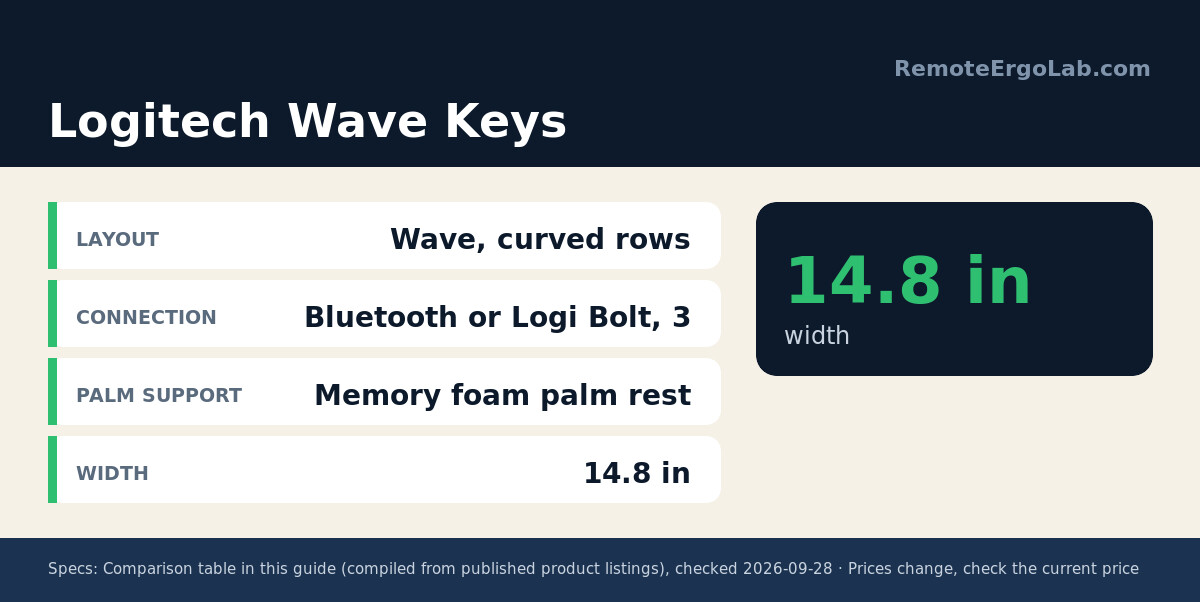
The Wave Keys takes the Constant Curve shape Logitech has used for years and shrinks it to 14.8 x 8.62 x 1.18 inches, which is roughly two inches narrower than a full-size board. That matters when the mouse has to share the same desk. Keys sit in gently arched rows that lift the outer edges of the hands slightly, and a memory foam palm rest runs the full width at the same height as the bottom key row, so the wrist stays flat instead of climbing. Connection is Bluetooth or the Logi Bolt receiver, with Easy-Switch memory for three devices, and Logitech rates battery life at up to three years on two AAA cells. The build is plastic, which keeps the weight down, and the Logi Options+ app handles remapping. Expect roughly $55-$70; check the current price on Amazon.
2. Microsoft Ergonomic Keyboard (LXM-00004) – Best Wired Split Keyset
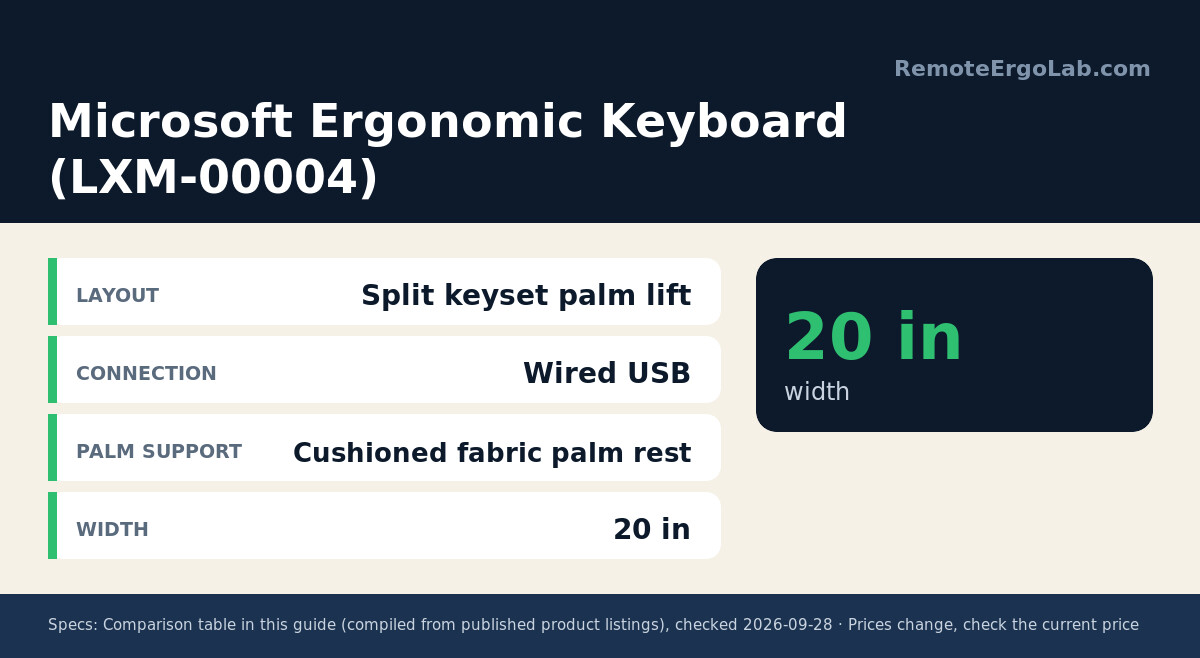
Microsoft’s wired ergonomic board is the one to pick when the palm rest has to carry real weight. The keyset is split into two arcs with a domed centre, the palm rest is fabric-covered and cushioned, and the whole front section rises gently so the hand enters the keys on a slope rather than an upward bend. It measures about 20 inches wide, which is a full 5 inches more than the Wave Keys, so measure your mouse lane first. The layout includes an integrated number pad plus dedicated shortcut keys for search, emojis and Microsoft 365 actions. Wired USB means no charging and no pairing drops, and the listing rates it for Windows 10 with reduced functionality on older versions. Around $50-$70 typically; check the current price on Amazon.
3. Perixx PERIBOARD-612B – Best Budget Split Layout
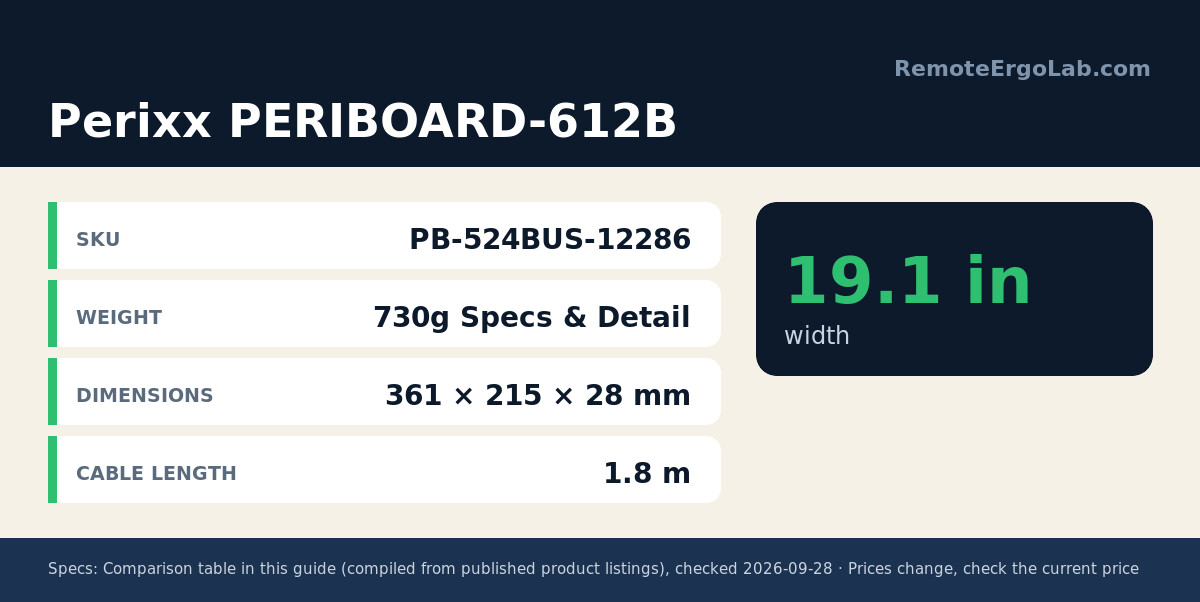
Perixx builds the cheapest true split in this roundup, and the numbers hold up. The 612B separates keys into left and right zones so each hand can sit at its own angle, uses stepped and curved keycaps with 4.2 mm of membrane travel, and is rated for 20 million keystrokes. It measures 19.1 x 9.29 x 1.73 inches and weighs 2.26 lbs, so it stays put under fast typing. Dual wireless covers 2.4 GHz and Bluetooth with a switch underneath, batteries are two AA cells, and Perixx includes Mac and Windows keycaps plus a puller for switching layouts. The honest caveat is adjustment time: owner reports often mention that the first week of split typing feels slower. Some of that is the layout, not the hardware. Expect roughly $60-$80; check the current price on Amazon.
4. Kensington Pro Fit Ergonomic Wireless Keyboard (K75401US) – Best Adjustable Reverse Tilt
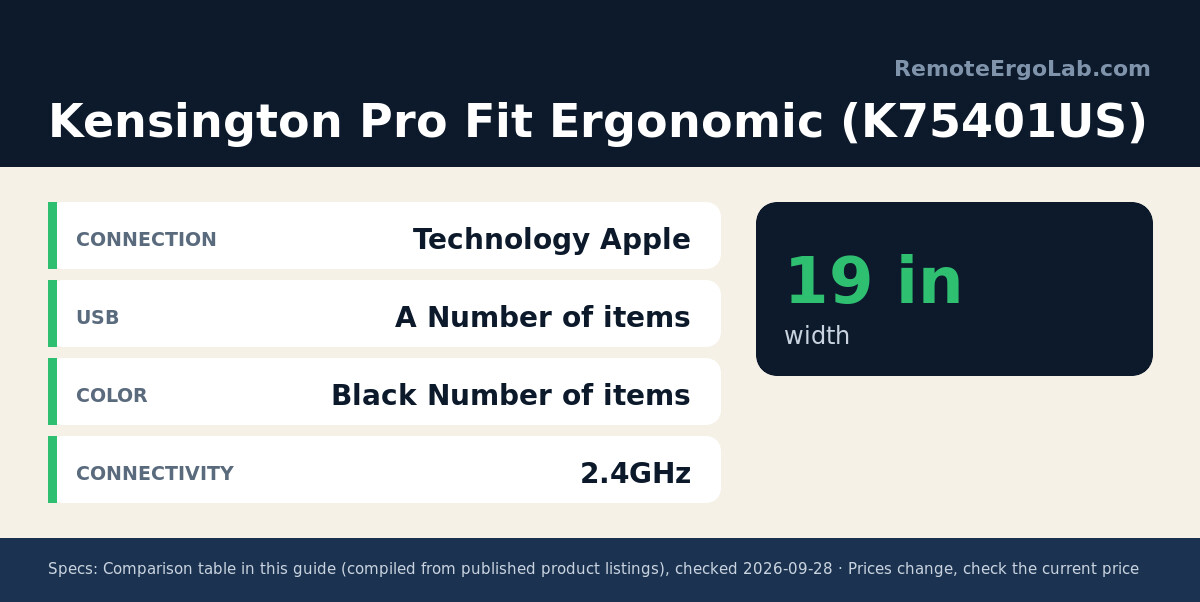
Most keyboards only tilt one way, which is the wrong way for wrist pain. The Kensington Pro Fit adds feet that create adjustable reverse tilt, so the front edge sits level or slopes slightly away and the wrist stays neutral without leaning on a pad. The board is split and sloped, runs 18.98 x 9.92 x 1.5 inches, and connects over 2.4 GHz or Bluetooth 4.0 LE with 128-bit AES encryption. Keys are quiet and spill-proof, and Kensington states the surface meets MIL-STD-810H fluid contamination testing for cleaning with alcohol or bleach wipes. A three-mode power switch covers 2.4 GHz, Bluetooth and off. Owner reports concentrate on the plastic feel rather than the typing angle, which says the split layout itself is doing its job. Around $60-$80 typically; check the current price on Amazon.
5. Adesso Tru-Form 150 (AKB-150EB) – Cheapest Backlit Ergonomic Keyboard
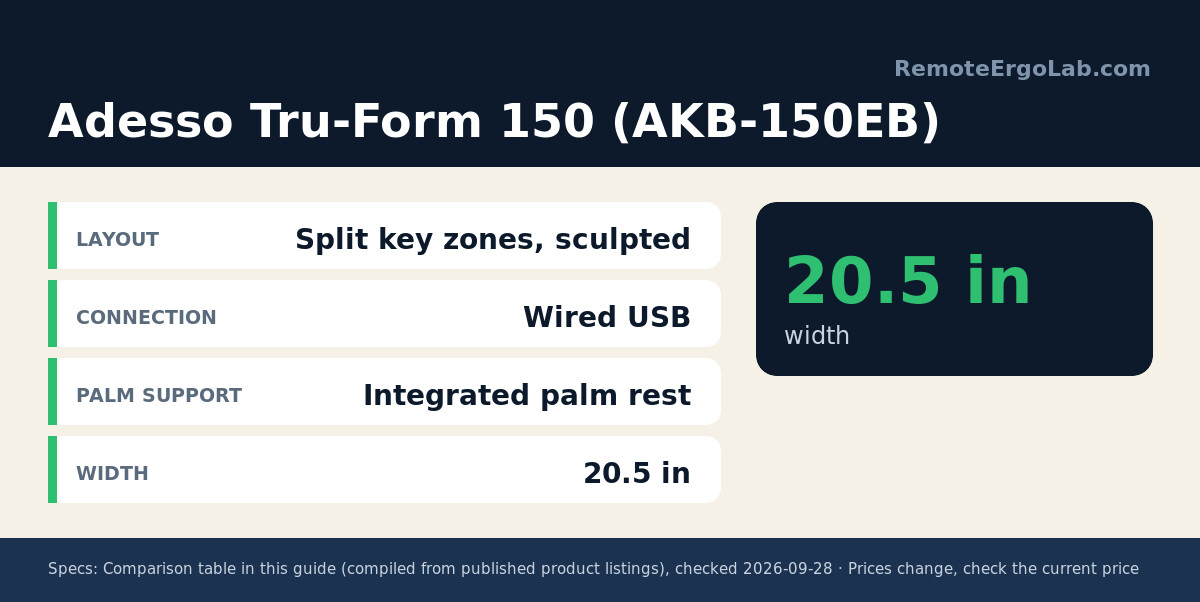
The Tru-Form 150 is the pick for late shifts in a dim room. Split key zones and a gently sculpted shell hold the hands slightly turned in, an integrated palm rest runs along the bottom, and the keys are printed large for easy reading. The backlight switches between red, green and blue with a single keystroke, and there are 20 hotkeys for media and browser controls. At 20.5 x 9.3 x 1.5 inches it is the widest keyboard here, so it suits a 48-inch desk or a keyboard tray more than a compact setup. Connection is wired USB, which suits docking stations and older desktops. Owner notes mention that the plastic housing flexes if you press hard at the edges, so treat it as a light-duty board. Typically $45-$70; check the current price on Amazon.
Buying Guide
Reverse tilt is the cheapest upgrade in ergonomics. Positive tilt, where the back edge sits higher on little legs, forces the wrist to extend upward. Flipping those legs under the front edge, or buying a board with adjustable feet like the Kensington, removes that bend. Try it on your current keyboard before spending anything: if the wrist flattens and the ache eases within a day, you know a split or tilted board is the right direction.
Palm rests only help at the right height. If the rest sits above the key rows, the hand bends the other way and the problem moves up the forearm. The rest should be level with the top of the bottom key row, and it should support the palm, not the wrist joint itself. Boards here with built-in rests, including the Microsoft and the Adesso, are shaped around that idea.
Width decides whether a keyboard actually works in a small room. A 20-inch board plus a mouse needs roughly 30 inches of clear desk, and the mouse should sit close to the keyboard so the arm does not have to reach sideways. The Wave Keys at 14.8 inches is the only pick here that leaves comfortable mouse room on a 36-inch desk.
Switch feel matters over an eight-hour day. Membrane boards need a full press to the bottom, which can encourage harder typing, while low-travel scissor keys bottom out sooner. The Perixx pairs 4.2 mm of travel with a light actuation, which reads well in owner reviews for long documents. If you already have wrist pain, a light-touch board beats a stiff mechanical one, no matter how good the layout looks on paper.
FAQ
Do ergonomic keyboards actually help wrist pain?
They help the mechanical part of the problem. A split or curved board keeps the wrist closer to neutral and reduces the outward angle that irritates tendons. Pain caused by an underlying medical condition needs a clinician, and no keyboard replaces a proper evaluation. The realistic claim is that a better angle removes one daily source of strain.
Should I still use a wrist rest with an ergonomic keyboard?
Only while resting, not while typing. The pad is there to support pauses between bursts of keystrokes. If you keep the wrist planted on the pad and reach for keys with the fingers stretched, you add compression at the wrist. Boards with built-in rests, such as the Microsoft and Adesso picks, are shaped so the palm sits on the pad while the fingers stay relaxed.
How long does it take to adjust to a split keyboard?
Most owner reports settle in somewhere between one and three weeks, and touch typists adjust faster than people who hunt and peck. Speed drops at first because the hands have to learn the separated angles. Typing short sessions for the first few days and keeping the keyboard in the same position helps more than forcing a full day of work on day one.
Is negative tilt better than a wrist rest?
They solve different halves of the problem. Negative tilt keeps the wrist straight while the hands are on the keys. A palm rest removes the load from the wrist during the pauses. If only one change is possible, tilt first; it affects every keystroke, while the rest only matters when the hands are still.
Are mechanical switches better for wrist pain?
Not automatically. A mechanical switch with a light spring and a short travel can reduce the force needed per keystroke, which helps. A heavy tactile switch in a tall case can raise the wrist and make the angle worse. Look at actuation force and case height together rather than the switch type alone. Every keyboard in this guide keeps the front edge low for that reason.
Shop These Picks on Amazon
Ready to compare prices? These links open Amazon listings for the specific products covered in this guide, so you can check current models and prices yourself. If you buy through them, we may earn a small commission at no extra cost to you – it helps keep RemoteErgoLab free.
- Logitech Wave Keys Ergonomic Wireless Keyboard with Palm Rest on Amazon
- Microsoft Ergonomic Keyboard (LXM-00004) on Amazon
- Perixx PERIBOARD-612B Wireless Ergonomic Split Keyboard on Amazon
- Kensington Pro Fit Ergonomic Wireless Keyboard (K75401US) on Amazon
- Adesso Tru-Form 150 3-Color Illuminated USB Ergonomic Keyboard (AKB-150EB) on Amazon
Related Guides
- Ergonomic keyboards that fit a small desk
- Wrist rests for long typing days
- Keyboard and mouse pairs for laptop ergonomics
- Split keyboards for tight workspaces
- Standing Desk Types for Small Spaces: 4 Compared
- Best Ergonomic Mice for Small Hands (2026): 5 Picks
Disclosure
Featured image: “Microsoft Natural Ergonomic Keyboard 4000 tent” by Mliu92 (CC BY-SA 3.0, via Wikimedia Commons).
RemoteErgoLab is reader-supported. As an Amazon Associate we earn from qualifying purchases. Dimensions, connection details and materials in this guide come from manufacturer listings and owner reports, not from hands-on lab testing. Prices and stock change often, so always confirm the current details on the Amazon listing before ordering.