
A vertical mouse rotates your hand into a handshake position instead of leaving the palm flat on the desk. Most models sit between 55 and 60 degrees, which keeps the two forearm bones from crossing and takes sustained pressure off the carpal tunnel. For anyone clicking six hours a day, that change of angle does more for wrist comfort than any gel pad can.
As an Amazon Associate we earn from qualifying purchases.
Quick Verdict
Pick the Logitech Lift if your hands are small or medium and you want wireless with whisper-quiet clicks. The Logitech MX Vertical adds a 4,000 DPI sensor and USB-C charging for roughly $20-$30 more. Medium-to-large hands that want every button remappable should take the Evoluent. Budget buyers have two honest choices: the wired Perixx PERIMICE-513 or the rechargeable Lekvey, whose 2.4 GHz receiver plugs straight in with no pairing step.
Quick Picks
- Logitech Lift Vertical Ergonomic Wireless Mouse – check price (best fit for small and medium right hands, 57 degrees, silent clicks)
- Logitech MX Vertical Wireless Mouse – check price (same tilt with a 4,000 DPI sensor and USB-C charging)
- Evoluent Vertical Mouse Wired – check price (the original vertical mouse; six programmable buttons, large hands)
- Perixx PERIMICE-513 Wired Ergonomic Vertical Mouse – check price (cheapest wired pick, silent main buttons, no software needed)
- Lekvey Ergonomic Mouse – check price (rechargeable 2.4 GHz wireless, three DPI levels, the budget pick)
How We Chose
This list comes from Amazon listings, manufacturer spec sheets and patterns in owner reviews rather than hands-on testing. Four criteria did the filtering. First, tilt angle: 55 to 60 degrees is the band that ergonomics guidance keeps pointing back to, and anything below 50 degrees is barely different from a standard mouse with a bump on one side. Second, hand fit, because several vertical mice run noticeably wider and taller than an average palm. Third, connection type, since wired, 2.4 GHz and Bluetooth behave differently when you move between a laptop and a desktop. Fourth, buttons and software, where some models let you remap everything and others are strictly plug-and-play. Anything with a recurring pattern of dead sensors or scroll wheels failing inside the first year was excluded.
Comparison Table
| Mouse | Tilt | Connection | Hand size | Typical price |
|---|---|---|---|---|
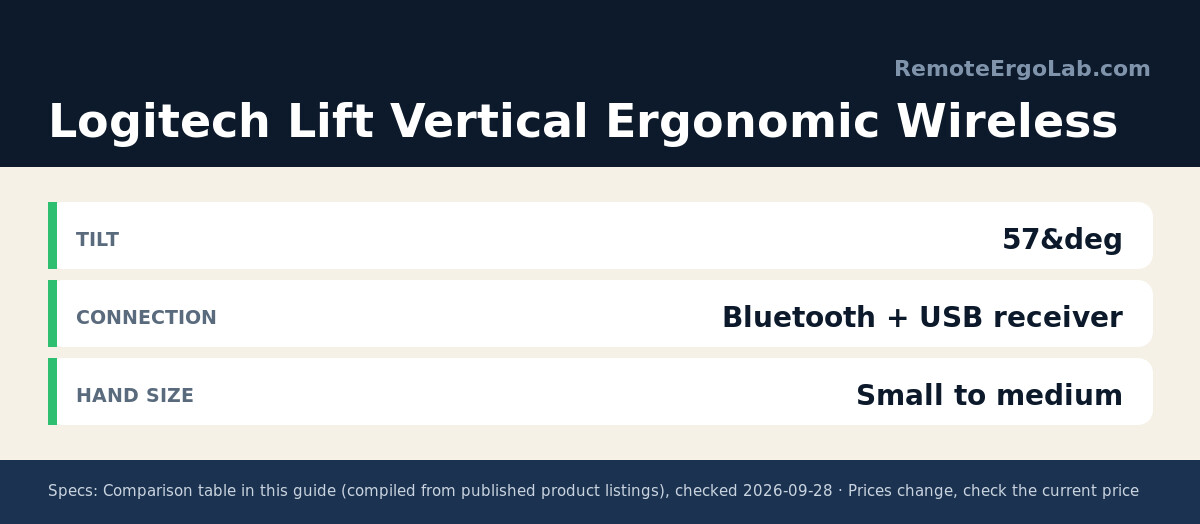
| Logitech Lift Vertical Ergonomic Wireless Mouse | 57° | Bluetooth + USB receiver | Small to medium | typically $60-$80 |
| Logitech MX Vertical Wireless Mouse | 57° | Bluetooth + USB receiver, USB-C charge | Medium to large | typically $90-$110 |
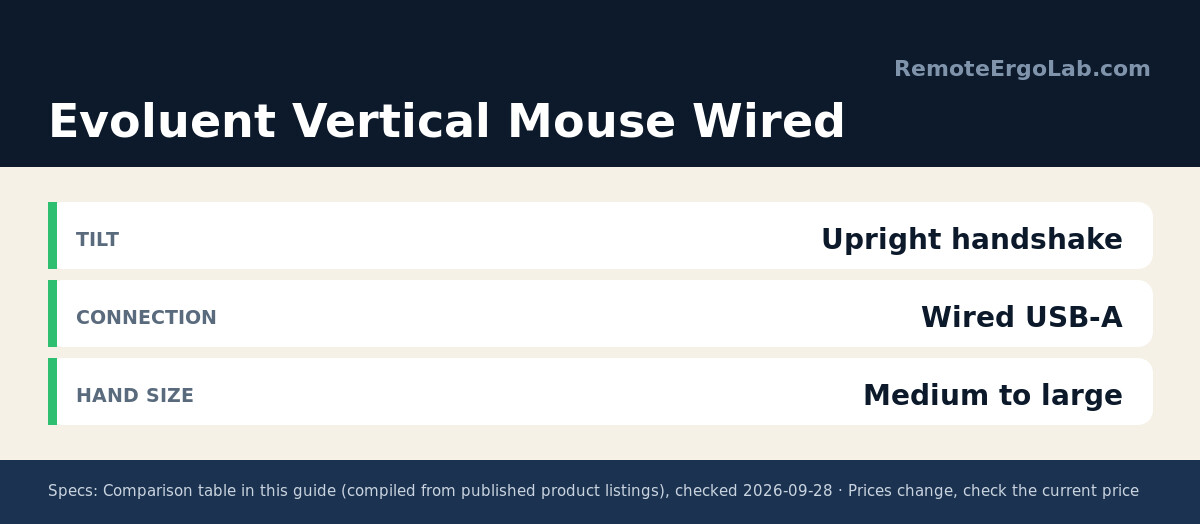
| Evoluent Vertical Mouse Wired | Upright handshake | Wired USB-A | Medium to large | typically $100-$120 |
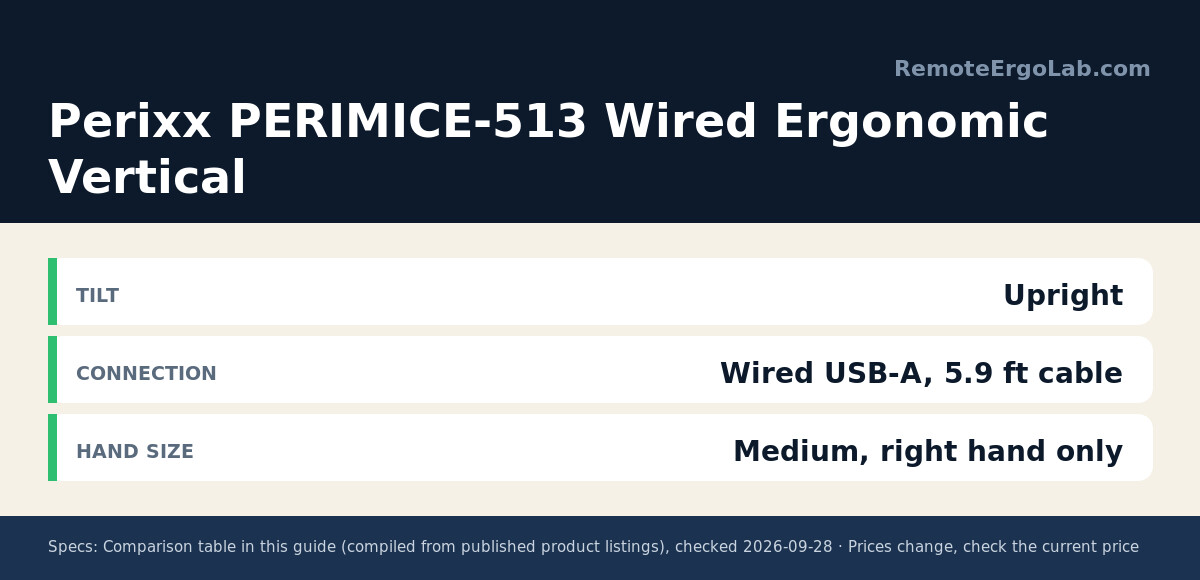
| Perixx PERIMICE-513 Wired Ergonomic Vertical Mouse | Upright | Wired USB-A, 5.9 ft cable | Medium, right hand only | typically $25-$35 |
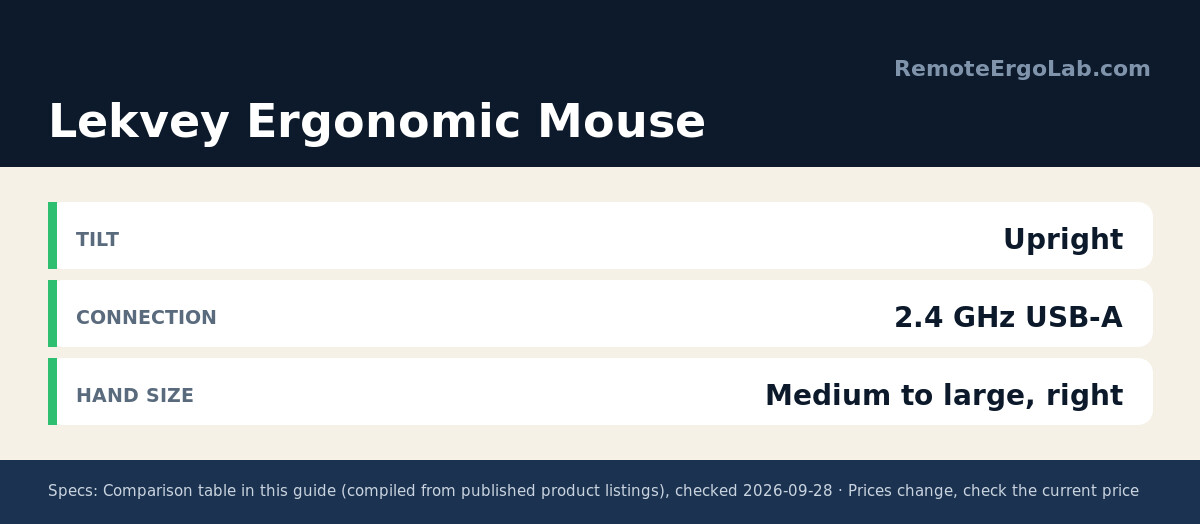
| Lekvey Ergonomic Mouse | Upright | 2.4 GHz USB-A receiver, rechargeable | Medium to large, right hand only | typically $20-$30 |
Prices fluctuate constantly on Amazon, so treat every figure here as a range and check the current listing before deciding.
Reviews
Logitech Lift Vertical Ergonomic Wireless Mouse
The Lift is the model most people should start with. Its 57-degree shell was shaped for small and medium right hands, so the top of the mouse actually lands under the palm instead of hanging past your fingers. Logitech rates the single AA battery at up to two years, and the click mechanism is genuinely quiet, which matters if you share a room or take calls all day. Easy-Switch lets you pair three devices and hop between a work laptop and a personal machine with one button. The trade-offs: no wired mode, and left-handed users are limited to a separate listing.
Logitech MX Vertical Wireless Mouse
Same 57-degree angle, noticeably bigger body. The MX Vertical suits medium-to-large hands and adds a 4,000 DPI sensor with an on-board cursor-speed switch, so you can drop sensitivity without opening settings. It recharges over USB-C and Logitech quotes around four months per charge. Logitech’s own ergonomics material claims the handshake position cuts muscular activity by about 10 percent versus a standard mouse; treat that as a manufacturer measurement rather than an independent finding. Owners who type long days often mention the handshake grip becoming normal within a week or two.
Evoluent Vertical Mouse Wired
Evoluent designed the first upright mouse and launched it in 2002, and the wired model remains the most customizable option here. Six buttons can be reassigned through the optional Mouse Manager software, four pointer speeds switch with a lit indicator, and a small finger shelf keeps the pinkie from dragging on the desk. It is built for medium-to-large hands. Two caveats worth knowing before you buy: the software is Windows-only, and this is the heaviest and priciest pick in the roundup, typically $100-$120.
Perixx PERIMICE-513 Wired Ergonomic Vertical Mouse
If you want to test whether a vertical shape suits you before spending premium money, start here. The PERIMICE-513 is a 4.92 x 2.44 x 3.03 inch, 0.35 lb right-handed mouse with a 5.9 ft USB-A cable, rubberized coating and silent left and right buttons. DPI steps are adjustable (the feature list documents 1000 and 1600, while the product title advertises up to 6400), and the back and forward buttons work on Windows but not on macOS. Buttons are not programmable. Perixx itself suggests one to two weeks to adapt to the shape, which is a fair description of any vertical mouse.
Lekvey Ergonomic Mouse
The Lekvey covers the cheapest wireless angle and skips Bluetooth entirely: a nano 2.4 GHz receiver sits in a slot underneath, so there is no pairing step and no driver to install. The built-in battery is rated for over 150 hours of use and charges over USB-C, which removes the disposable-AA treadmill. It measures 5.0 x 3.0 x 2.5 inches and is recommended for medium to large hands, with three DPI levels (800, 1200 and 1600) plus back and forward buttons. No programmable software, and the shell is right-hand only, but the 36-month warranty is well above average at this price.
Buying Guide
Why 55 to 60 degrees is the number that matters
A standard mouse holds your forearm in pronation, palm down. Tilting the shell to about 57 degrees moves the hand toward a neutral handshake, which reduces the twist that irritates the median nerve. Very steep designs above 70 degrees can feel unstable and are harder to steer precisely, so most manufacturers stop short of vertical.
Match the shell to your hand
Vertical mice are not one-size. The Lift is explicitly built for small and medium hands; the MX Vertical and the Evoluent are aimed at medium to large. A shell that is too tall forces you to reach over the buttons, and one that is too short leaves the heel of your palm floating. Measure from the crease of your wrist to the tip of your middle finger: under about 7 inches usually means the smaller shells feel better.
Wired, 2.4 GHz or Bluetooth
Wired models never need charging and add no latency, but the cable creates drag unless you route it loosely. Bluetooth frees a USB port on thin laptops; the 2.4 GHz receiver is more reliable on desktops and needs no pairing. When you split time between a work laptop and a personal machine, look for a mouse that supports easy device switching.
Expect an adjustment period
Pointer control drops for the first few days on any upright shape. Perixx suggests one to two weeks; owner reviews across brands describe a similar curve. Keep your old mouse plugged in for the transition instead of forcing yourself cold turkey, and give your shoulder a week before judging the change.
FAQ
Will a vertical mouse cure carpal tunnel syndrome?
No. A vertical mouse changes the angle of your wrist and can reduce strain, but carpal tunnel syndrome is a medical condition and needs a proper diagnosis. Treat ergonomic gear as one part of a setup, alongside desk height, keyboard placement and breaks, and talk to a clinician about symptoms that persist.
What angle should a vertical mouse be?
Between 55 and 60 degrees works for most people. The Logitech Lift and MX Vertical both use 57 degrees. Beyond about 65 degrees, precision control usually suffers because the hand cannot brace against the desk.
Are vertical mice good for small hands?
Some are, but the category skews large. The Logitech Lift is the clearest small-to-medium option in this group; the MX Vertical, Evoluent and both budget picks are sized for medium hands and up.
Do vertical mice take time to get used to?
Yes, typically one to two weeks. Expect slower cursor accuracy in the first days and keep a standard mouse within reach for high-precision work while you adapt.
Is wired better than wireless for wrist pain?
Weight and shape matter more than the cable. A wired mouse removes charging interruptions and typically weighs a little less than a battery-powered equivalent, which some users prefer for fine control.
Related Guides
- Ergonomic mice for small hands — if the shells here look too wide, this comparison covers smaller alternatives.
- Wrist rests for typing — pair a vertical mouse with the right rest under your keyboard, not under your wrist.
- Keyboard and mouse for laptop ergonomics — how to set up a laptop desk so your arm angle stays neutral.
- Ergonomic Keyboards for Small Desks: 5 Compact Picks
- Standing Desk Types for Small Spaces: 4 Compared
Shop These Picks on Amazon
Ready to compare prices? These links open Amazon listings for the specific products covered in this guide, so you can check current models and prices yourself. If you buy through them, we may earn a small commission at no extra cost to you – it helps keep RemoteErgoLab free.
- Logitech Lift Vertical Ergonomic Wireless Mouse on Amazon
- Logitech MX Vertical Wireless Mouse on Amazon
- Evoluent Vertical Mouse Wired on Amazon
- Perixx PERIMICE-513 Wired Ergonomic Vertical Mouse on Amazon
- Lekvey Ergonomic Mouse on Amazon
Disclosure
As an Amazon Associate we earn from qualifying purchases. RemoteErgoLab is reader-supported: every product in this guide was selected from published specifications and owner feedback, and prices change often, so always confirm the current price on the Amazon listing before you buy.