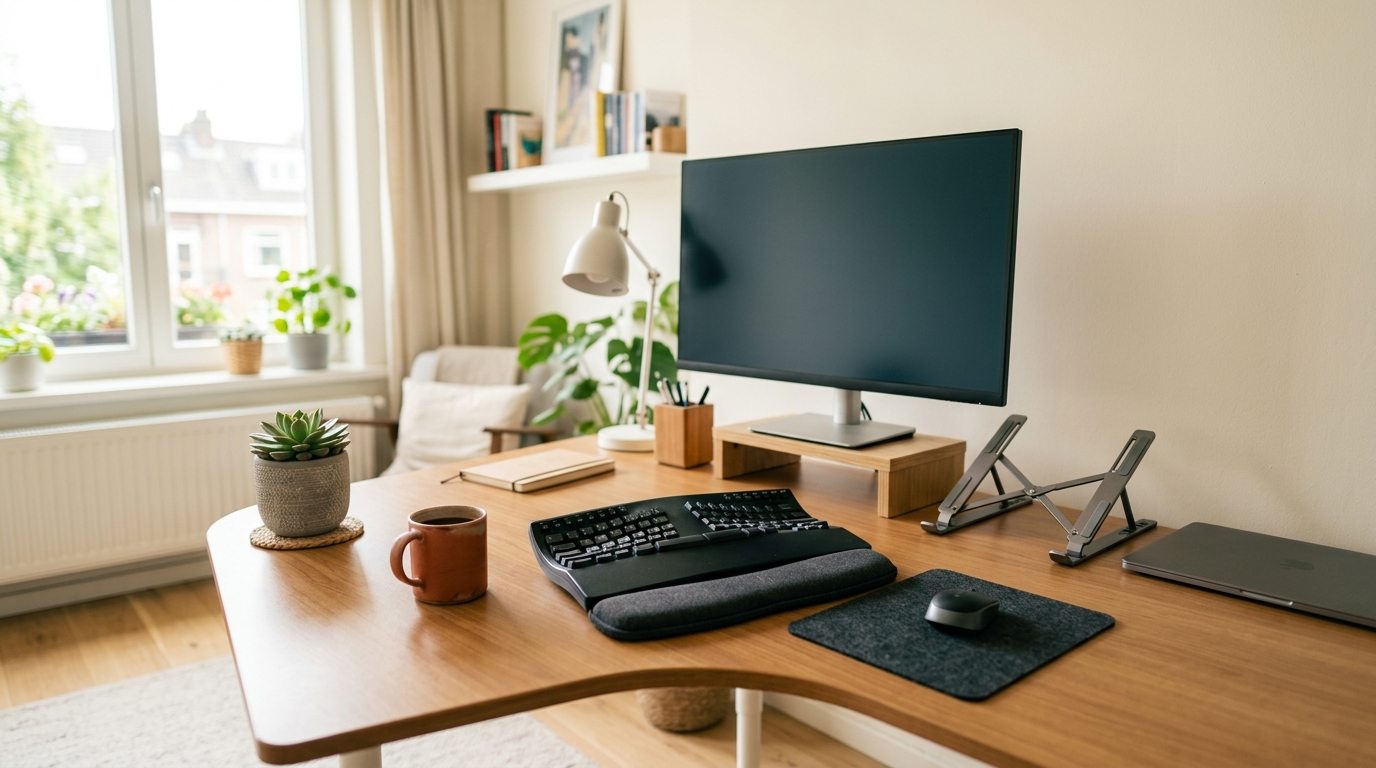
A compact desk changes the keyboard math. A full-size board with a number pad eats up roughly 18 inches of surface, and once the monitor, laptop, and coffee mug move in, there is barely room left for your forearms. Ergonomic keyboards usually fix the wrist problem by spreading out — split frames, tented halves, attached palm rests — which can make the space problem worse. If you want the two halves to angle independently, the split keyboard picks for small desks are the next step.
The five picks below sidestep that trade-off: a tenkeyless layout or detached number pad, split halves that tuck around the rest of your gear, or wrist-neutral geometry in about the width of a standard board. Measurements and price ranges come from current listings and owner reviews; prices drift week to week, so check current price before you order.
Quick Answer
The best ergonomic keyboard for a small desk is the Logitech Ergo K860 (about 18 inches wide, roughly $110-$130): its curved split frame and memory-foam wrist rest straighten the wrists without a separate pad, per Logitech’s 2026 specs and current listings. For the tightest space, the Kinesis Freestyle2 splits into two halves that separate up to 9 inches (20 inches with the optional extension) and typically costs $99-$139; the Perixx PERIBOARD-512B is the budget one-piece split at about $45-$60. All five picks are tenkeyless, split, or domed, so each reclaims desk width a full-size board would eat.
Quick Picks
Short on time? These five earned the shortlist for small desks.
- Best overall: Logitech Ergo K860 — a curved split frame with a memory-foam wrist rest that runs about 18 inches wide.
- Best for tiny desks: Kinesis Freestyle2 — two slim halves that separate up to 9 inches and rotate, so they fit around a laptop stand or documents.
- Best compact curved: Incase Sculpt Ergonomic Keyboard — a domed split layout with a cushioned palm rest and a number pad that detaches and stores away.
- Best mechanical: Cloud Nine ErgoTKL — a tenkeyless split with 7 degrees of built-in tenting and Kailh switches.
- Best budget: Perixx PERIBOARD-512B — a wired one-piece split that covers the wrist-straightening basics for about $50.
How We Chose
Four criteria shaped this list. Footprint came first: every model had to leave usable desk surface behind it, ruling out the extra-wide one-piece boards some ergonomic lines still sell. Geometry came second — a keyboard only earns the ergonomic label here if it encourages straight wrists through a split frame, a curved key well, tenting, or a combination. Connection came third, because a dongle fighting for space in a crowded USB hub is its own kind of clutter. Price closed the list.
Owner reviews were read for recurring complaints: noisy keys, spongy switches, palm rests that wear out, wireless dropouts. Popularity alone never earned a spot, since review counts shift constantly. All five below are sold through Amazon or the manufacturer’s storefront, which keeps returns simple if a layout does not click.
Comparison Table
| Model | Layout | Split / Tenting | Connection | Typical Price |
|---|---|---|---|---|
| Logitech Ergo K860 | Curved split, full-size | Fixed curve; tilt legs 0°, −4°, −7° | Bluetooth or USB receiver | ~$110–$130 (check current price) |
| Kinesis Freestyle2 | Two split halves | Separate up to 9 in (20 in with extension); optional tenting kit | Wired USB | ~$99–$139 (check current price) |
| Incase Sculpt | Domed split + detached numpad | Fixed dome; elevator and reverse tilt | Wireless, AES-128 encrypted | ~$90–$120 (check current price) |
| Cloud Nine ErgoTKL | Tenkeyless split | Split to 6.5 in; 7° tent; tilt 0°/−4°/−7° | Wired USB + pass-through | ~$130–$160 (check current price) |
| Perixx PERIBOARD-512B | One-piece split | Fixed split; tilt feet | Wired USB | ~$45–$60 (check current price) |
Reviews of the 5 Best Ergonomic Keyboards for Small Desks
Logitech Ergo K860 — Best Overall
The K860 is the board most split-keyboard buyers land on first. Its curved keyframe slopes downward from the middle so hands fall into a handshake position, and scooped keys match fingertip curves. Logitech pairs the frame with a memory-foam pillowed wrist rest, citing 54 percent more wrist support and 25 percent less wrist bending than a flat board without a palm rest. Tilt legs offer 0, −4, and −7 degrees, which helps when you switch between sitting and a standing desk.
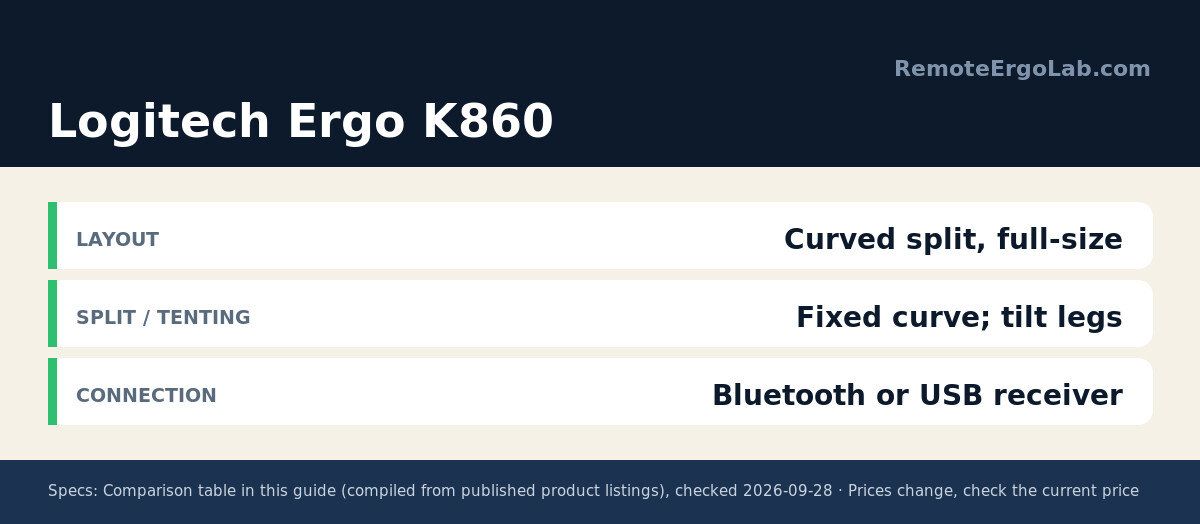
At about 18 inches wide and 2.6 pounds it is not the narrowest option here, but it removes the need for a separate wrist rest, and the full-size layout keeps function keys and a caps-lock indicator laptop users miss. Connection is Bluetooth or the bundled USB receiver; two AAA batteries run it for up to two years. Owners who complain usually cite the fixed split angle — the halves do not separate — so measure your desk first.
Kinesis Freestyle2 — Best for Tiny Desks
The Freestyle2 attacks the problem differently: instead of one wide board, you get two slim modules joined by a detachable pivot tether. The halves separate up to 9 inches — 20 with Kinesis’ optional extension — so the left half can sit beside a laptop stand while the right half lives next to the mouse. Each module rotates too, letting you dial in the splay angle your shoulders want instead of accepting a fixed one.
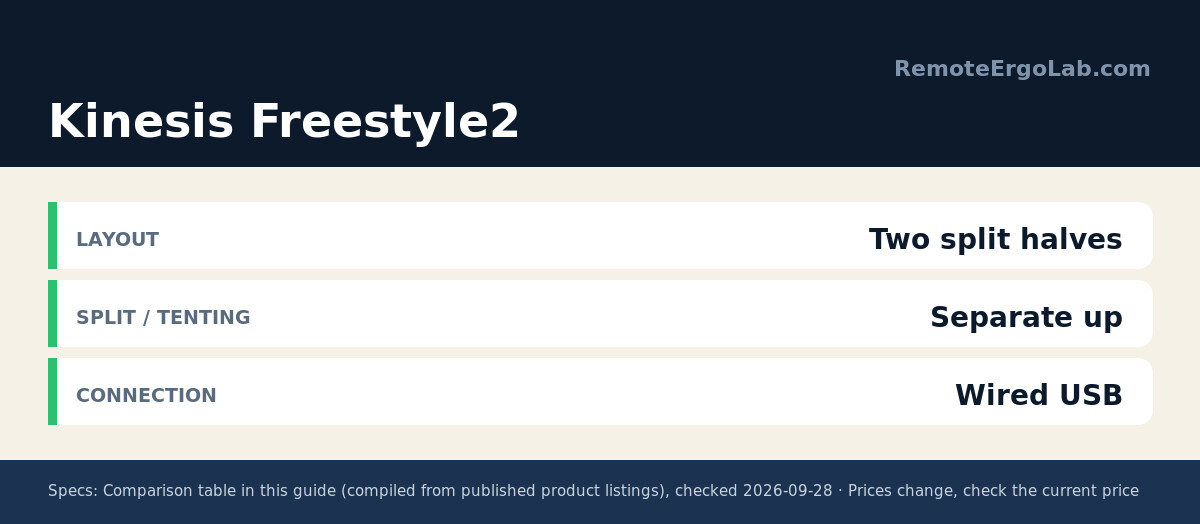
Keys use a low-force membrane switch with tactile feedback, quiet enough for shared apartments while reducing the finger impact of stiff laptop keys. An embedded number pad hides under a function layer, so you keep 10-key input without paying for its width. It is wired USB and plug-and-play on Windows, Linux, and Chrome. The trade-off: no built-in wrist rest and no tenting in the base kit — the VIP3 tenting accessory is separate.
Incase Sculpt Ergonomic Keyboard — Best Compact Curved
Microsoft’s classic Sculpt design now lives on under Incase, and it remains one of the smartest space-saving layouts around. The main board is a domed split that cradles your hands in a natural alignment, with an integrated cushioned palm rest along the front edge. The standout for small desks is the standalone numeric keypad: it connects wirelessly, can sit anywhere you like, and goes in a drawer when only the main board is needed.
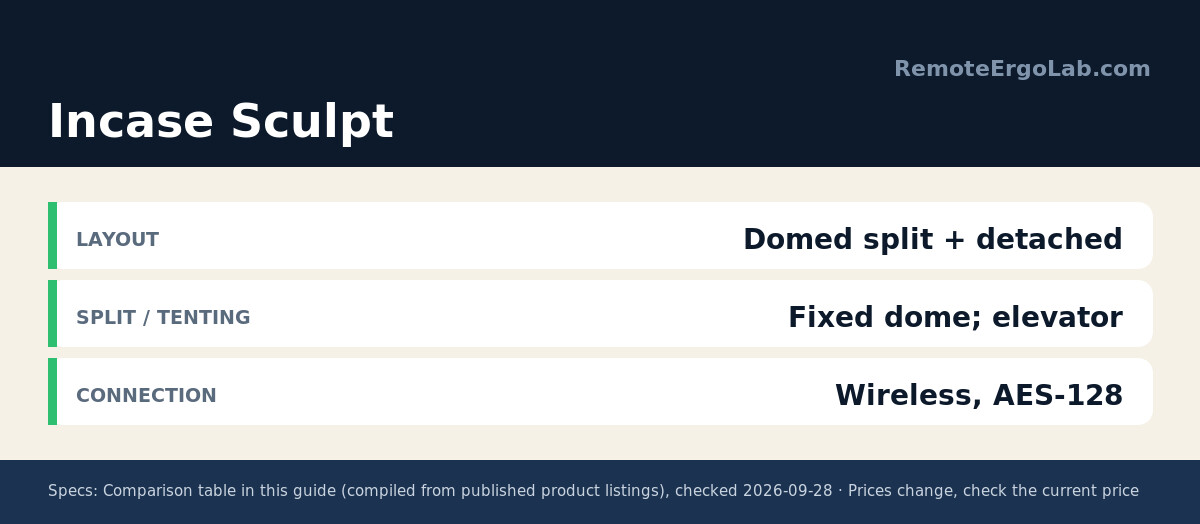
A removable elevator adjusts frame height, and reverse tilt flattens the board for a neutral hand position during long sessions. Security-minded buyers get AES-128 keystroke encryption, plus one-touch Windows and back buttons. It targets Windows users — Mac owners should check the layout first. Street pricing typically lands around $90–$120 with the numpad and receiver included.
Cloud Nine ErgoTKL — Best Mechanical
Mechanical fans with narrow desks usually choose between switches and ergonomics. The ErgoTKL refuses the trade: it drops the number pad, then splits the remaining keys into two frames that separate up to 6.5 inches. A built-in 7-degree side slope tents hands to their natural inward angle, so no separate tenting kit sits on your desk, and forward tilt adjusts through 0, −4, and −7 degrees for standing-desk use.
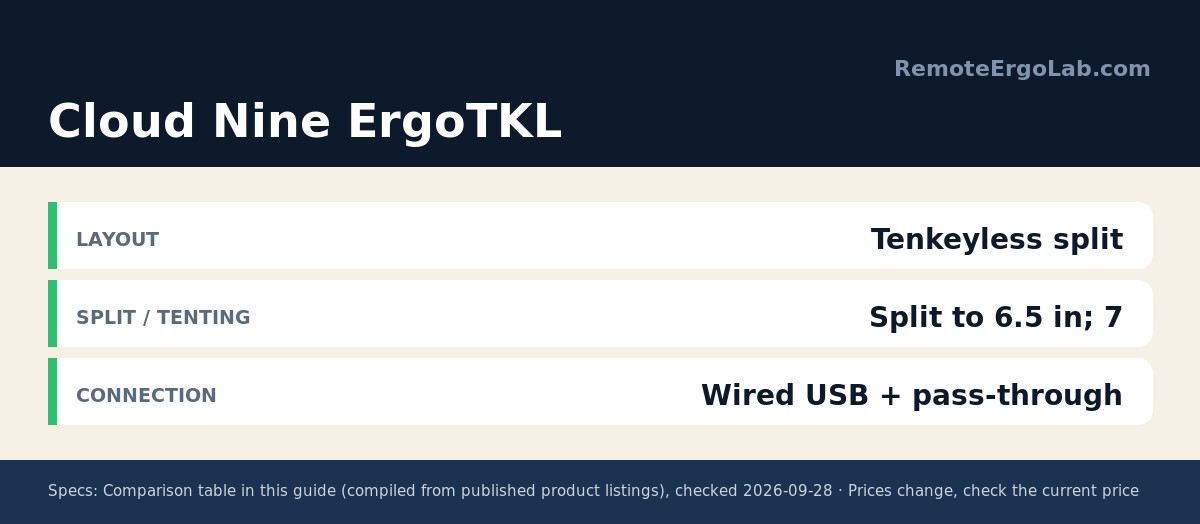
Kailh red switches are linear and quiet enough for open-plan rooms, fully backlit and readable in dim light. An aluminum smart wheel on the left cluster controls volume or scrolls pages, and a USB pass-through port keeps a mouse or headset dongle within reach instead of forcing another hub. Reviewers note the split layout’s learning curve and the price, which typically runs $130–$160 — for all-day typists, the switch feel justifies it.
Perixx PERIBOARD-512B — Best Budget
Perixx delivers the core ergonomic fix — a split layout that stops wrists from bending outward — for about the price of a dinner out. The one-piece frame separates the keys into left and right zones with a gentle curve, and stepped, curved key rows keep fingers moving in a natural arc. Key travel is a generous 4.2 mm with tactile feedback rated for up to 20 million keystrokes, putting durability ahead of far pricier membrane boards.
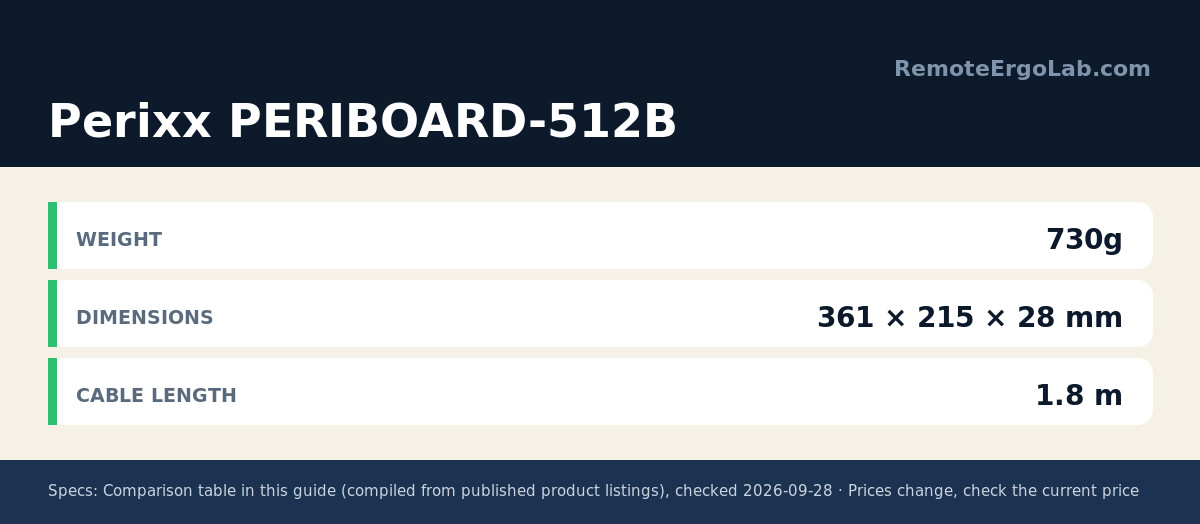
It is wired USB, so there is no dongle, battery, or pairing routine to manage. The built-in wrist rest and tilt feet cover the basics, and it comes in black, beige, or white. Owners warn that the fixed split angle cannot be adjusted and that the layout takes one to two weeks to learn. At roughly $45–$60, it is the lowest-risk way to find out whether a split keyboard suits your hands before spending more.
Buying Guide: What to Check Before You Buy
Measure the desk, then measure the keyboard
Grab a tape measure first. A standard full-size board spans about 17–18 inches; add a mouse and your arms need roughly 28–32 inches of clear width in front of you. Tenkeyless boards save about 3–4 inches, detached numpads reclaim the rest on demand, and split designs let you push each half to opposite edges of the desk.
Split, curved, or tented: know the difference
Tenting is the tilt that rolls your palms inward; a split separates the key zones so your elbows stay under your shoulders; and a curved key well angles the columns to match finger length. Any one of the three reduces wrist strain, and combining them – as the K860 and the Cloud Nine ErgoTKL do – helps more, though each adds a learning period. The K860 pairs a fixed curve with tilt legs of 0, -4 and -7 degrees, while the ErgoTKL splits to 6.5 inches and builds in a 7-degree tent, per the manufacturers’ specs. Budget one to two weeks to adapt before judging a split board.
Wired vs wireless on a small desk
A wired ergonomic keyboard is the safer pick for a small desk because it costs less, never needs charging, and leaves no dongle hunting for a USB slot; the Perixx PERIBOARD-512B ($45-$60) and the Kinesis Freestyle2 ($99-$139) are both wired. Wireless boards remove the cable and usually run months on batteries – the Logitech Ergo K860 runs up to two years on two AAA cells per Logitech’s specs – but they need a receiver or Bluetooth pairing. On a desk with a single hub, a keyboard with a pass-through port, like the Cloud Nine ErgoTKL, keeps your mouse dongle within reach.
FAQ
Will a split keyboard slow me down at first?
The adjustment to a split ergonomic keyboard is temporary: most typists slow down for the first few days and return to normal within 1-2 weeks as muscle memory adapts. The learning curve is steeper on boards that also tent or curve the keys, like the K860 and the ErgoTKL, than on a lightly split one-piece design such as the PERIBOARD-512B. Budget a quiet weekend or a slow week to switch rather than a deadline day, and keep your old board plugged in alongside for the first sessions. Owner reviews consistently put the adjustment window at one to two weeks.
Do I still need a wrist rest with an ergonomic keyboard?
A wrist rest is unnecessary on an ergonomic keyboard that includes a built-in palm rest; the Logitech Ergo K860 and the Incase Sculpt both ship with a cushioned rest, and the Perixx PERIBOARD-512B adds one for about $45-$60. A split board sold without a rest, like the Kinesis Freestyle2 ($99-$139), benefits from a small gel or memory-foam pad if your wrists rest on the desk edge between typing bursts. The habit matters as much as the hardware: rest your palms, not your wrists, and keep them neutral rather than bent back.
Are mechanical or membrane switches better for long typing sessions?
Both can be comfortable; the difference is feel and noise. Low-force membrane boards such as the Freestyle2 reduce finger impact, while mechanical switches give clearer tactile feedback and longer lifespans. Try a quiet linear switch if you share space, and a tactile switch if you want confirmation on every keystroke.
Can I use an ergonomic keyboard with a laptop?
Yes — that is one of the most common setups. Raise the laptop screen on a stand, then place the ergonomic keyboard in front of it at elbow height. Split models work especially well here because each half can sit on either side of the laptop base.
What is the best small ergonomic keyboard?
Logitech’s Ergo K860 is the best small ergonomic keyboard for most desks: its curved split layout and pillowed wrist rest cut the width a full-size board would take, it runs about 18 inches wide, and it costs roughly $110-$130 per current listings. If desk width is the hard limit, the Kinesis Freestyle2 is the better fit – its two halves separate up to 9 inches, 20 with the optional extension, for about $99-$139. On a tight budget, the Perixx PERIBOARD-512B keeps a split layout and a built-in wrist rest for about $45-$60. Choose by measuring clear desk width first: a keyboard and mouse together need roughly 28-32 inches.
Related Guides
- Under-desk keyboard trays for small desks
- Keyboard and mouse combos for laptop ergonomics
- The complete home office ergonomics checklist
- Standing Desk Types for Small Spaces: 4 Compared
- Best Ergonomic Keyboards for Wrist Pain Under $100
Shop These Picks on Amazon
Ready to compare prices? These links open Amazon listings for the specific products covered in this guide, so you can check current models and prices yourself. If you buy through them, we may earn a small commission at no extra cost to you — it helps keep RemoteErgoLab free.
- Logitech Ergo K860 Wireless Ergonomic Split Keyboard on Amazon
- Kinesis Freestyle2 Ergonomic Keyboard for PC on Amazon
- Incase Sculpt Ergonomic Keyboard on Amazon
- Cloud Nine ErgoTKL Ergonomic Tenkeyless Mechanical Keyboard on Amazon
- Perixx PERIBOARD-512B Wired Ergonomic Split Keyboard on Amazon
Disclosure
RemoteErgoLab is reader-supported. When you buy through links on our site, we may earn an affiliate commission. As an Amazon Associate we earn from qualifying purchases. All product recommendations are based on published specs, user reviews, and research — we do not claim to have tested every item ourselves.