Monitor Height Guide (2026): How High Should Your Monitor Be?
Most neck and shoulder trouble from desk work traces back to a screen sitting too low. On a typical desk with the monitor on its factory stand, the top of the display lands 2 to 5 inches below eye level. Held for six hours a day, that gap is the difference between a neutral neck and a forward head posture that never fully relaxes. The wider setup around that measurement — distance, tilt, ambient light — is covered in our monitor screen setup guide.
Quick Answer
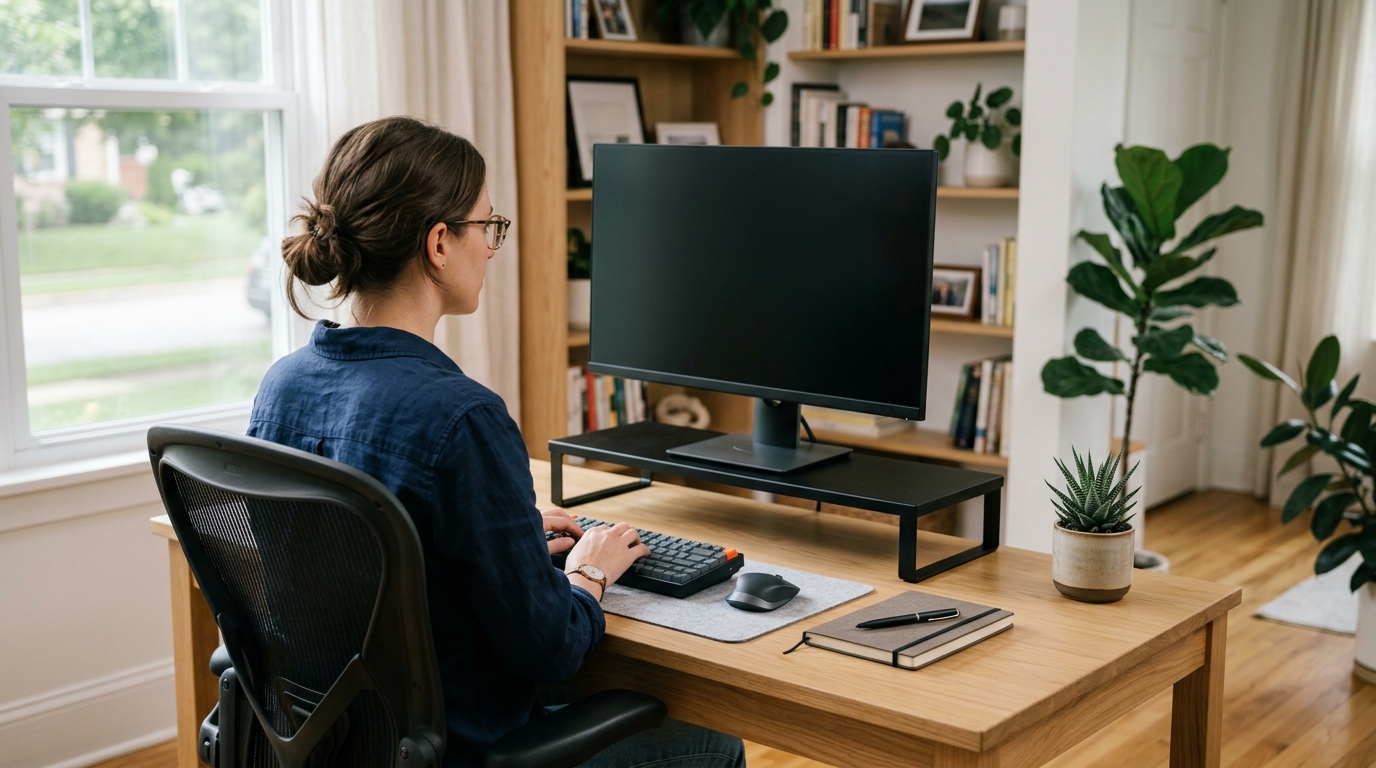
The top edge of your monitor should sit at eye level or no more than 2 inches below when sitting with feet flat and shoulder blades resting on the chair. This places the middle of the panel 15 to 20 degrees under your natural sight line. A screen 2 inches too low tilts the head forward enough to increase neck load from roughly 12 pounds to 27 pounds or more.
Below: the target height, a one-minute way to measure your own, and the risers that close a 4-inch gap.
The Target: Top of the Screen at Eye Level
Sit back, feet flat, shoulder blades resting on the chair. The top edge of the screen should sit at eye level or no more than 2 inches below it, which leaves the middle of the panel 15 to 20 degrees under your sight line.
Centering the screen on your eyes is the wrong target, even though it is what most people picture. A 27-inch 16:9 panel is about 13.4 inches tall, so its center sits 6.7 inches below the top edge. Align the center instead of the top and the upper third of the screen — tabs, toolbars, headings — ends up above your natural line of sight.
Distance counts too. Twenty to thirty inches from eyes to panel suits most adults, roughly an arm’s length.
Why Two Inches Low Hurts More Than It Sounds
A head weighs 10 to 12 pounds when balanced over the spine. Tilt it 15 degrees forward and the load climbs to roughly 27 pounds; at 30 degrees it reaches about 40. A screen 2 inches low pushes most people toward that range, and the ache arrives at the base of the neck by late afternoon. Looking down also narrows the eyelid opening and slows the blink rate.
How to Measure Your Ideal Monitor Height in 60 Seconds
- Sit the way you normally work — feet flat, back supported, hands near the keyboard.
- Close your eyes for three seconds, then open them slowly and look straight ahead without moving your head.
- Note where that relaxed gaze lands on the wall and hold a sticky note at the line.
- Measure straight up from the desk surface. Most adults land between 18 and 21 inches; shorter frames measure 16 to 18, taller ones 21 to 23.
- Subtract the current height of your screen’s top edge. The difference is the lift you need.
Worked example: desk to eye level measures 19 inches, and the top edge of a monitor on its stand sits at 15 inches. The gap is 4 inches — inside the fixed range of the steel riser below, and just above the lowest setting (3.9 inches) of the two adjustable picks.
Sitting, Standing, and the Moving Target
Standing adds 4 to 6 inches of eye height, so a screen set for seated work drops out of position the moment you stand. Either keep two workstations, or set the screen for standing and tilt the panel down 10 to 20 degrees when you sit.
Four Risers That Close a Low-Screen Gap
A riser is the cheapest fix, and the category splits into fixed platforms and adjustable ones.
Quick Picks
- A fixed 4 inches of lift: HUANUO Monitor Riser for Desk, Laptop Stand with Vented Steel Shelf, Black — 3.94 in tall, 44 lb rated.
- Adjustable, sold as a pair: ELIVED 2 Pack Monitor Stand Riser – 3 Height Adjustable Monitor Stand — 3.9, 4.7, or 5.5 inches, two platforms.
- Widest deck here: loukin Monitor Stand Riser for Desk, 22.4 x 8.2 Computer Stand, Brown — 22.4 inches wide, no assembly.
- Adjustable with storage: BONTEC 2 Pack Adjustable Monitor Stand Riser with Drawer, Supports 44lbs — same heights, plus a drawer.
How We Chose
No testing lab stands behind this site, so the shortlist came from published specs and patterns in owner reviews: platform width against the footprint of a 24 to 27 inch display, honest load ratings, fixed versus adjustable height, and how much desk surface the base eats.
Comparison Table
| Product | Lift Height | Platform | Load Rating | Best For | Typical Price |
|---|---|---|---|---|---|
| HUANUO Steel Riser | 3.94 in, fixed | 14.57 x 9.25 in | 44 lb | Set-once desks | roughly $25-$40 |
| ELIVED 2 Pack | 3.9 / 4.7 / 5.5 in | 14.6 x 9.2 in each | 44 lb | Monitor plus laptop | roughly $30-$45 |
| loukin Wood Deck | single level | 22.4 x 8.2 in | 22 lb | Wide screens | roughly $30-$45 |
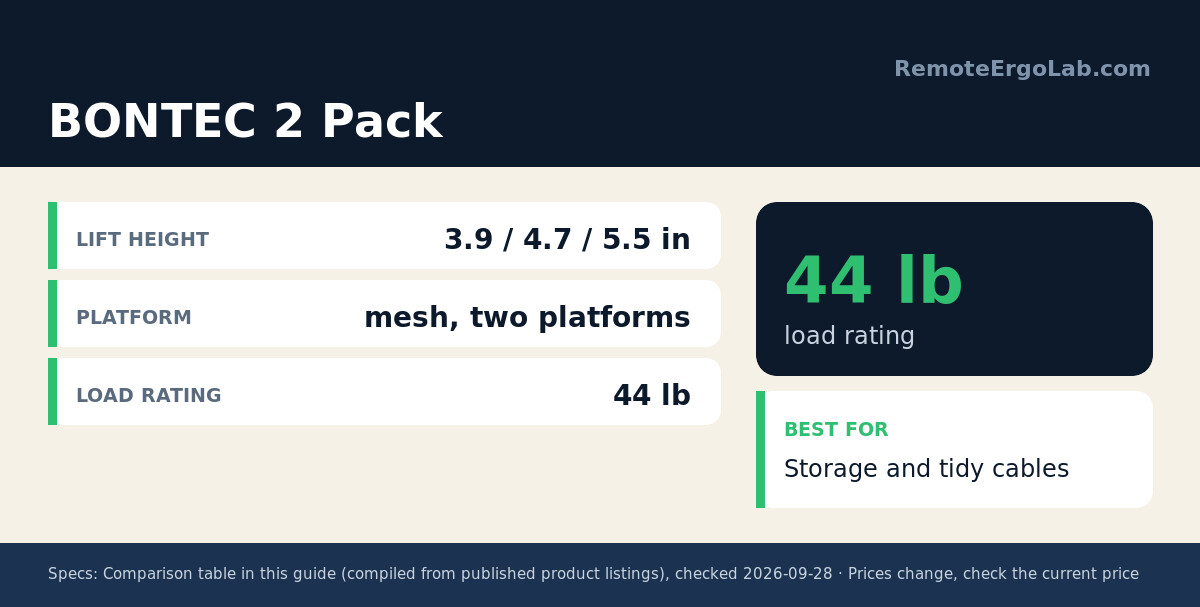
| BONTEC 2 Pack | 3.9 / 4.7 / 5.5 in | mesh, two platforms | 44 lb | Storage and tidy cables | roughly $35-$55 |
Prices move with deals and stock — verify the current listing before buying.
1. HUANUO Monitor Riser for Desk, Laptop Stand with Vented Steel Shelf, Black
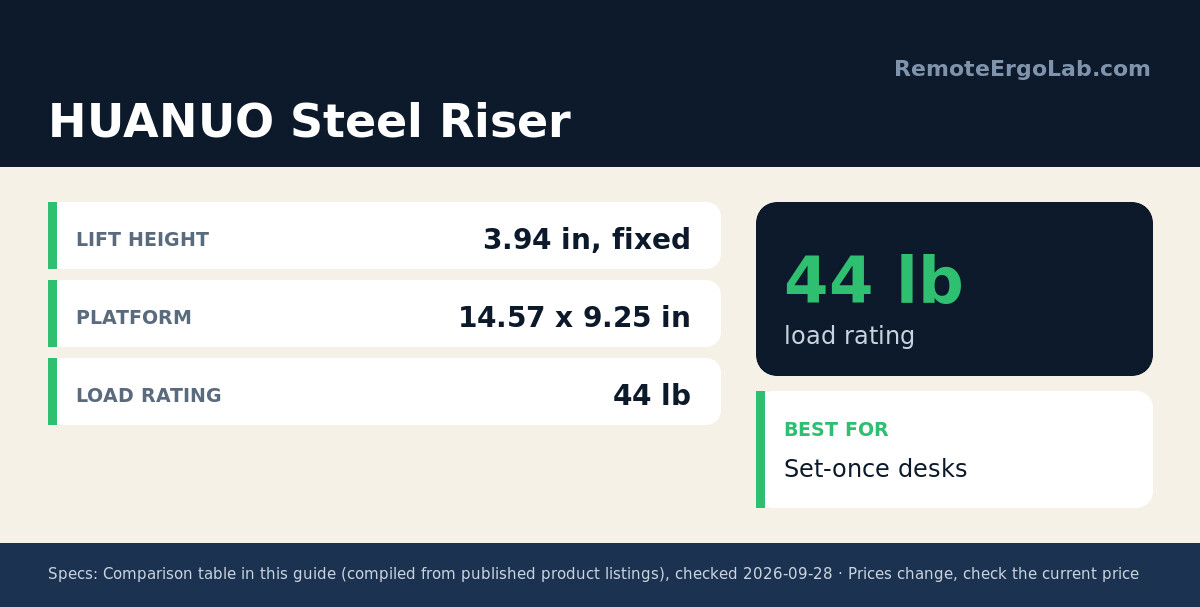
A single-height platform 3.94 inches tall and 14.57 x 9.25 inches across, rated to 44 pounds. The perforated steel deck lets a warm laptop breathe instead of sitting on a solid slab of heat, and assembly takes about two minutes. Nothing adjusts, so a user who needs 6 inches has to add a second layer or move up to a monitor arm.
2. ELIVED 2 Pack Monitor Stand Riser – 3 Height Adjustable Monitor Stand
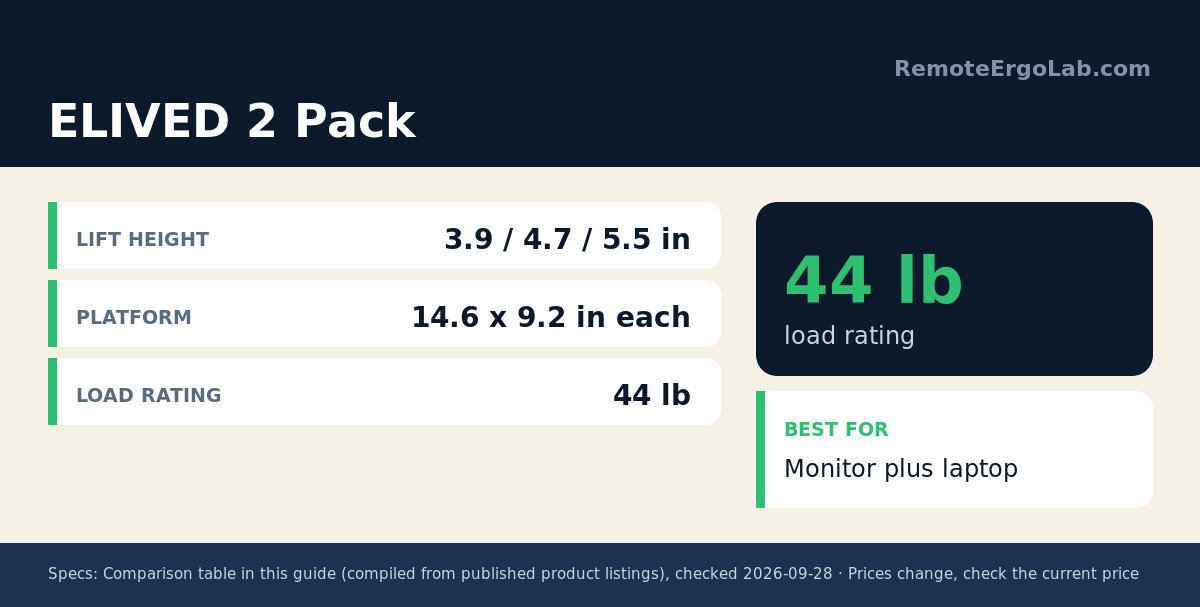
Two platforms, eight legs, and a press-button leg that clicks between 3.9, 4.7, and 5.5 inches. Each platform measures 14.6 x 9.2 inches, holds 44 pounds, and sits on non-slip pads. The pair answers the sitting-then-standing problem in miniature: one platform at 5.5 inches for standing, the second at 3.9 for seated work. Deck depth is the trade-off.
3. loukin Monitor Stand Riser for Desk, 22.4 x 8.2 Computer Stand, Brown
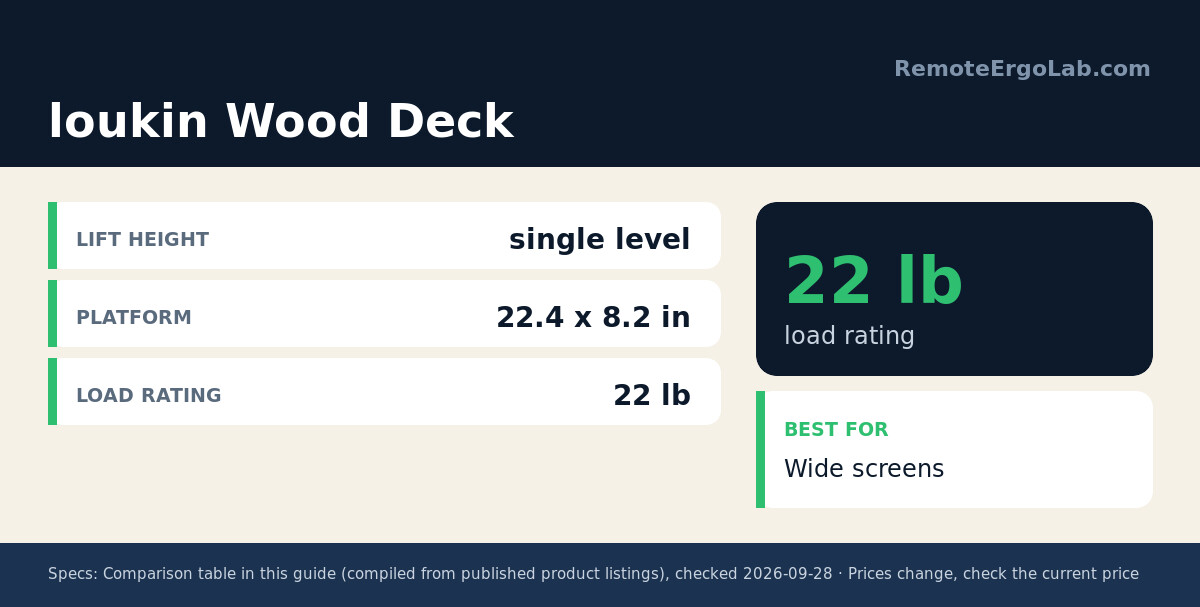
The widest platform here at 22.4 inches, which matters when two small monitors or a monitor plus a tablet share the deck. The board is water-resistant MDF rated to 22 pounds, and it arrives assembled. A keyboard slides underneath rather than sitting in front, returning a few inches of depth on a narrow desk. Since the height is fixed, check the deck height on the listing against your own measurement.
4. BONTEC 2 Pack Adjustable Monitor Stand Riser with Drawer, Supports 44lbs
Adjustable across the same 3.9, 4.7, and 5.5 inch positions as the ELIVED pair, with the same 44 pound capacity, plus a small drawer and pen slot in the front edge. Owner reports single out that drawer as the reason this pair gets picked: cables, adapters, and a spare mouse live in it instead of on the desktop.
Buying Guide: How Much Lift Do You Actually Need?
Start with the gap, not the product. Eye level minus the current top edge of the screen decides everything else.
- Under 2 inches: skip the riser. An adjustable monitor arm covers a small gap with more range.
- 3.9 to 5.5 inches: the two adjustable risers above cover the whole band; a fixed 3.94-inch platform covers its bottom.
- More than 6 inches: a desk riser starts to look like a stilted shelf. A monitor arm or a lower desk is the better route.
- Load: a 27-inch panel typically weighs 10 to 15 pounds, so 22 pounds is enough for one screen. The 44 pound ratings matter once a laptop or second monitor shares the deck.
Common Mistakes
- Measuring with the head already tilted down, which drops the mark 2 to 3 inches below true eye level.
- Buying an adjustable riser and leaving it on the lowest setting after measuring a 5-inch gap.
- Stacking a laptop on a riser and pushing the top edge above the eyes, trading neck flexion for a raised chin.
FAQ
Should the top or the center of my monitor be at eye level?
The top edge. Center-on-eyes leaves the upper third of the screen above your sight line, and the text you read most sits below that line anyway.
How high should a monitor be for someone who is 5’2″?
Measure rather than guess. Shorter frames commonly sit at 16 to 18 inches from desk surface to eye level, but torso length and chair height move that number by 2 inches either way.
Can I raise a monitor without buying anything?
Yes. A ream of copy paper is roughly 2 inches thick, so two reams add close to 4 inches. Stable enough as a temporary fix, though not against a monitor base that overhangs the stack.
Related Guides
- Monitor Too Low? Simple Fixes for Neck Pain — the quick-fix version of this guide.
- Best Monitor Risers for Small Desks — five risers judged on storage and footprint.
- Complete Home Office Ergonomics Checklist — the full 15-minute walkthrough of desk, chair, and screen.
- Ergonomic Keyboards for Small Desks: 5 Compact Picks
- Standing Desk Types for Small Spaces: 4 Compared
- Which Monitor Arm Is Safe on a Glass Desk?
Shop These Picks on Amazon
Ready to compare prices? These links open Amazon listings for the specific products covered in this guide, so you can check current models and prices yourself. If you buy through them, we may earn a small commission at no extra cost to you. As an Amazon Associate we earn from qualifying purchases.
- HUANUO Monitor Riser for Desk, Laptop Stand with Vented Steel Shelf, Black on Amazon
- ELIVED 2 Pack Monitor Stand Riser – 3 Height Adjustable Monitor Stand on Amazon
- loukin Monitor Stand Riser for Desk, 22.4 x 8.2 Computer Stand, Brown on Amazon
- BONTEC 2 Pack Adjustable Monitor Stand Riser with Drawer, Supports 44lbs on Amazon
Disclosure
RemoteErgoLab is reader-supported. As an Amazon Associate we earn from qualifying purchases. Our recommendations are based on product specs, published dimensions, and patterns in user reviews, not on personal testing. Prices change frequently, so verify the current listing before you buy.