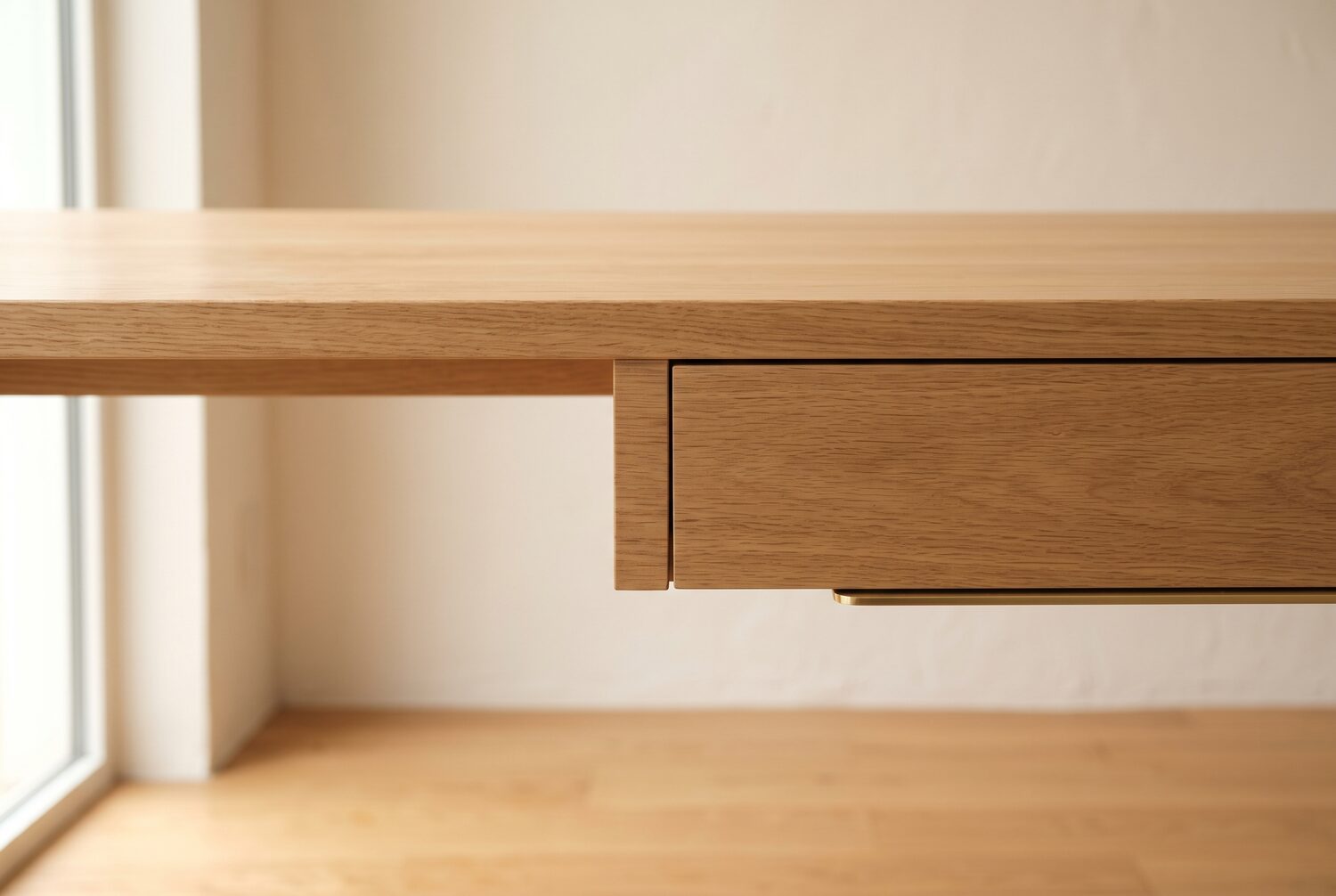
A small desk forces a choice: keyboard on the surface or room for papers, a coffee mug, and a wrist-friendly setup. An under-desk keyboard tray removes the dilemma. It clamps below the desktop, slides out when you type, and tucks away when you do not. Your arms drop to a natural typing height instead of hovering at desk level — the fix most remote workers need when a fixed-height desk sits a few inches too high. The same surface gets a second look in our desk organizer picks for small desks.
The five trays below came out on top once we compared published dimensions, clamp ranges and load ratings. The list stays with models that fit small desks without drilling or permanent changes.
Quick Answer
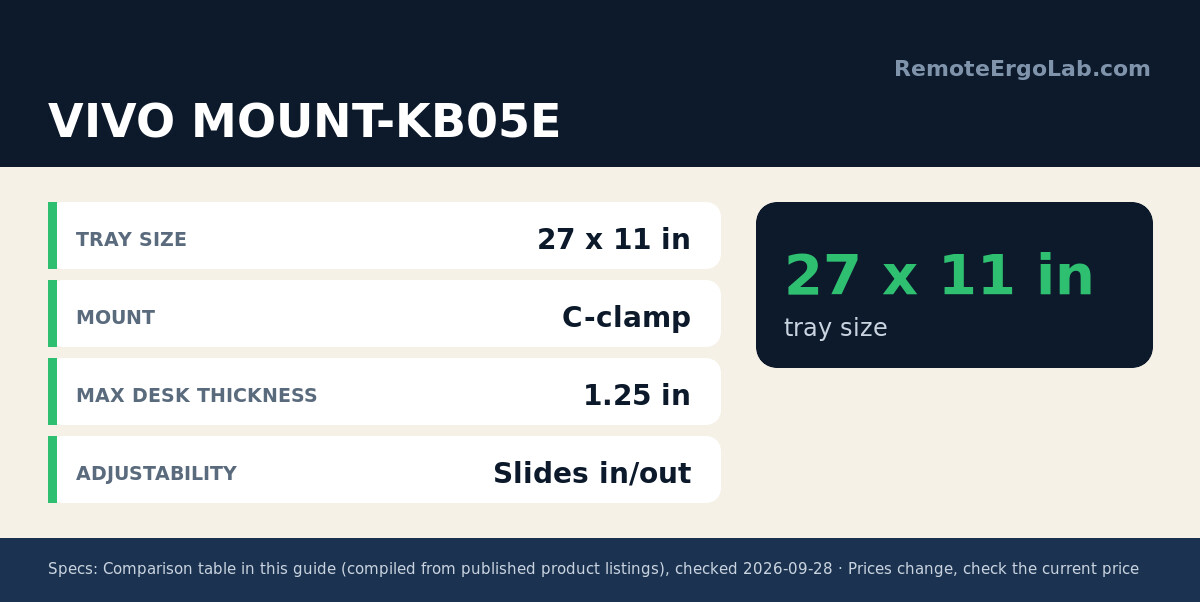
For a small desk, the VIVO MOUNT-KB05E is the best keyboard tray overall (typical $45-$60): a 27 x 11 inch clamp-on platform that holds a full keyboard and mouse. Need more height range? The VIVO KB03B adjusts through 5 inches ($55-$75). Tightest spaces suit the 20-inch EHO Prime (typical $40-$60).
Quick Picks
Short on time? Here is the shortlist, from the roomiest to the most space-conscious.
- Best overall: VIVO MOUNT-KB05E — a 27 x 11 inch slide-out platform with sturdy C-clamps that holds a full keyboard plus mouse.
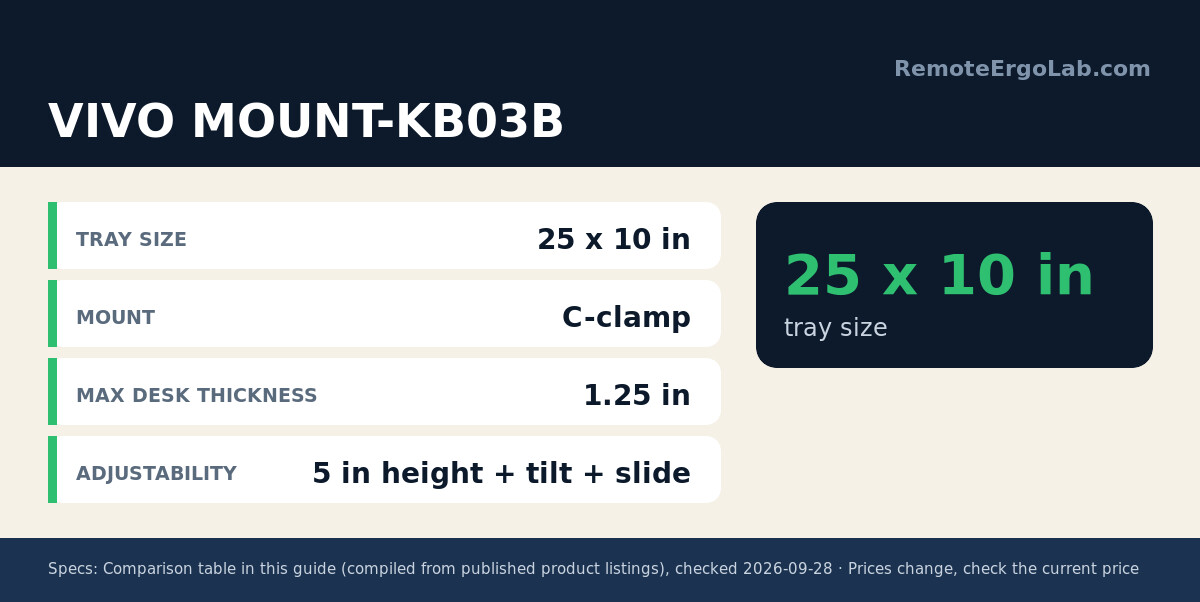
- Best height adjustability: VIVO MOUNT-KB03B — 5 inches of vertical adjustment and a tilting tray that rotates side to side.
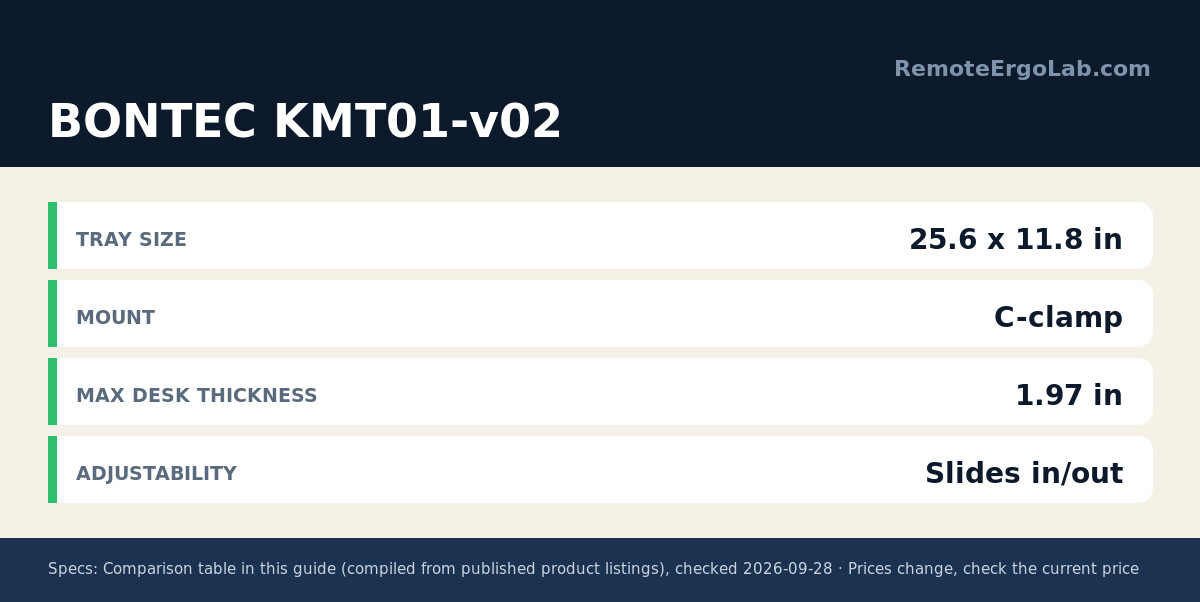
- Best for thick desktops: BONTEC KMT01-v02 — its clamps open to nearly 2 inches, so it fits chunky solid-wood tops.
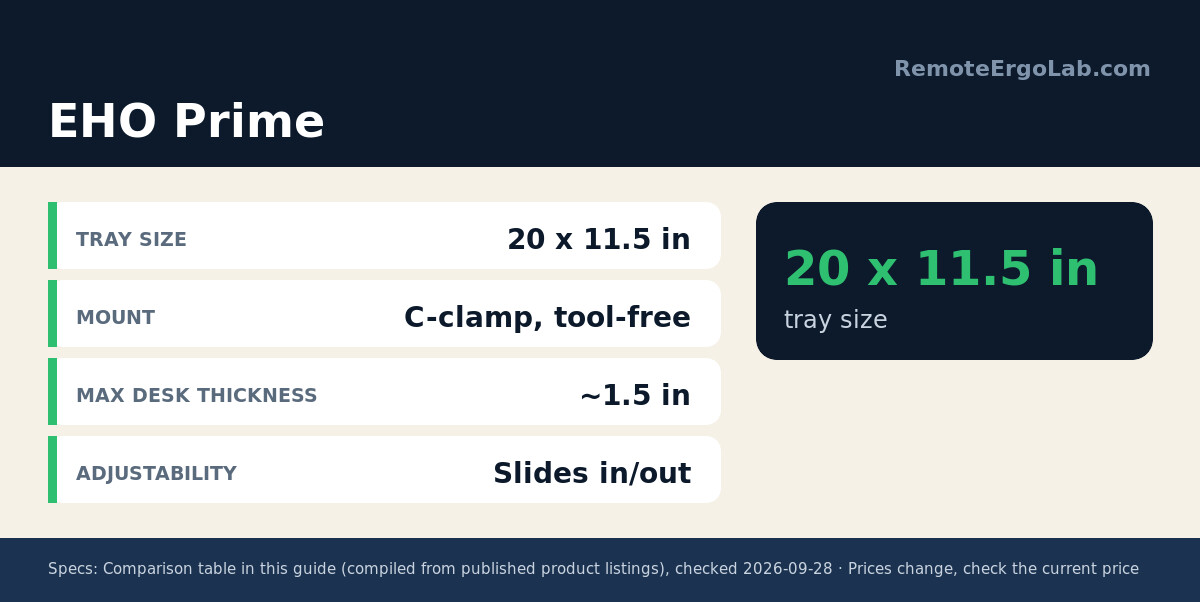
- Best compact: EHO Prime — a 20 x 11.5 inch tool-free tray made for narrow nooks and shared desks.
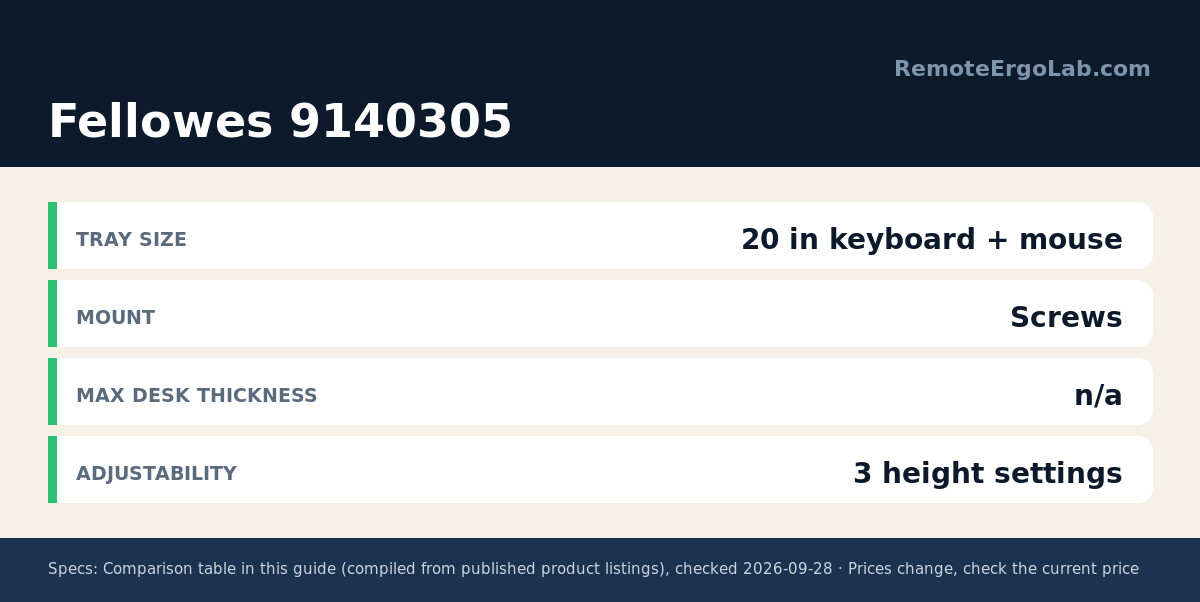
- Best budget: Fellowes Office Suites 9140305 — a three-height drawer with an attached mouse tray at a hard-to-beat price.
How We Chose
Every tray here had to clear four bars. Mounting came first: clamp-style models won out for renters, since screw-mounted drawers leave holes. Size came second: the tray had to fit a standard keyboard (roughly 18 inches wide) while leaving knee clearance. Stability came third — no wobble under fast typing. Adjustability rounded out the list, because tilt or height range matters more than brand name on a fixed-height desk.
We also checked the fine print owners complain about most: minimum under-desk clearance, maximum desktop thickness, and whether the slides rattle. The table below sums up the numbers that matter.
Comparison Table
| Model | Tray Size | Mount | Max Desk Thickness | Adjustability | Typical Price |
|---|---|---|---|---|---|
| VIVO MOUNT-KB05E | 27 x 11 in | C-clamp | 1.25 in | Slides in/out | $45–$60 (check current price) |
| VIVO MOUNT-KB03B | 25 x 10 in | C-clamp | 1.25 in | 5 in height + tilt + slide | $55–$75 (check current price) |
| BONTEC KMT01-v02 | 25.6 x 11.8 in | C-clamp | 1.97 in | Slides in/out | $35–$50 (check current price) |
| EHO Prime | 20 x 11.5 in | C-clamp, tool-free | ~1.5 in | Slides in/out | $40–$60 (check current price) |
| Fellowes 9140305 | 20 in keyboard + mouse tray | Screws (drill required) | n/a | 3 height settings | $25–$40 (check current price) |
Reviews of the 5 Best Keyboard Trays for Small Desks
VIVO MOUNT-KB05E — Best Overall
The KB05E is the tray we saw recommended most often across forums and review sections. At 27 x 11 inches it is one of the few platforms that takes a full keyboard and a mouse side by side. The steel C-clamps grip desktops up to 1.25 inches thick without tools beyond an Allen key, and the tray glides out on ball-bearing slides. Owners describe the 10.5-pound unit as stable under fast typing; the main complaint is its length, so measure first — the clamp-to-clamp span reaches 32.5 inches. As an Amazon Associate we earn from qualifying purchases.
Typical price: $45-$60. Check current price on Amazon
VIVO MOUNT-KB03B — Best Height Adjustability
If your desk sits a few inches too high and you cannot change that, the KB03B is the smarter pick. Its 25 x 10 inch tray adjusts through 5 inches of height and tilts side to side, so you can angle the board for a straighter wrist line. The tray slides forward and back on a 14.25-inch track, letting you pull it close for typing and push it away when you stand. Reviewers note the mechanism needs open space underneath — a crossbar or drawer track will block the slide. A wrist rest solves the same edge pressure from a different angle.
Typical price: $55-$75. Check current price on Amazon
BONTEC KMT01-v02 — Best for Thick Desktops
Most clamp trays stop at about 1.25 inches of desktop thickness, which rules out solid-wood tops and some butcher-block desks. The BONTEC KMT01-v02 opens to 1.97 inches, covering that gap. Its 25.6 x 11.8 inch platform is faced in engineered wood rather than bare steel, and the assembly weighs just under 10 pounds. One caveat from the listing: the tray needs 31.3 inches of width and 11.8 inches of depth free under your desk, so check for support beams before ordering. At its typical price it undercuts most steel rivals.
Typical price: $35-$50. Check current price on Amazon
EHO Prime — Best Compact
The EHO Prime is the tray for genuinely tight spaces. Its 20 x 11.5 inch platform still fits a standard keyboard, yet the unit is short enough for narrow desks, dorm furniture, and sit-stand converter setups where knee room is scarce. Assembly is tool-free: hand-tighten the C-clamps, then snug them with a screwdriver. Owners in small apartments report it frees the entire desktop for a monitor stand and documents. Expect less mouse room than the wider trays, so a compact mouse or a separate mouse platform works best.
Typical price: $40-$60. Check current price on Amazon
Fellowes Office Suites 9140305 — Best Budget
The Fellowes is the veteran of this list and the only one that mounts with screws rather than clamps, so expect a drill and a few minutes under the desk. In exchange you get three mounting heights, a 20-inch keyboard surface, and a pre-installed mouse tray on the right side measuring 7.25 x 7.5 inches. It needs 23.5 inches of desk width and 14.5 inches of clearance below. If drilling is not an option in your rental, skip this one — for a permanent desk it is the cheapest reliable way to reclaim the surface.
Typical price: $25-$40. Check current price on Amazon
Buying Guide: What to Measure Before You Buy
Grab a tape measure first, because keyboard trays fail on fit more than on quality.
- Under-desk clearance: measure from the desktop down to any shelf or crossbar. A tray plus keyboard needs roughly 3–4 inches of vertical room when stowed.
- Desktop thickness: clamp trays list a maximum (usually 1.25–2 inches). Thicker tops need a model like the BONTEC with wider jaws.
- Width available: some trays span 30+ inches clamp to clamp. A 20-inch EHO fits where a 27-inch VIVO will not.
- Knee room: the tray should sit low enough that your thighs clear it and your forearms rest near 90 degrees.
- Mounting rules: renters should pick C-clamp models; screw-mounted drawers like the Fellowes are for desks you own.
FAQ
Are under-desk keyboard trays worth it for small desks?
For most people, yes. The tray clears the keyboard and mouse off the desktop and lowers your typing surface to a healthier height. The trade-off is knee clearance, so measure before buying.
Do keyboard trays work with standing desks?
They can, but check for crossbars under the frame. Some models, like the VIVO KB03B, need a spacer bracket to clear the crossbar on height-adjustable desks.
Clamp or screw mount — which is better?
Clamps are faster, leave no damage, and suit rental desks, but they only fit desktops within their jaw range. Screw mounts are more secure under heavy use, yet they require drilling and leave holes if you move.
How low should a keyboard tray sit?
Aim for elbow height: with your shoulders relaxed, your forearms should sit roughly parallel to the floor and your wrists straight while typing. If the tray adjusts, set it so your elbows rest near 90 degrees.
Related Guides
- Best keyboard and mouse combos for laptop ergonomics
- Best monitor risers for small desks
- Ergonomic fixes for a desk that is too high
Shop These Picks on Amazon
Ready to compare prices? These links open Amazon listings for the specific products covered in this guide, so you can check current models and prices yourself. If you buy through them, we may earn a small commission at no extra cost to you — it helps keep RemoteErgoLab free.
- VIVO Black Clamp-on 27 x 11 in Keyboard Tray (MOUNT-KB05E) on Amazon
- VIVO Black Under Desk 25 x 10 in Keyboard Tray (MOUNT-KB03B) on Amazon
- BONTEC Under Desk Keyboard Tray, Pull-Out Keyboard & Mouse Platform on Amazon
- EHO Prime Desk Clamp Keyboard Tray, Under Desk Sliding Retractable Drawer on Amazon
- Fellowes Office Suites Underdesk Keyboard Drawer, Black/Silver (9140305) on Amazon
Disclosure
RemoteErgoLab is reader-supported. When you buy through links on our site, we may earn an affiliate commission. As an Amazon Associate we earn from qualifying purchases. All product recommendations are based on published specs, user reviews, and research — we do not claim to have tested every item ourselves.