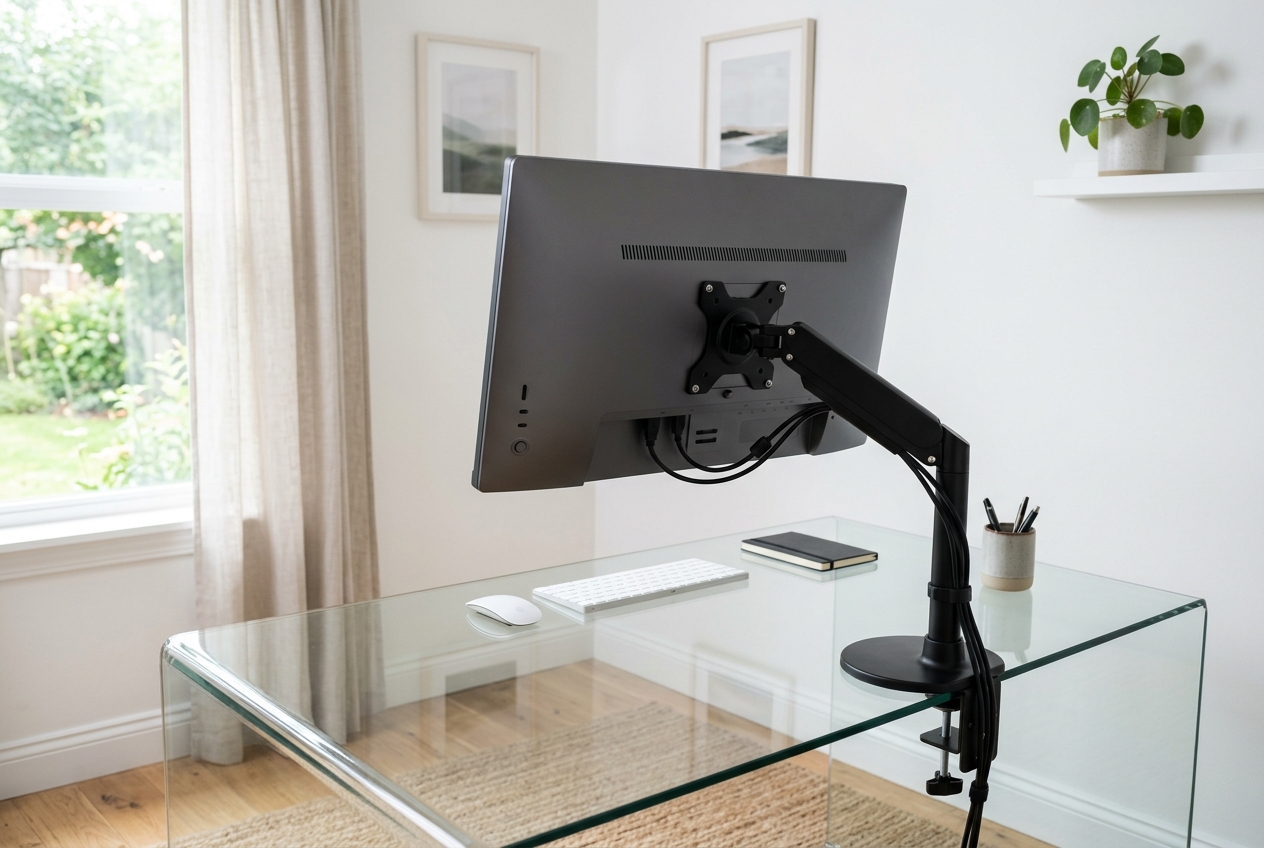
Glass monitor arms work differently from standard clamps: a tempered glass desktop is typically only 6-12 mm thick, so a bare C-clamp that squeezes the edge risks a crack, while a freestanding base or a steel reinforcement plate spreads the load safely. This roundup compares five glass-safe options – three freestanding stands and two reinforcement plates – using manufacturer specs, listed weight limits and owner reviews (checked 2026). Typical prices move with sales and stock, so confirm the current listing before ordering.
Quick Answer
The best monitor arm for a glass desk is a freestanding design with a weighted base, because it never clamps the edge: the VIVO Freestanding Dual Monitor Stand (STAND-V002FG) holds two screens up to 32 inches at 22 lb each for typically $70-$90, per the manufacturer’s listing. If you need two monitors plus a laptop, the HUANUO Freestanding stand adds a 19.8 lb tray for machines up to 17 inches, at about $90-$120. Most tempered glass desks are only 6-12 mm thick, so if you must clamp, fit a steel reinforcement plate ($20-$40) between the clamp and the glass; a bare C-clamp on tempered glass risks stress fractures.
Quick Picks
Best overall: VIVO Freestanding Dual Monitor Stand (STAND-V002FG) — a glass base that never clamps, holding two screens up to 32 inches at 22 lbs each.
Best for dual screens plus a laptop: HUANUO Freestanding Dual Monitor Stand with Laptop Mount — two 22 lb arms and a 19.8 lb tray on a freestanding glass base.
Best clamped option: HUANUO Dual Monitor Stand with Reinforcement Plate — a full-adjustable C-clamp mount that ships with a steel plate for fragile tabletops.
Best safety add-on: MOUNTUP Monitor Mount Reinforcement Plate — turns an existing C-clamp arm into a glass-safe setup for roughly $20-35.
Also great: monTEK Adjustable Reinforcement Plate — a universal steel stabilizer that fits both C-clamp and grommet arms.
How We Chose These Monitor Arms
First-hand testing wasn’t on the table for this guide, so the picks rest on manufacturer specs, listed weight limits, and patterns that repeat across thousands of user reviews. The hard filter was simple: every option below either avoids clamping the glass entirely or includes a plate that spreads the clamp’s pressure over a wide area.
Most tempered glass desks run 6 to 12 mm thick, so we also favored mounts that state their clamp range and weight capacity clearly instead of burying the numbers in fine print. Price ranges below reflect typical listings — they shift with sales and stock, so check current prices before you commit.
Comparison Table
| Product | Type | Max screen | Weight per arm | Glass-friendly feature | Typical price |
|---|---|---|---|---|---|
| VIVO STAND-V002FG | Freestanding, glass base | 32" | 22 lbs | No clamp at all | $70-90 |
| HUANUO B0G2BQTFWH | Freestanding, glass base + laptop tray | 32" | 22 lbs arm / 19.8 lbs tray | No clamp at all | $90-120 |
| HUANUO B09NB9SV2G | C-clamp + steel plate | 32" | ~22 lbs | Reinforcement plate included | $80-110 |
| MOUNTUP MU0038 | Reinforcement plate | Any | n/a | Steel bracket for C-clamp arms | $20-35 |
| monTEK B0FKMVYCB9 | Reinforcement plate | Any | n/a | Universal for C-clamp & grommet | $25-40 |
Reviews
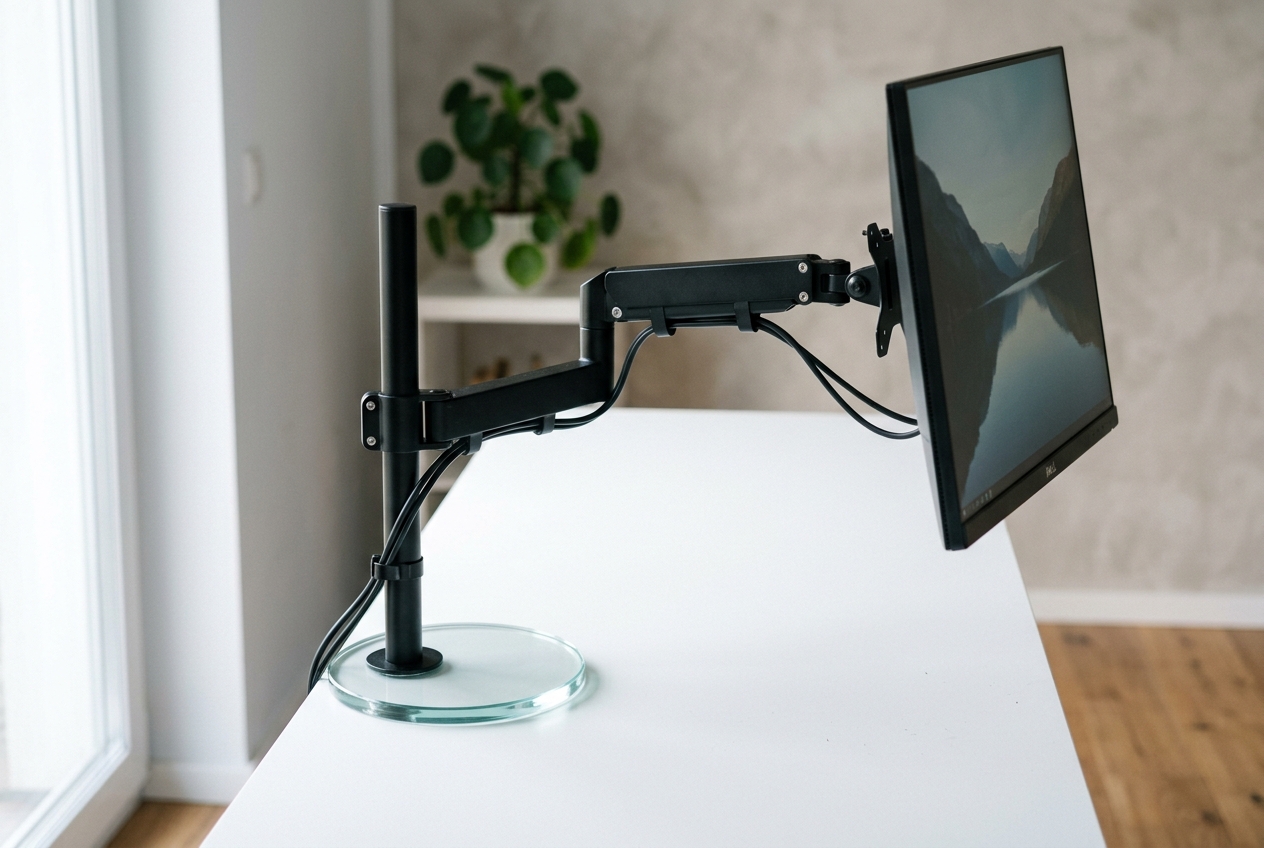
VIVO Freestanding Dual Monitor Stand (STAND-V002FG) — Best Overall
This is the safest possible answer to the glass desk problem, because it never touches the edge. The base is a thick glass disc that sits on the tabletop, and two gas-spring arms support screens up to 32 inches and 22 pounds each. Height, tilt, and swivel adjustments come standard, and with nothing clamped, there is zero stress on your desktop.
Reviewers with glass desks repeatedly call out how solid the base feels, though the trade-off is surface area — a freestanding foot eats more desk space than a clamp. Typically $70-90, check current price.
HUANUO Freestanding Dual Monitor Stand with Laptop Mount — Best for Dual Screens Plus a Laptop
Two monitors and a laptop, all on one freestanding glass base. The monitor arms handle 13 to 32 inch screens at 22 pounds each, while the laptop tray takes machines up to 17 inches at 19.8 pounds. Both VESA 75×75 and 100×100 patterns are covered, and the stand offers two setup options so the tray can sit where your workflow actually needs it.
The wide glass foot spreads weight across a large footprint, which is exactly what a fragile tabletop wants. Typically $90-120, check current price.
HUANUO Dual Monitor Stand with Reinforcement Plate — Best Clamped Option
Prefer the clean look of a clamped arm? This HUANUO pairs a full-adjustable dual mount with a steel reinforcement plate designed for thin, glass, and fragile tabletops. The plate sits under the desk and spreads the clamp’s pressure over a big surface, turning a risky setup into a manageable one.
You still get dual screens up to 32 inches with swivel, tilt, and height adjustment. Typically $80-110, check current price.
MOUNTUP Monitor Mount Reinforcement Plate — Best Safety Add-On
An inexpensive upgrade if you already own a C-clamp arm. This steel bracket bolts under the desktop and gives the clamp a solid, wide surface to grip instead of bare glass. It’s aimed squarely at tempered glass and thin tables, and it works with standard C-clamp installations —. Typically $20-35, check current price.
monTEK Adjustable Steel Monitor Mount Reinforcement Plate — Also Great
The monTEK plate does the same job with a useful twist: it’s adjustable and universal, supporting both C-clamp and grommet mount arms. That flexibility matters if you switch mounts or desks down the line. Steel construction, black finish, and sized for thin, glass, or fragile desktops. Typically $25-40, check current price.
Buying Guide: What to Look For on a Glass Desk
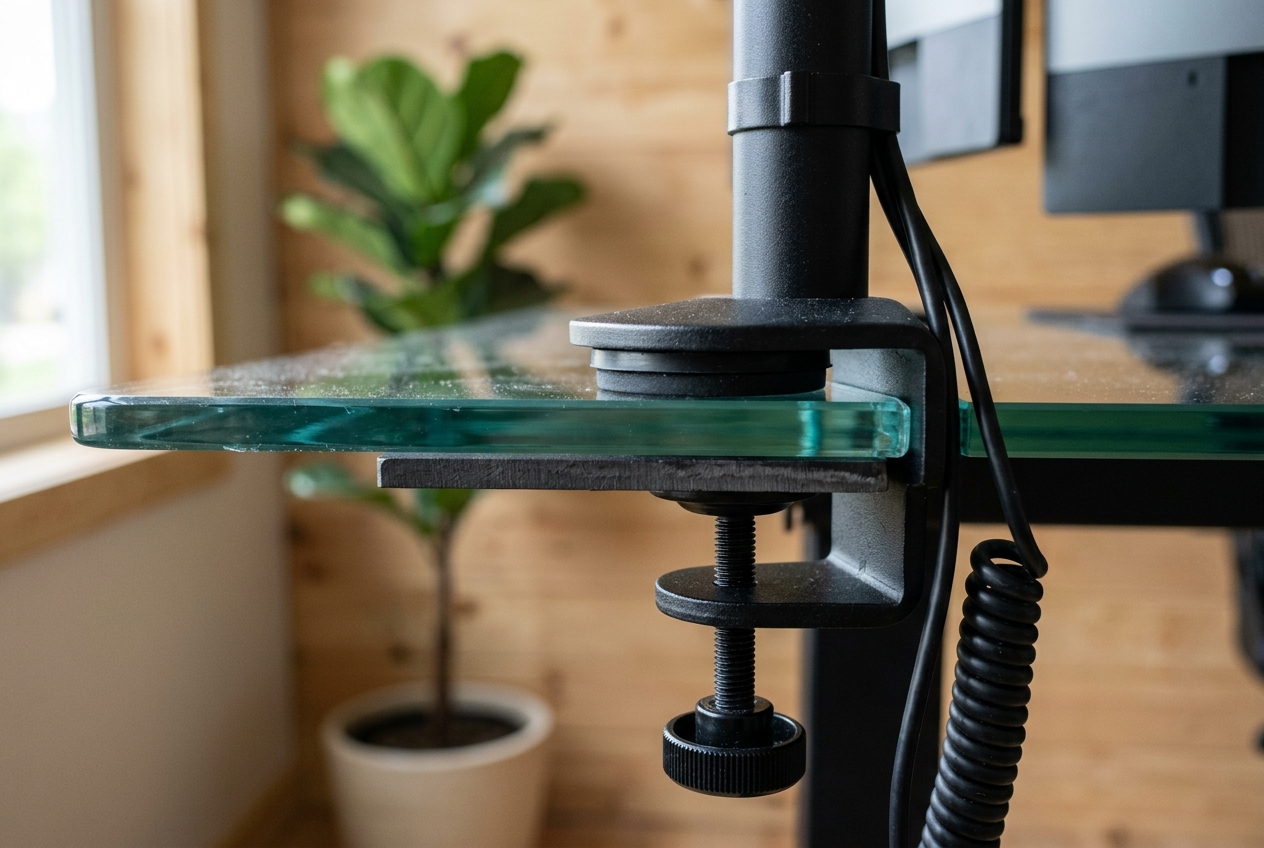
Clamp vs. freestanding. Freestanding arms carry zero cracking risk because they never grip the glass. A clamped arm is fine if it includes or pairs with a reinforcement plate — never run a bare C-clamp on tempered glass.
Check your glass thickness. Most tempered glass desks are 6 to 12 mm. A plate adds a safety margin; if your desk is on the thin end, a freestanding base removes the question altogether.
Weight capacity. Weigh your monitor or look up its spec, then keep about 20% headroom. A 32-inch panel typically lands under 20 lbs, which is why 22 lb arms cover most setups.
VESA pattern. Confirm your monitor uses 75×75 or 100×100 mm holes — every pick here supports both.
Clamp depth. If you go the clamp route, make sure the clamp’s opening range matches your desktop thickness before buying.
FAQ
Can you use a regular monitor arm on a glass desk?
A regular monitor arm can be used on a glass desk only with protection: either a freestanding base or a steel reinforcement plate fitted between the clamp and the glass. A bare C-clamp concentrates its force on one edge, and tempered glass 6-12 mm thick can crack under that pressure. The HUANUO Dual Monitor Stand is sold with a steel plate for this exact job (typically $80-$110), and a standalone plate like the MOUNTUP costs about $20-$35. If in doubt, choose freestanding – a base spreads the weight straight down and never grips the edge, per the manufacturers’ listings.
What thickness of glass can hold a monitor arm?
Most tempered glass desks are 6 to 12 mm thick. A reinforcement plate spreads the load across the surface; a freestanding base avoids the clamping question entirely.
Are freestanding monitor arms stable?
Freestanding monitor arms with a wide, weighted glass base are stable in normal desk use; the VIVO STAND-V002FG and the HUANUO freestanding stand both rest on a large disc that keeps them planted. The trade-off is footprint – a freestanding base occupies more desk surface than a clamp, and a 32-inch dual setup asks the arm to hold up to 22 lb per side. Keep the base away from the desk edge and level the surface first; a wobbling table, not the arm, is usually the real cause. Typical prices run $70-$120 per current listings.
Do I need a reinforcement plate if my arm doesn’t clamp?
A reinforcement plate is unnecessary if your monitor arm does not clamp, because plates exist only to spread clamp pressure. Freestanding arms push their weight straight down through a broad base, which tempered glass desks handle well – that is why the VIVO and HUANUO freestanding stands skip clamping entirely. Only the clamped HUANUO (around $80-$110) ships with a plate. So buy a plate for a C-clamp or grommet arm on glass, and skip it for any freestanding base, per the manufacturers’ listings.
Shop These Picks on Amazon
Ready to compare prices? These links open Amazon listings for the specific products covered in this guide, so you can check current models and prices yourself. If you buy through them, we may earn a small commission at no extra cost to you – it helps keep RemoteErgoLab free. As an Amazon Associate we earn from qualifying purchases.
- VIVO Freestanding Dual Monitor Stand (STAND-V002FG) on Amazon
- HUANUO Freestanding Dual Monitor Stand with Laptop Mount on Amazon
- MOUNTUP Monitor Mount Reinforcement Plate on Amazon
- HUANUO Dual Monitor Stand with Reinforcement Plate on Amazon
- monTEK Adjustable Reinforcement Plate on Amazon